Tag: New Android Games

  • Flick Shot Rogues: Exciting Android Game Guide for 2026

    Flick Shot Rogues: Exciting Android Game Guide for 2026

    Mobile gaming is getting more interesting with new games that bring different ideas to Android phones. Flick Shot Rogues is one such game. It mixes simple flick controls with strategy, turn-based combat, and roguelike gameplay.

    The game is now available on Android and Windows, giving mobile players a new way to enjoy its unique combat system. The Android version became available in September 2026, making it a fresh choice for players who want something different from regular action games.

    In this guide, we will look at what Flick Shot Rogues is, how the gameplay works, its main features, benefits, installation process, and important things to know before playing.

    What Is Flick Shot Rogues?

    Flick Shot Rogues is a strategy game developed by Noodlecake. It combines physical flicking controls with turn-based roguelike gameplay.

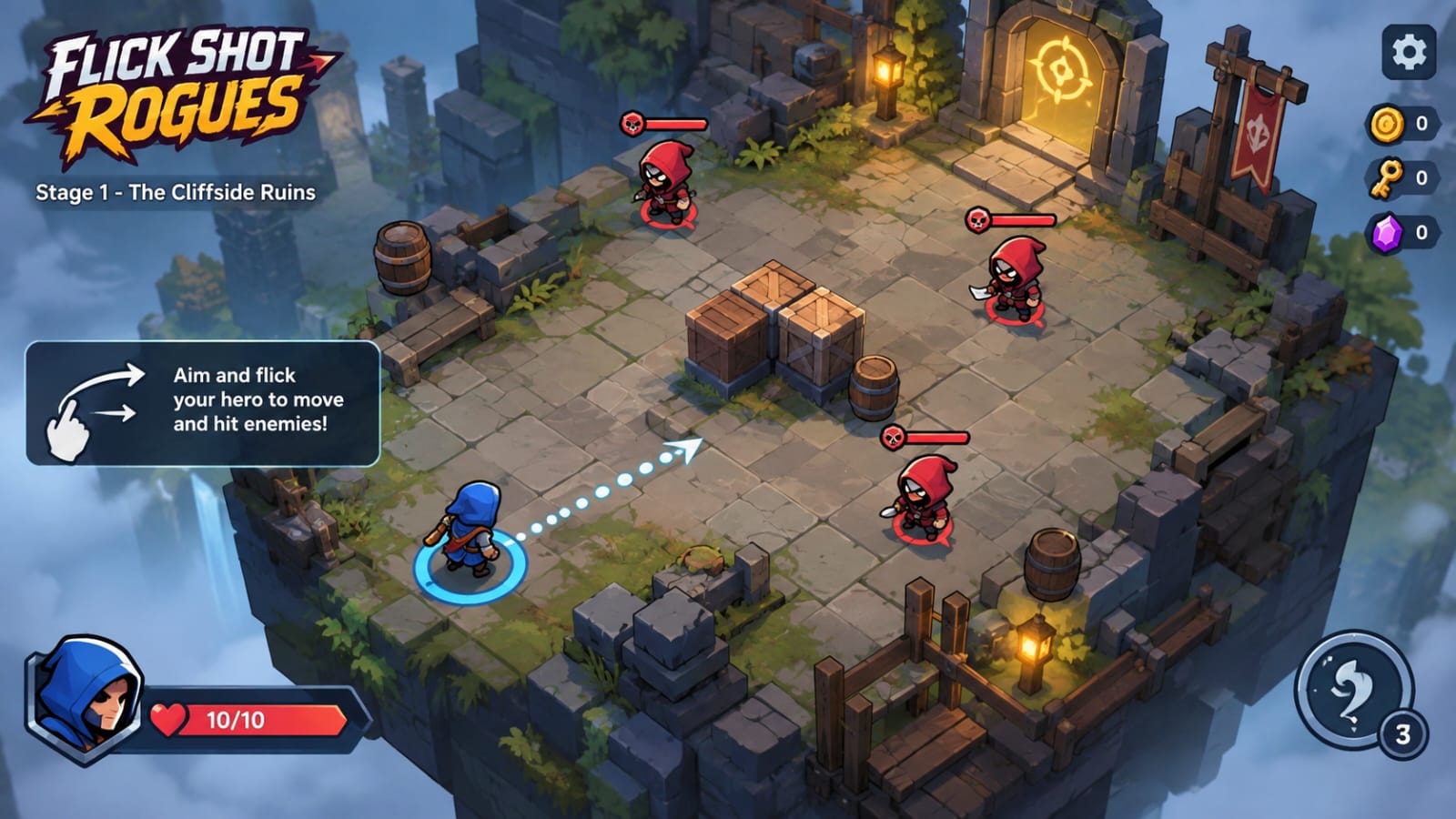
    Instead of controlling a character with normal movement buttons, you aim and flick your hero toward enemies. The goal is to make smart shots, hit targets, create combos, and survive different battles.

    Each run can feel different because enemies and rewards can change. This means you cannot always use exactly the same strategy. You need to look at the situation and decide where to move and which attack to use.

    The game also includes characters, items, skills, talents, and curses that can change the way you play.

    Key Features of Flick Shot Rogues

    Simple Flick-Based Controls

    The main idea is easy to understand. You aim your character and flick it across the battlefield.

    A good shot can hit enemies or create useful combos. However, careless movement can also put your character in a difficult position.

    Turn-Based Strategy

    Flick Shot Rogues does not depend only on fast reactions. You also need to think about your next move.

    You can take time to study the battlefield and choose a useful attack. This makes the game different from many fast action games.

    Different Characters

    The game allows players to unlock and use different characters. Each character can provide a different way to handle combat.

    Choosing the right character for a situation can make a big difference during a run.

    Items, Skills, and Talents

    Players can collect different items and upgrades during their journey. These can improve attacks or change how certain abilities work.

    This upgrade system gives players more options as they continue playing.

    Changing Runs

    One interesting part of Flick Shot Rogues is that each new journey can change the enemies and rewards.

    Because of this system, every run may require a slightly different plan.

    No Regular Ads

    According to the official Google Play listing, players can try the beginning of the game for free. A one-time in-app purchase unlocks the full game, and the listing states that there are no ads.

    How Flick Shot Rogues Gameplay Works

    The basic gameplay is built around aiming and flicking your character.

    First, you look at the battlefield and decide where you want your character to go. Then you aim and make a flick. Your character moves across the area and can interact with enemies during the move.

    The challenge comes from making useful shots instead of simply attacking without a plan.

    You may need to think about enemy positions, possible collisions, and the best direction for your next move. Some situations can reward careful positioning and well-planned combos.

    After battles, you can collect upgrades and other rewards. These choices can affect your next fights.

    The roguelike system also means that losing a run does not simply end the whole experience. You can start another journey and face a different combination of situations.

    Why Flick Shot Rogues Is Different?

    Many Android games use familiar controls such as virtual joysticks, buttons, or automatic attacks. Flick Shot Rogues takes another approach.

    Its main control system is based on physical movement and aiming. The idea can feel closer to flicking an object on a table while still keeping the strategy of a turn-based game.

    This combination gives the game its own style.

    It can also be interesting for players who enjoy games where planning is more important than simply pressing buttons quickly.

    Main Benefits

    There are several reasons why players may want to try Flick Shot Rogues.

    • Easy-to-understand flick controls
    • Strategy-based combat
    • Different characters and abilities
    • Items and upgrades to collect
    • Changing enemies and rewards between runs
    • Roguelike replay value
    • Available on Android and Windows
    • Free beginning to try before unlocking the full game
    • No regular ads according to the Google Play listing

    The game can be especially interesting for players who want something different from standard mobile action games.

    If you enjoy fast-paced Android games with survival and combat elements, you can also check out our guide to Prime Rush, an extraction-style battle royale game for Android.

    How to Download Flick Shot Rogues on Android?
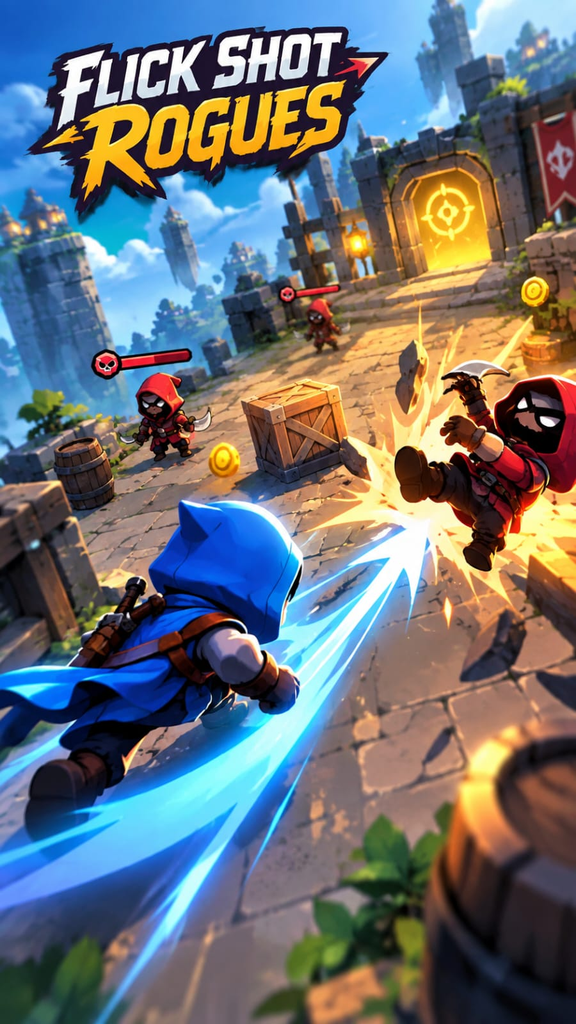
    The safest way to install Flick Shot Rogues is through the official Google Play Store.

    Steps to Install

    1. Open Google Play Store on your Android phone.
    2. Search for Flick Shot Rogues.
    3. Check that the developer is Noodlecake.
    4. Open the official game page.
    5. Tap the Install button.
    6. Wait for the installation to finish.
    7. Open the game and start the free beginning.
    8. If you enjoy it, you can decide whether to unlock the full game through the available in-app purchase.

    The official listing currently shows Flick Shot Rogues as available for Android and Windows.

    Pros and Cons

    Pros

    • Unique flick-based gameplay
    • Simple controls
    • Strategy-focused battles
    • Different characters and upgrades
    • Changing runs
    • No regular ads according to Google Play
    • Available on Android

    Cons

    • The full game requires a purchase after the free beginning
    • The gameplay can be challenging for new players
    • Players who prefer very fast action may need time to adjust to the turn-based style
    • Mobile controls may take some practice to master

    Safety and Important Things to Know

    Always download Flick Shot Rogues from a trusted source such as Google Play.

    Avoid random APK websites that offer modified or unlocked versions. These files may contain unwanted software or may not provide the real game.

    The official Google Play page also provides data safety information. It states that the developer reports no data shared with third parties, while some data types may be collected. The listing also says that data is encrypted in transit.

    Before making any purchase, check the price shown on your own Google Play account because prices and offers can vary by region and may change over time.

    Frequently Asked Questions

    Is Flick Shot Rogues available on Android?

    Yes. Flick Shot Rogues is officially available on Android as well as Windows.

    Is Flick Shot Rogues free?

    You can play the beginning for free. The official Google Play listing says a one-time in-app purchase unlocks the full game.

    Does Flick Shot Rogues have ads?

    The official Google Play listing says the full game has no ads.

    What type of game is Flick Shot Rogues?

    It is a strategy game that combines flick-based physics gameplay with turn-based roguelike elements.

    Can I play Flick Shot Rogues offline?

    The official Google Play listing does not clearly promise full offline support, so players should not assume that every feature will work without an internet connection.

    Is Flick Shot Rogues suitable for beginners?

    The basic controls are simple, but learning how to make effective shots and choose useful upgrades may take some practice.

    Final Thoughts

    Flick Shot Rogues brings a different idea to Android gaming by combining flick controls, strategy, and roguelike gameplay. Instead of relying only on fast button presses, the game asks players to aim carefully, choose useful moves, and build a better run through upgrades.

    The free beginning also gives Android players a chance to try the gameplay before deciding whether to unlock the full version.

    If you enjoy strategy games and want something different from the usual mobile formula, Flick Shot Rogues is a game worth checking out in 2026.
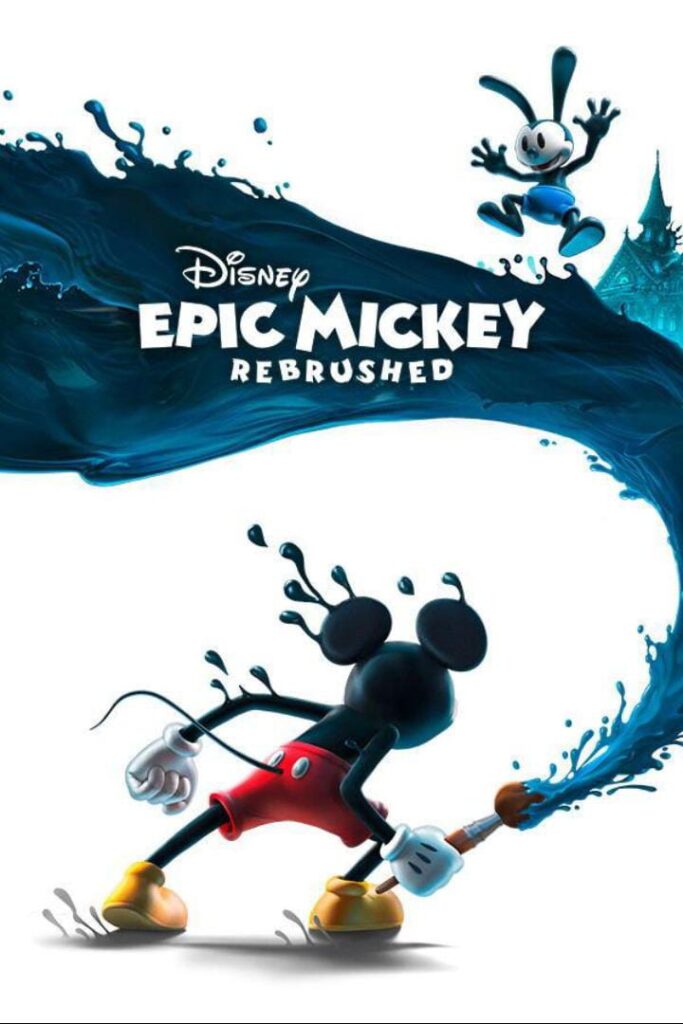
  • Disney Epic Mickey: Rebrushed – Exciting Android Adventure in 2026 | Gameplay & Download Guide

    Disney Epic Mickey: Rebrushed – Exciting Android Adventure in 2026 | Gameplay & Download Guide

    Introduction

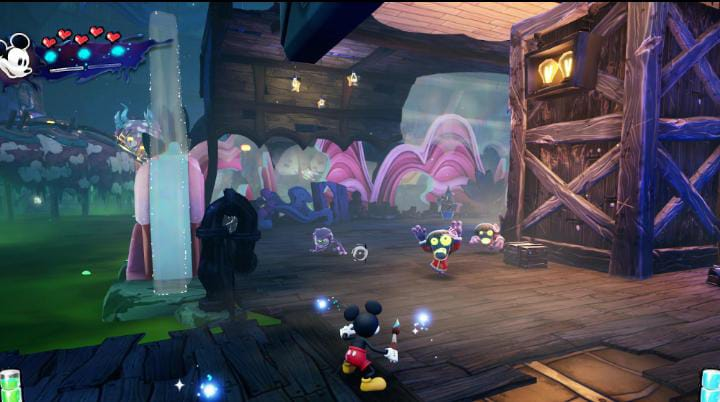
    Disney fans and Android gamers have a new adventure to explore in 2026. Disney Epic Mickey: Rebrushed has officially arrived on Android, bringing Mickey Mouse into a colorful 3D adventure designed for mobile devices.
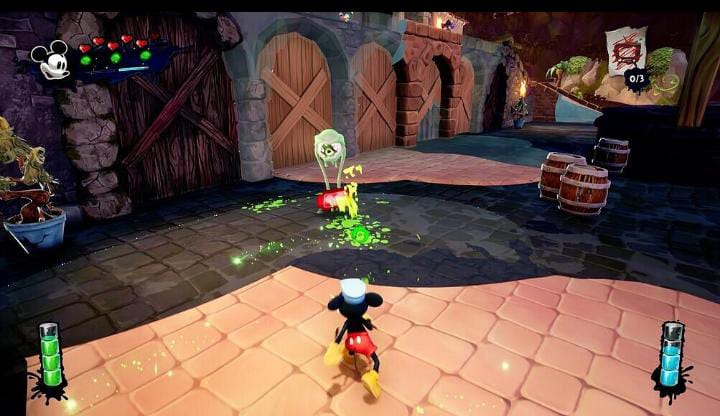
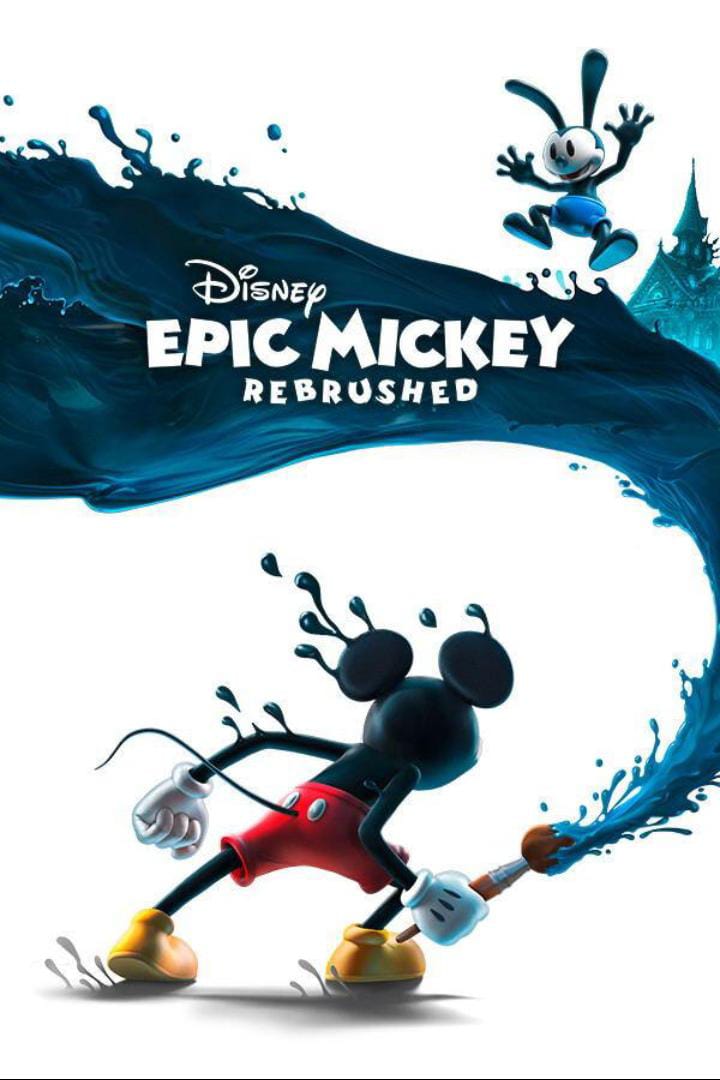
    The game takes players to a mysterious world called Wasteland, where forgotten Disney characters live. Mickey uses a magical paintbrush with two special powers: paint and thinner. Paint can restore parts of the world, while thinner can change or erase parts of the environment. Your decisions can affect the adventure and its outcome.

    The Android release is not a small mobile spin-off. It brings the complete single-player adventure to smartphones with controls and visuals adapted for touchscreen devices. The game became available worldwide on mobile on September 17, 2026.In this guide, we will look at its gameplay, major features, installation process, benefits, limitations, and important safety information before downloading it.


    What Is Disney Epic Mickey: Rebrushed?

    Disney Epic Mickey: Rebrushed is a 3D action-adventure platformer featuring Mickey Mouse. It is a modern remake of the original Disney Epic Mickey, which was released for the Nintendo Wii in 2010.
    The Rebrushed version was previously released on PC and consoles before coming to Android and iOS in September 2026. The mobile version was optimized for touchscreen devices by Snapshot Games in collaboration with THQ Nordic Mobile, Disney & Pixar Games, and Purple Lamp.The story takes Mickey into Wasteland, a strange alternate world populated by forgotten Disney characters. One of the important characters is Oswald the Lucky Rabbit, who has a major role in the story.
    The main gameplay idea revolves around Mickey’s magical brush.

    Players can use paint to restore objects and create paths or use thinner to alter the environment and uncover hidden areas.

    Key Features

    3D Disney Adventure

    The game provides a colorful 3D world filled with Disney-inspired environments, characters, challenges, and platforming sections.

    Magic Paintbrush

    The magic brush is one of the game’s most important mechanics. Paint and thinner give players different ways to interact with the environment.

    Touchscreen Controls

    The Android version has controls specifically adapted for mobile screens. Players can control Mickey’s movement, platforming actions, painting, and other abilities through touchscreen controls.

    New Movement Abilities

    Mickey has additional movement abilities such as dash, ground pound, and sprinting, giving players more ways to move through different areas.

    Multiple Endings

    Your decisions throughout the adventure can influence the story, giving the game replay value. Different playstyles and choices can lead to different outcomes.

    Oswald the Lucky Rabbit

    Oswald is an important part of the game’s world and story. Players can discover more about this classic Disney character while exploring Wasteland.

    Complete Single-Player Campaign

    The mobile release includes the complete single-player adventure rather than being designed as a small free-to-play version. THQ Nordic Mobile describes it as the complete, uncompromised campaign.

    Gameplay / How It Works

    The gameplay combines platforming, exploration, puzzles, combat, and environmental interaction.


    You begin your journey as Mickey Mouse and explore different areas of Wasteland. During your adventure, you encounter obstacles and challenges that require more than simply running and jumping.
    The magic brush makes the gameplay different from many traditional platform games.


    When you use paint, you can restore certain elements and interact with the world in a creative way. When you use thinner, you can alter or remove parts of the environment and reveal secrets.
    This means players have choices while exploring. Instead of following one fixed method for every situation, you can experiment with the two brush abilities.
    Mickey can also use movement abilities such as sprinting, dashing, and ground pounding.

    These abilities help with platforming and navigating different sections of the game.Another important part of the gameplay is exploration. Wasteland contains hidden secrets, challenges, and collectible Disney pins that encourage players to look beyond the main path.

    Because decisions can influence the story and endings, completing the game once may not show everything it has to offer.

    Main Benefits

    There are several reasons Android gamers may be interested in Disney Epic Mickey: Rebrushed.
    First, it brings a console-style 3D adventure to smartphones. Players who prefer story-driven platform games can experience the adventure without needing a console.
    Second, the paint-and-thinner system gives the gameplay a creative element. The environment is not simply something to walk through; players can interact with it using Mickey’s brush.
    Third, the game offers replayability. Different decisions can change the outcome, giving players a reason to revisit parts of the adventure.

    Fourth, it has been adapted for mobile screens. The developer says the controls and presentation were optimized specifically for mobile play.

    For Disney fans, the appearance of familiar characters and the unusual Wasteland setting can also make the game especially interesting.

    If you are also looking for more useful Android apps, check out our guide to the best Android apps.

    How to Download and Install?

    The safest way to install Disney Epic Mickey: Rebrushed on Android is through the official Google Play Store.
    The game is published on Google Play by THQ Nordic Mobile GmbH and is listed as an action/adventure title with an Everyone 10+ rating. Google Play currently lists fantasy violence in its content rating.

    Steps to Download

    Open the Google Play Store on your Android phone.
    Search for Disney Epic Mickey: Rebrushed.
    Make sure the developer is THQ Nordic Mobile GmbH.
    Open the official game listing.
    Check that your device is compatible.
    Purchase the game through Google Play.
    Tap the installation option.
    Wait for the game to finish installing.
    Open the game and follow the on-screen instructions.
    The official mobile release is a premium paid game, with THQ Nordic Mobile listing a suggested price of $15.99 / €14.99 / ¥2,000, although the price can vary by region.

    Disney Epic Mickey: Rebrushed on Google Play⁠

    Avoid downloading modified APKs or unofficial copies when the official version is available. Third-party APK files may be altered or bundled with unwanted software.

    Pros & Cons

    Pros

    • Full 3D action-adventure experience
    • Famous Disney characters
    • Creative paint-and-thinner gameplay
    • Touchscreen controls optimized for mobile
    • Multiple possible story outcomes
    • New movement abilities
    • Exploration and collectible items
    • Complete single-player campaign

    Cons

    • It is a paid game rather than a free download.
    • The game may require a relatively capable Android device because of its 3D graphics.
    • The storage and performance requirements may vary depending on the device.
    • Fantasy violence is included in the game’s content rating.

    Safety & Important Things to Know

    Before installing any Android game, it is important to use a trusted source.
    For Disney Epic Mickey: Rebrushed, the official Google Play listing is the safest option because it identifies the publisher as THQ Nordic Mobile GmbH.

    Google Play’s current data-safety information says the developer declares no data shared with third parties and no data collected, while also noting that data-safety information is provided by the developer and can change.

    Users should also avoid websites offering a “free premium APK,” “mod APK,” or “unlocked version.” Such files are not necessary when the official version can be obtained through Google Play.
    Before purchasing, check the game’s Play Store page on your own device for the current price and compatibility information because availability and pricing can vary by region.

    FAQs

    Is Disney Epic Mickey: Rebrushed available on Android?

    Yes. The game officially launched on Android and iOS in September 2026.

    Is Disney Epic Mickey: Rebrushed free?

    No. It is a premium paid game. THQ Nordic Mobile lists the mobile version at a suggested price of $15.99, with regional pricing potentially different.

    Can I download it from Google Play?

    Yes. The official Android version is available through Google Play.

    Does the game work offline?

    The game is presented as a complete single-player adventure, but users should check the current Google Play requirements and initial installation requirements before relying on offline play.

    Who is Oswald the Lucky Rabbit?

    Oswald the Lucky Rabbit is an important Disney character who appears in the Wasteland world and plays a significant role in the adventure.

    What is the magic brush used for?

    Mickey can use paint to restore or create elements and thinner to alter or remove parts of the environment. These mechanics are central to solving challenges and exploring Wasteland.

    Does the game have multiple endings?

    Yes. Google Play states that the game has multiple endings influenced by the player’s decisions and playstyle.

    Conclusion

    Disney Epic Mickey: Rebrushed brings Mickey Mouse’s 3D adventure to Android with a mobile-optimized version of the remake. Its combination of platforming, exploration, Disney characters, and the unique paint-and-thinner system gives it a different style from many ordinary mobile games.
    The Android release also includes new movement abilities, touchscreen controls, collectibles, creative challenges, and multiple possible outcomes.

    If you enjoy story-driven 3D platformers and Disney adventures, this is a new Android release worth checking out. For installation, use the official Google Play Store listing rather than unofficial APK websites.

  • Transformers: Eternal War Android – Features, Gameplay & Download Guide 2026

    Transformers: Eternal War Android – Features, Gameplay & Download Guide 2026

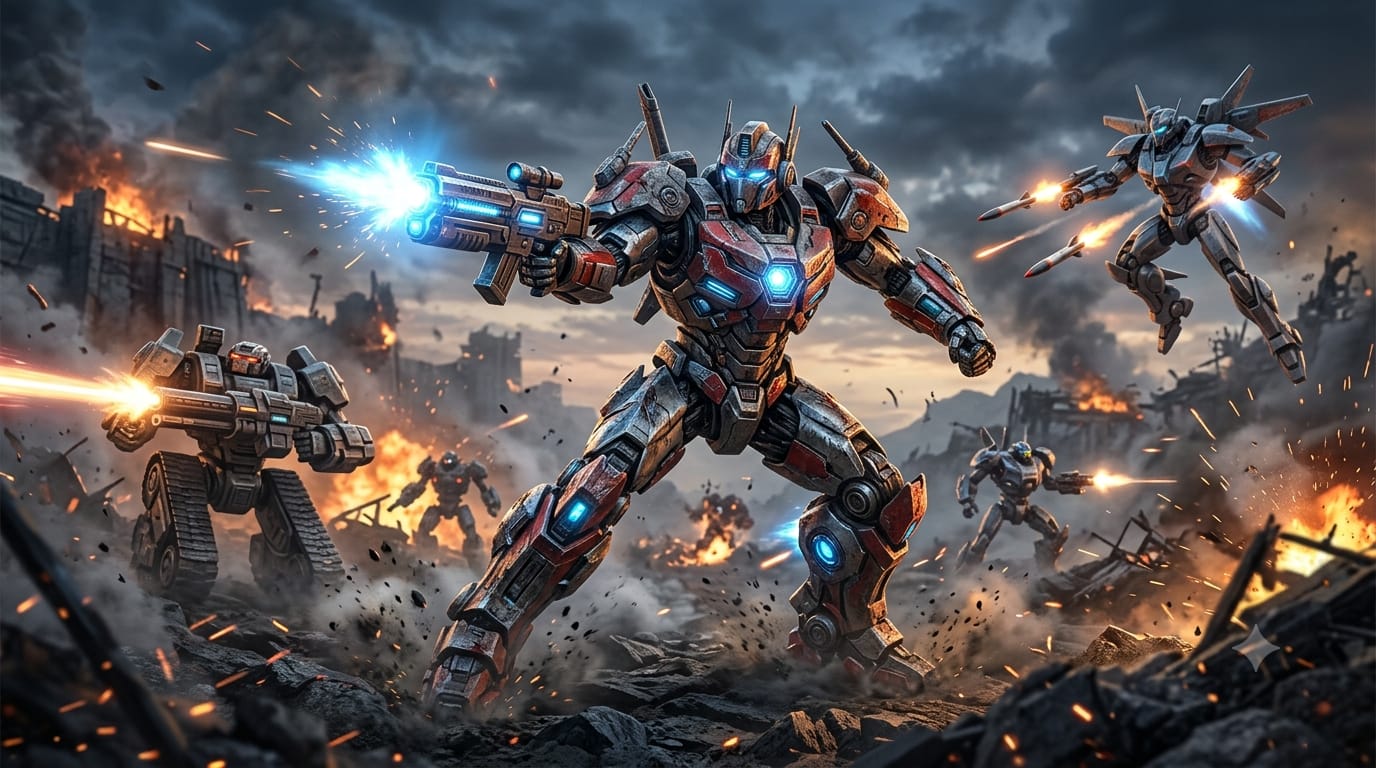
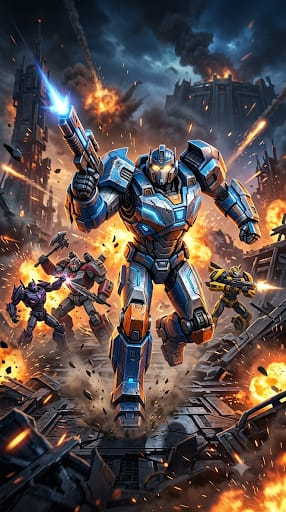
    Transformers Eternal War Android is one of the latest mobile strategy RPG experiences for Transformers fans in 2026. The game brings tactical battles, collectible Transformers characters, different classes, character traits, and an original story to Android devices.

    Transformers: Eternal War officially launched on mobile on September 15, 2026, and its Android version is available through Google Play. The game is presented as a strategic role-playing game with tactical squad combat, 3D characters, different classes, unique traits, and a progression system built around collecting and upgrading Transformers.

    In this guide, we will look at its gameplay, key features, characters, pros and cons, Android availability, download method, and beginner tips.

    What Is Transformers: Eternal War?

    Transformers: Eternal War is a mobile strategy RPG based on the famous Transformers universe. Instead of focusing only on traditional real-time robot fighting, the game puts more emphasis on squad building, tactical decisions, character collection, and progression.

    The story introduces a new threat called the Chaos Legion. According to the game’s official description, Autobots and Decepticons must put their old conflict aside and work together against this mysterious force.

    The game’s story is also an original Transformers adventure written by Simon Furman, a writer known for his work with the Transformers franchise.

    The game is available on Android, and Google Play currently lists it as a role-playing game with in-app purchases.

    Transformers: Eternal War Gameplay

    The main gameplay revolves around creating a strong team of Transformers and using their different abilities and characteristics strategically.

    Rather than controlling one robot throughout every fight, you build a squad and decide which characters should work together. Different Transformers belong to different classes and have different traits, so choosing the right combination can make a difference during battles.

    The official Google Play description highlights tactical deployment, character strengths, class differences, traits, synergies, and counters as important parts of the gameplay.

    This makes the game more suitable for players who enjoy strategy RPGs and character-collection games rather than a traditional action fighting game.

    Key Features of Transformers: Eternal War

    Iconic Transformers Characters

    One of the biggest attractions is the Transformers roster. Players can collect familiar robots from the franchise and use them as part of their team.

    The official listing says that many recognizable Transformers can be recruited as allies. This gives fans an opportunity to build a team around characters they already know while progressing through the game’s new story.

    Five Different Classes

    Transformers: Eternal War includes five character classes:

    • Vanguard
    • Assault
    • Firepower
    • Recon
    • Support

    Each class has a different role, which makes team composition an important part of the game.

    A balanced squad can be more useful than simply selecting characters based on popularity. Understanding the role of each Transformer can help new players create a team that works well together.

    Five Character Traits

    The game also gives characters individual traits.

    The five listed traits are:

    • Fearless
    • Dynamic
    • Resourceful
    • Resolute
    • Inspiring

    These traits are connected to ability bonuses and the game’s synergy and counter systems. This adds another layer of strategy when building a squad.

    Tactical Squad Building

    Squad building is one of the central parts of Transformers: Eternal War.

    Instead of simply collecting as many characters as possible, players need to consider how different Transformers complement one another. Classes, traits, abilities, and synergies can all influence how a team performs.

    This system gives the game a strategic element and encourages players to experiment with different combinations.

    3D Characters and Battle Visuals

    The Google Play listing highlights 3D character models and battle sequences as part of the game’s presentation.

    For Transformers fans, seeing familiar robots represented in a modern mobile RPG format is one of the game’s main visual attractions.

    Original Story

    Transformers: Eternal War does not simply reuse an old Transformers storyline.

    The game introduces the Chaos Legion as a new threat and creates a situation where Autobots and Decepticons need to cooperate against a common enemy. The official description also credits Simon Furman with the game’s original story.

    Build and Develop the Ark

    The game also includes progression outside battles.

    Players can expand and manage facilities around the Ark to support their growing team. According to the game’s official description, these facilities can continue producing resources and supporting progression even while players are away from the battlefield.

    This gives the game an additional management element beyond combat.

    Transformers: Eternal War Characters

    The game includes a growing collection of Transformers that can be recruited and developed.

    Instead of treating every character as exactly the same, the game separates them through classes, traits, abilities, and other characteristics.

    For beginners, it is useful to focus on building a balanced team rather than immediately trying to collect every available character. A squad containing different roles can give you more flexibility as you progress.

    As the game receives future updates, the available roster and character balance may also change, so players should check the latest in-game information before investing heavily in a particular team.

    Pros and Cons of Transformers: Eternal War

    Pros

    • Based on the popular Transformers universe
    • Available officially on Android
    • Original story with a new enemy
    • Five character classes
    • Five character traits
    • Tactical squad-building system
    • Collectable Transformers characters
    • 3D character models and battle sequences
    • Ark and resource-management features

    Cons

    • It is primarily a strategy RPG rather than a traditional action fighting game
    • The class and trait systems may take some time for new players to understand
    • Google Play lists in-app purchases
    • Gameplay and performance can vary depending on the Android device
    • Players looking for constant manual action may prefer a more direct combat-focused game

    Is Transformers: Eternal War Free to Play?

    Yes. The game is available as a free download on mobile stores, but Google Play lists in-app purchases.

    This means you can start playing without buying the game upfront, while optional purchases may be available inside the game.

    If you prefer completely free gaming, it is a good idea to check the purchase information before spending money and keep Google Play purchase controls enabled on your account.

    Transformers: Eternal War Download for Android

    Ready to try Transformers: Eternal War on your Android phone? Download the game from the official Google Play Store listing to get the legitimate version and receive official updates.

    For safety, avoid downloading the game from unknown APK or modified-app websites. The official Google Play Store is the recommended source for the Android version.

    You can find the latest Android version of Transformers: Eternal War on Google Play and check its current availability, updates, and installation information before downloading.

    Transformers: Eternal War Android Requirements

    The Google Play listing confirms Android availability, but the exact minimum Android version and complete hardware requirements can vary by store region and game version.

    For this reason, it is better not to publish a made-up RAM, processor, or storage requirement.

    Before installing the game, make sure your phone has:

    • Enough free storage
    • A supported Android version
    • A stable internet connection for downloading and updating the game
    • Sufficient battery during the initial installation and setup

    If Google Play shows a compatibility warning on your particular phone, follow that information rather than relying on a generic requirement from an unofficial website.

    Tips for New Transformers: Eternal War Players

    Build a Balanced Squad

    Do not select every character based only on appearance or popularity. Look at their class and role first.

    Learn the Five Classes

    Understanding Vanguard, Assault, Firepower, Recon, and Support will help you make better squad decisions.

    Pay Attention to Traits

    Traits such as Fearless, Dynamic, Resourceful, Resolute, and Inspiring are part of the game’s strategy system. Learning how they interact with your characters can help you build stronger combinations.

    Upgrade Your Team Carefully

    Resources should be used thoughtfully, especially when you are still learning which characters fit your preferred playstyle.

    Develop Your Ark

    The Ark is not simply a background feature. Its facilities can contribute to resource generation and progression, so remember to manage your base as you advance.

    If you enjoy action-focused Android games, you can also check out our guide to SUBR: Survival Unknown Battle Royal, an offline battle royale experience for Android.

    Is Transformers: Eternal War Worth Trying on Android?

    Transformers: Eternal War offers a different approach to mobile Transformers gaming by combining the franchise’s recognizable characters with strategy RPG mechanics.

    Its strongest focus is on team building, character collection, tactical choices, classes, traits, and progression rather than traditional manual action combat.

    If you already enjoy strategy RPGs and Transformers, the combination gives you plenty of reasons to try the game. Players who prefer fast, fully manual action battles should understand the game’s strategy-focused design before installing it.

    Final Thoughts

    Transformers: Eternal War is a fresh Android strategy RPG that brings the Transformers universe into a character-collection and tactical squad format.

    The game features an original Chaos Legion storyline, recognizable Transformers characters, five classes, five traits, squad synergies, 3D visuals, and Ark-based progression. It is also officially available on Android through Google Play.

    For Android gamers searching for a new Transformers experience in 2026, the official Google Play version is the best place to start.

    Frequently Asked Questions

    Is Transformers: Eternal War available on Android?

    Yes. Google Play lists Transformers: Eternal War as available on Android.

    When did Transformers: Eternal War launch?

    The game launched globally on mobile on September 15, 2026, according to launch reporting.

    Is Transformers: Eternal War free to download?

    Yes. The game is available as a free download, while Google Play lists in-app purchases.

    Where can I download Transformers: Eternal War?

    Android users can download it from the official Google Play listing.

    What type of game is Transformers: Eternal War?

    It is a strategy RPG featuring tactical squad building, character collection, classes, traits, and progression.

    How many classes are available?

    The official Google Play listing currently identifies five classes: Vanguard, Assault, Firepower, Recon, and Support.

    Does the game have in-app purchases?

    Yes. Google Play currently lists in-app purchases for Transformers: Eternal War.