Tag: mobile gaming

  • Flick Shot Rogues: Exciting Android Game Guide for 2026

    Flick Shot Rogues: Exciting Android Game Guide for 2026

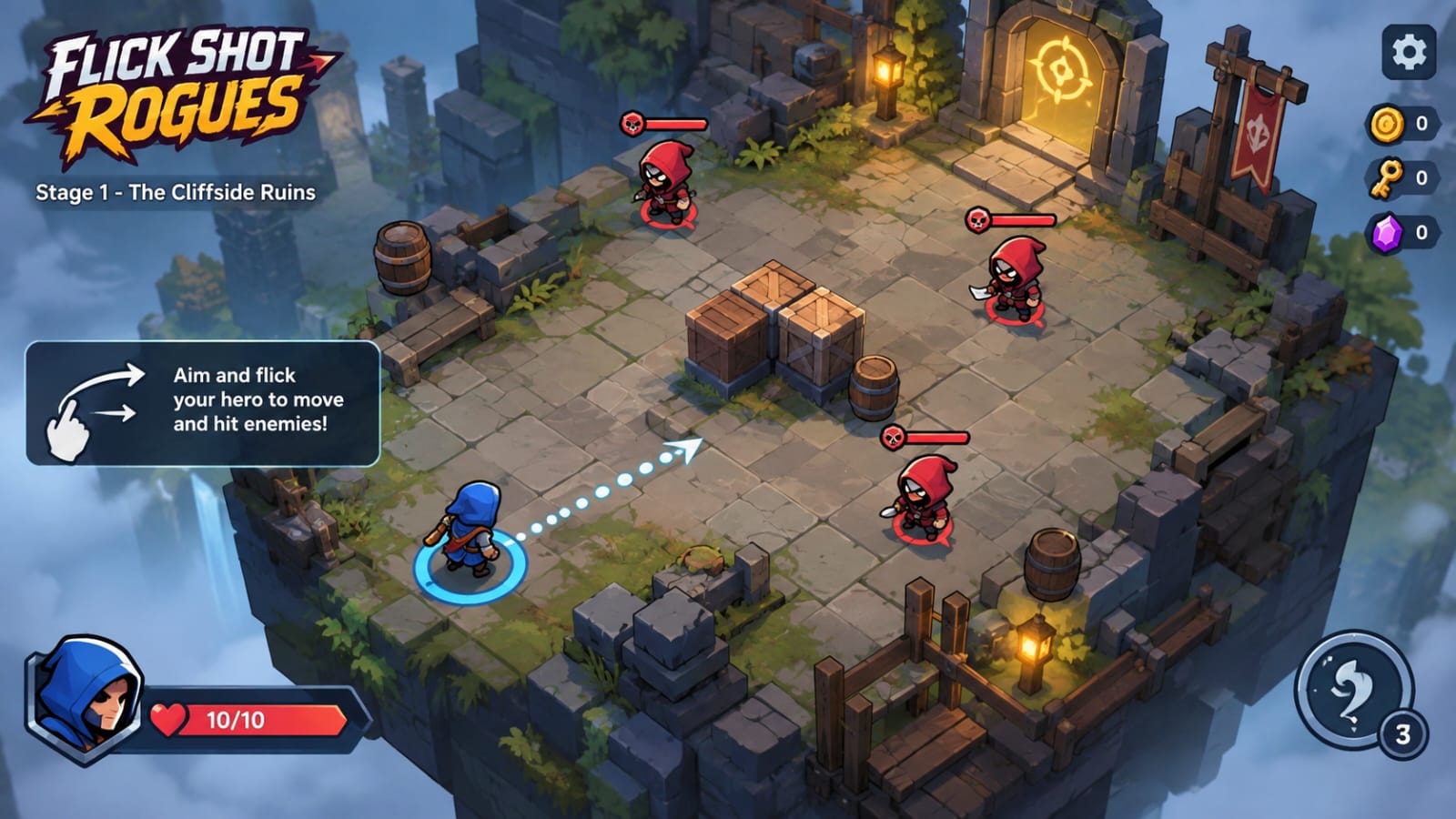
    Mobile gaming is getting more interesting with new games that bring different ideas to Android phones. Flick Shot Rogues is one such game. It mixes simple flick controls with strategy, turn-based combat, and roguelike gameplay.

    The game is now available on Android and Windows, giving mobile players a new way to enjoy its unique combat system. The Android version became available in September 2026, making it a fresh choice for players who want something different from regular action games.

    In this guide, we will look at what Flick Shot Rogues is, how the gameplay works, its main features, benefits, installation process, and important things to know before playing.

    What Is Flick Shot Rogues?

    Flick Shot Rogues is a strategy game developed by Noodlecake. It combines physical flicking controls with turn-based roguelike gameplay.

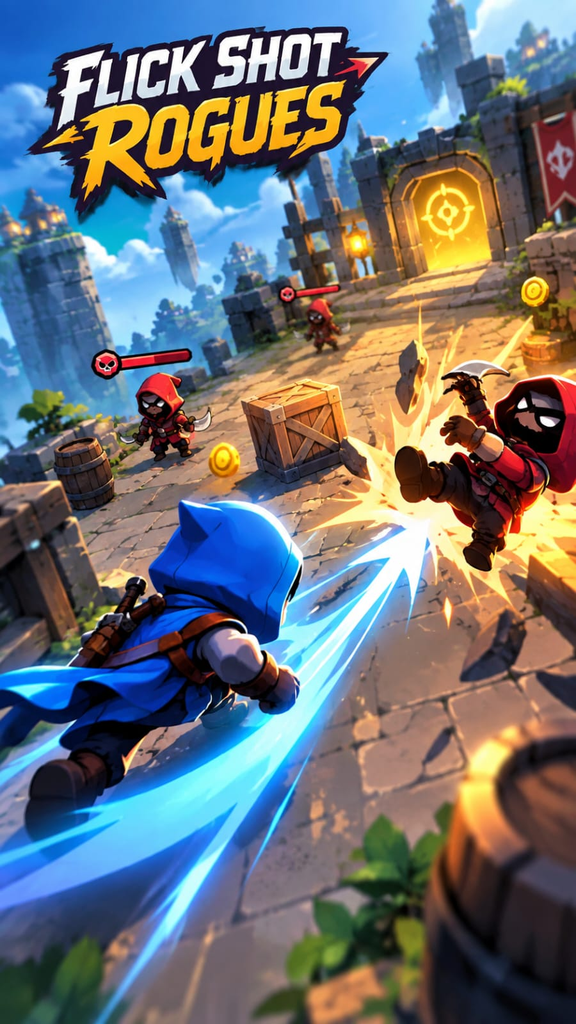
    Instead of controlling a character with normal movement buttons, you aim and flick your hero toward enemies. The goal is to make smart shots, hit targets, create combos, and survive different battles.

    Each run can feel different because enemies and rewards can change. This means you cannot always use exactly the same strategy. You need to look at the situation and decide where to move and which attack to use.

    The game also includes characters, items, skills, talents, and curses that can change the way you play.

    Key Features of Flick Shot Rogues

    Simple Flick-Based Controls

    The main idea is easy to understand. You aim your character and flick it across the battlefield.

    A good shot can hit enemies or create useful combos. However, careless movement can also put your character in a difficult position.

    Turn-Based Strategy

    Flick Shot Rogues does not depend only on fast reactions. You also need to think about your next move.

    You can take time to study the battlefield and choose a useful attack. This makes the game different from many fast action games.

    Different Characters

    The game allows players to unlock and use different characters. Each character can provide a different way to handle combat.

    Choosing the right character for a situation can make a big difference during a run.

    Items, Skills, and Talents

    Players can collect different items and upgrades during their journey. These can improve attacks or change how certain abilities work.

    This upgrade system gives players more options as they continue playing.

    Changing Runs

    One interesting part of Flick Shot Rogues is that each new journey can change the enemies and rewards.

    Because of this system, every run may require a slightly different plan.

    No Regular Ads

    According to the official Google Play listing, players can try the beginning of the game for free. A one-time in-app purchase unlocks the full game, and the listing states that there are no ads.

    How Flick Shot Rogues Gameplay Works

    The basic gameplay is built around aiming and flicking your character.

    First, you look at the battlefield and decide where you want your character to go. Then you aim and make a flick. Your character moves across the area and can interact with enemies during the move.

    The challenge comes from making useful shots instead of simply attacking without a plan.

    You may need to think about enemy positions, possible collisions, and the best direction for your next move. Some situations can reward careful positioning and well-planned combos.

    After battles, you can collect upgrades and other rewards. These choices can affect your next fights.

    The roguelike system also means that losing a run does not simply end the whole experience. You can start another journey and face a different combination of situations.

    Why Flick Shot Rogues Is Different?

    Many Android games use familiar controls such as virtual joysticks, buttons, or automatic attacks. Flick Shot Rogues takes another approach.

    Its main control system is based on physical movement and aiming. The idea can feel closer to flicking an object on a table while still keeping the strategy of a turn-based game.

    This combination gives the game its own style.

    It can also be interesting for players who enjoy games where planning is more important than simply pressing buttons quickly.

    Main Benefits

    There are several reasons why players may want to try Flick Shot Rogues.

    • Easy-to-understand flick controls
    • Strategy-based combat
    • Different characters and abilities
    • Items and upgrades to collect
    • Changing enemies and rewards between runs
    • Roguelike replay value
    • Available on Android and Windows
    • Free beginning to try before unlocking the full game
    • No regular ads according to the Google Play listing

    The game can be especially interesting for players who want something different from standard mobile action games.

    If you enjoy fast-paced Android games with survival and combat elements, you can also check out our guide to Prime Rush, an extraction-style battle royale game for Android.

    How to Download Flick Shot Rogues on Android?
    The safest way to install Flick Shot Rogues is through the official Google Play Store.

    Steps to Install

    1. Open Google Play Store on your Android phone.
    2. Search for Flick Shot Rogues.
    3. Check that the developer is Noodlecake.
    4. Open the official game page.
    5. Tap the Install button.
    6. Wait for the installation to finish.
    7. Open the game and start the free beginning.
    8. If you enjoy it, you can decide whether to unlock the full game through the available in-app purchase.

    The official listing currently shows Flick Shot Rogues as available for Android and Windows.

    Pros and Cons

    Pros

    • Unique flick-based gameplay
    • Simple controls
    • Strategy-focused battles
    • Different characters and upgrades
    • Changing runs
    • No regular ads according to Google Play
    • Available on Android

    Cons

    • The full game requires a purchase after the free beginning
    • The gameplay can be challenging for new players
    • Players who prefer very fast action may need time to adjust to the turn-based style
    • Mobile controls may take some practice to master

    Safety and Important Things to Know

    Always download Flick Shot Rogues from a trusted source such as Google Play.

    Avoid random APK websites that offer modified or unlocked versions. These files may contain unwanted software or may not provide the real game.

    The official Google Play page also provides data safety information. It states that the developer reports no data shared with third parties, while some data types may be collected. The listing also says that data is encrypted in transit.

    Before making any purchase, check the price shown on your own Google Play account because prices and offers can vary by region and may change over time.

    Frequently Asked Questions

    Is Flick Shot Rogues available on Android?

    Yes. Flick Shot Rogues is officially available on Android as well as Windows.

    Is Flick Shot Rogues free?

    You can play the beginning for free. The official Google Play listing says a one-time in-app purchase unlocks the full game.

    Does Flick Shot Rogues have ads?

    The official Google Play listing says the full game has no ads.

    What type of game is Flick Shot Rogues?

    It is a strategy game that combines flick-based physics gameplay with turn-based roguelike elements.

    Can I play Flick Shot Rogues offline?

    The official Google Play listing does not clearly promise full offline support, so players should not assume that every feature will work without an internet connection.

    Is Flick Shot Rogues suitable for beginners?

    The basic controls are simple, but learning how to make effective shots and choose useful upgrades may take some practice.

    Final Thoughts

    Flick Shot Rogues brings a different idea to Android gaming by combining flick controls, strategy, and roguelike gameplay. Instead of relying only on fast button presses, the game asks players to aim carefully, choose useful moves, and build a better run through upgrades.

    The free beginning also gives Android players a chance to try the gameplay before deciding whether to unlock the full version.

    If you enjoy strategy games and want something different from the usual mobile formula, Flick Shot Rogues is a game worth checking out in 2026.

  • PUBG MOBILE: Ultimate Update and Exciting Features, Gameplay and Android Guide 2026

    PUBG MOBILE: Ultimate Update and Exciting Features, Gameplay and Android Guide 2026

    PUBG MOBILE continues to be one of the most recognizable battle royale games available on mobile devices. It combines competitive shooting, survival mechanics, teamwork, exploration, and fast decision-making in matches that can be enjoyed on Android and iOS devices.

    For players in the United States, the game remains an attractive option for anyone looking for a competitive multiplayer shooter that can be played almost anywhere. The official PUBG MOBILE website describes the title as a free-to-play battle royale shooter, while its Google Play listing highlights multiple maps, game modes, events, and short battle royale matches.

    This guide explains what PUBG MOBILE offers, how its gameplay works, what players should know about the latest 2026 developments, and how beginners can improve their experience

    What Is PUBG MOBILE?

    PUBG MOBILE is a multiplayer battle royale shooter designed specifically for mobile devices. Players enter a match, search for weapons and supplies, compete against opponents, and try to survive until the end.

    The basic concept is easy to understand, but becoming consistently good at the game requires practice. Players have to think about positioning, movement, weapon selection, map awareness, teamwork, and when to engage or avoid an enemy.

    The official PUBG MOBILE website says the game has been played by more than one billion players worldwide, demonstrating the enormous reach of the franchise.

    Unlike a traditional single-player shooter, every match can develop differently. The location where you land, the equipment you find, the route of the play zone, and the opponents you encounter can all change the outcome.

    If you enjoy battle royale games, check out our SUBR game guide.

    Why Is PUBG MOBILE Still Popular?

    One reason PUBG MOBILE continues to attract players is its combination of accessible controls and competitive gameplay.

    A new player can understand the basic objective within minutes, but mastering the game can take much longer. This creates a progression system based on experience rather than simply completing a campaign.

    The game also gives players several ways to enjoy multiplayer action. Someone who prefers playing alone can choose a solo experience, while players who enjoy communication can team up with friends.

    For many players, squad gameplay is one of the most enjoyable parts because teammates can share information, revive one another, collect supplies, and coordinate attacks.

    PUBG MOBILE Gameplay Explained

    A typical battle royale match begins with players choosing a location to enter the battlefield.

    After landing, the first priority is usually collecting useful equipment. Weapons, ammunition, armor, healing items, and other supplies can determine how well a player performs during the early stages of a match.

    As the match progresses, players need to pay attention to the shrinking play zone. Remaining outside the safe area for too long can put a player at a major disadvantage.

    The battlefield gradually becomes more dangerous as players encounter one another. Some players prefer aggressive fights from the beginning, while others focus on survival and positioning.

    The final stages are usually the most intense because fewer players remain and the available space becomes smaller.

    PUBG MOBILE Maps and Modes

    PUBG MOBILE offers different maps and gameplay experiences rather than forcing everyone into exactly the same type of match.

    The official Google Play listing specifically highlights the game’s variety of maps and modes.

    Different maps can encourage different strategies.

    Large environments can provide more opportunities for long-distance movement and tactical positioning, while smaller areas can create faster encounters.

    Learning the layout of a map is useful because experienced players can make better decisions about rotations, cover, loot locations, and possible enemy positions.

    For beginners, it is usually better to become comfortable with one or two maps before trying to master everything at once.

    Latest PUBG MOBILE Developments in 2026

    PUBG MOBILE continues to receive updates and experimental features throughout 2026.

    The official PUBG MOBILE website announced the Version 4.6 Beta 3 test in August 2026. According to the announcement, the third beta test was scheduled to begin on August 13. One of the highlighted additions is a new portable Inflatable Boat, along with other changes being tested for the upcoming version.

    It is important to understand the difference between a beta feature and a final release. Features shown during testing can still be adjusted, changed, or removed before an official update reaches all players.

    For this reason, players looking for the most accurate information should check PUBG MOBILE’s official announcements rather than relying on random download pages or social media posts.

    PUBG MOBILE Graphics and Controls

    Mobile shooters need controls that work well on a touchscreen, and PUBG MOBILE provides customizable controls so players can adjust their layout according to their preferences.

    Some players prefer a simple two-finger setup, while more experienced players may use additional fingers to control movement, aiming, shooting, and other actions simultaneously.

    There is no single control layout that is perfect for everyone.

    A good approach is to start with a comfortable layout and gradually change it as your skills improve. Moving buttons slightly can make a noticeable difference when trying to react quickly during a close-range fight.

    Graphics settings are also important.

    Players using powerful smartphones may be able to use higher visual settings, while budget or older devices may benefit from lower settings designed to provide a more stable frame rate.

    For competitive gameplay, smooth performance can often be more useful than maximum visual quality.

    How to Improve Your PUBG MOBILE Skills

    Improving at PUBG MOBILE does not require shortcuts or unauthorized modifications. Most improvement comes from practicing the right fundamentals.

    • Practice Your Aim

    Spend time practicing with the weapons you use most often.

    Instead of constantly changing weapons, become familiar with a small selection. Learn how they behave while firing and how much recoil you need to control.

    • Learn From Your Mistakes

    When you lose a fight, think about what happened.

    Were you standing in an exposed area? Did you rush without enough information? Did an opponent have better positioning?

    Reviewing mistakes can help you avoid repeating them.

    • Use Cover

    Cover is one of the most important parts of battle royale gameplay.

    Buildings, rocks, trees, walls, and terrain can protect you from enemy fire. Moving from one safe position to another is usually better than crossing an open area without a plan.

    • Watch the Play Zone

    Do not wait until the last moment to rotate.

    Keeping an eye on the safe zone gives you more time to choose a good route and find a strong position.

    • Communicate With Teammates

    In squad matches, communication can make a major difference.

    Tell teammates when you see an opponent, discover useful supplies, or need assistance. Good communication can turn four individual players into a coordinated team.

    PUBG MOBILE Tips for Beginners

    New players should avoid focusing only on getting eliminations.

    Survival, positioning, and decision-making are equally important.

    A beginner can improve faster by learning how to:

    • Choose a sensible landing location
    • Collect essential supplies quickly
    • Keep enough ammunition for future fights
    • Stay aware of the safe zone
    • Use cover during combat
    • Avoid unnecessary fights
    • Listen for nearby enemy activity
    • Communicate with teammates
    • Practice regularly

    One of the biggest mistakes beginners make is taking every fight they see.

    Sometimes the smartest decision is to reposition instead of shooting immediately.

    PUBG MOBILE Performance Tips for Android

    A smooth game experience can make mobile gaming more enjoyable.

    Before starting a long session, close unnecessary background applications if your device struggles with performance. Keeping enough free storage space can also help with updates and general device maintenance.

    Players should also use a stable internet connection whenever possible. Online shooters depend heavily on network stability, so sudden connection problems can affect gameplay even when the phone itself is performing well.

    If your device becomes hot during long sessions, taking a short break can also help.

    Graphics settings should be adjusted according to the capabilities of your phone rather than copying settings from another player.

    Is PUBG MOBILE Free to Play?

    Yes. PUBG MOBILE is officially presented as a free-to-play mobile battle royale game. Its official website describes it as a free battle royale shooter, while the Google Play listing provides the official Android version.

    The game also contains optional in-game content and events. Players should always use official channels when downloading the game or making purchases.

    Avoid websites promising unauthorized versions, unlimited paid currency, cheats, or modified game files. Besides creating security concerns, unofficial files can put an account or device at risk.

    PUBG MOBILE also maintains a dedicated Security Center where it publishes security-related announcements and information for players.

    Is PUBG MOBILE Safe to Download?

    The safest option is to download PUBG MOBILE through an official app store or the game’s official website.

    Players should be particularly careful with websites that ask them to disable security settings, install several unknown applications, or provide account information before downloading a supposed game file.

    A legitimate game download should not require suspicious third-party software.

    For Android users, checking the publisher and app information before installation is a simple way to reduce the chance of installing an unwanted application.

    PUBG MOBILE for USA Players

    PUBG MOBILE is suitable for USA players who enjoy competitive multiplayer shooters but want a mobile experience.

    The game’s short-match format makes it possible to play a quick match when time is limited, while its larger maps, team modes, and competitive elements provide more depth for players who want longer sessions.

    Players in the United States can also benefit from choosing a reliable internet connection and selecting game settings appropriate for their device.

    Ping and connection stability can be particularly important in competitive matches because even a small delay can affect aiming and movement.

    PUBG MOBILE vs. Traditional Console Shooters

    Mobile battle royale games have a different style of play compared with console or PC shooters.

    The touchscreen interface requires players to develop different habits, especially when controlling movement and aiming simultaneously.

    However, PUBG MOBILE provides many of the features that shooter fans expect: weapons, vehicles, team communication, large environments, competitive matches, and constantly changing situations.

    This makes it a useful option for players who want a shooter that they can access without sitting at a gaming PC or console.

    Frequently Asked Questions

    Is PUBG MOBILE free?

    Yes. PUBG MOBILE is officially available as a free-to-play mobile battle royale game.

    Can I play PUBG MOBILE on Android?

    Yes. PUBG MOBILE has an official Android listing on Google Play.

    What is the latest PUBG MOBILE version being tested in August 2026?

    The official website has announced Version 4.6 Beta 3, with the third beta test scheduled to begin on August 13, 2026.

    Is PUBG MOBILE good for beginners?

    Yes. Beginners can learn the basic controls quickly, although becoming highly competitive requires regular practice and experience.

    Can I play PUBG MOBILE with friends?

    Yes. Team-based gameplay allows players to cooperate with friends and other players.

    Should I download a PUBG MOBILE Mod APK?

    Players should avoid unauthorized modified versions. Official downloads are safer and help protect the game account and device from potentially harmful or unwanted software.

    Final Thoughts

    PUBG MOBILE remains a strong choice for mobile players who enjoy competitive battle royale gameplay. Its combination of weapons, maps, vehicles, team play, customizable controls, and regular content updates gives players plenty of reasons to keep coming back.

    The game’s ongoing development is also important. The official Version 4.6 Beta 3 announcement shows that PUBG MOBILE continues to test new gameplay features, including the portable Inflatable Boat.

    For new players, the best way to improve is not through shortcuts or unauthorized modifications. Learning the maps, practicing aim, using cover, understanding the safe zone, and communicating with teammates will produce much more reliable results over time.

    For USA Android users looking for a competitive mobile shooter, PUBG MOBILE offers a complete battle royale experience with plenty of room to improve and explore.