Super Bear Adventure Mod APK: What You Should Know Before You Download
If you love 3D adventure games on your phone, you have probably heard of Super Bear Adventure. Many players search for “Super Bear Adventure mod apk” hoping to get free coins or unlock everything fast. But is it a good idea? Let’s talk about it in simple words.
What Is Super Bear Adventure?
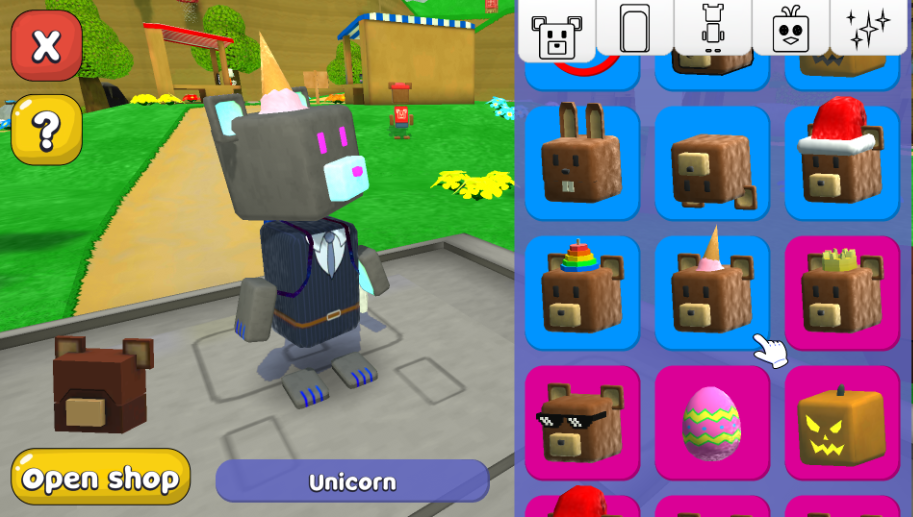
Super Bear Adventure is a 3D platformer game for mobile. You play as a cute bear and explore colorful worlds. You jump, run, collect coins, find hidden items and talk to the characters you meet along the way.
The game feels light and fun. The worlds are bright, the controls are easy, and it is good for both kids and adults. You can play it for a few minutes or for a long session, and it still feels enjoyable.
What Does “Mod APK” Mean?
An APK is the file used to install an app on an Android phone. A “mod” APK is a changed version of that file. Someone takes the original game, edits it and shares it online.
People who make mod APKs usually promise things like:
Unlimited coins
All items unlocked
No ads
It sounds great. But there is another side to the story.
1. Malware and viruses. Mod files come from unknown people. Nobody checks them for safety. Some contain hidden software that can steal your data or show you unwanted ads.
2. Your account can be at risk. If you log in with your Google or Facebook account inside a modded game, that information could be exposed.
3. No updates. Modded versions often stop working when the real game gets an update. You can lose your progress.
4. It is unfair to the developers. Small studios make games with hard work. Mod versions take away the income that helps them keep making new updates.
5. Your phone can have problems. Unsafe files can slow your phone, drain the battery or crash other apps.
If you still want to try something outside the official store, remember that you are doing it at your own risk. The safest choice is always to download games from Google Play or the App Store.
Better Ways to Progress in Super Bear Adventure
You do not need a mod to enjoy the game. Here are some simple tips that really help.
Explore every corner. Coins and hidden items are often placed in places you might skip. Take your time and look behind objects, on high platforms and near the edges of the map.
Talk to every character. Characters in the game give you tasks and hints. Finishing these tasks is a steady way to earn rewards.
Replay levels. Going back to an area you already know is quick, and it is an easy way to collect coins you missed the first time.
Spend coins wisely. Do not buy everything at once. Choose the items that help you move faster or make the game easier first.
Watch optional reward ads. Many games let you watch a short ad for extra rewards. It costs you only a few seconds, and it is completely safe.
Keep the game updated. Updates fix bugs and sometimes add new areas and items.
Is a Mod APK Worth It?
In my view, no. The extra coins are not worth the risk of losing your data or damaging your phone. Super Bear Adventure is already a fun game that rewards you for exploring. When you earn your progress yourself, the game feels more satisfying too.
Final Words
Super Bear Adventure is a cheerful and relaxing game, and you can enjoy it fully without any modified file. Download it from the official store, play at your own speed, and use the tips above to get ahead. Your phone and your account will stay safe, and the developers can keep making more fun games for us.
Have you played Super Bear Adventure? Share your favorite level or your best tip in the comments below!
Are you looking for fun educational games that help children practice math while enjoying their free time? Huda Math Games is a keyword people may use when searching for online math games, but the official platform is called Hooda Math. It offers a collection of educational games designed to make mathematical thinking more enjoyable.
Hooda Math includes games for different grade levels, from basic number skills to more advanced math challenges. Students can explore puzzles, logic games, and other activities through a web browser without installing a separate app for every game.
In this guide, we will explain what Hooda Math offers, its main features, how to play online, and what parents should know before children use the platform.
What Are Huda Math Games?
Hooda Math is an educational gaming website that combines mathematics with interactive gameplay. Instead of practicing only through traditional worksheets, players can explore challenges that involve numbers, shapes, calculations, and logical thinking.
The official website offers more than 1,000 free games across different categories and grade levels. Students can choose activities that match their interests and learning needs.
Some games focus directly on mathematical skills, while others emphasize puzzles, strategy, and problem-solving. This variety makes the platform useful for students who enjoy learning through interactive activities.
Key Features of Hooda Math Games
Hooda Math offers several features that make it worth exploring.
Free Educational Games
The website provides a large collection of games that users can access without purchasing a subscription. This makes it an option for families and students looking for educational entertainment without an additional gaming expense.
Different Grade Levels
Students can browse games by grade level, including elementary, middle school, and high school categories. Choosing an appropriate level can help children find challenges that suit their current abilities.
Math and Logic Puzzles
Not every activity is a simple calculation quiz. Some games require players to recognize patterns, solve puzzles, understand shapes, or think carefully before making a move.
These activities can provide extra opportunities to practice reasoning and decision-making.
Browser-Based Gameplay
Many Hooda Math games can be played directly through a compatible web browser. Players generally do not need to download a separate file for each browser game.
This is convenient for people using computers, Chromebooks, tablets, and compatible mobile devices. However, individual games may work differently depending on the device and browser.
Games for Short Breaks
Students can select a quick puzzle or a short math challenge during a study break. Parents and teachers can also use selected games as supplementary activities alongside regular lessons.
Popular Types of Hooda Math Games
The platform includes different types of activities, so players can explore more than one style of gameplay.
Math Practice Games
These games focus on calculations and mathematical concepts. Depending on the activity, players may practice addition, subtraction, multiplication, division, fractions, or other skills.
They can be useful for reinforcing topics that students are already learning in school.
Logic and Puzzle Games
Logic games challenge players to identify patterns, understand rules, and work out solutions. They can make learning more interactive for children who prefer solving problems instead of answering repeated questions.
Geometry Games
Some activities involve shapes, spatial awareness, and visual reasoning. These games can provide an interactive way to explore selected geometry concepts.
Escape Games
Escape-style games ask players to explore a setting, find clues, and solve challenges to progress. Certain games include mathematical or logical puzzles as part of the experience.
These activities may appeal to students who enjoy solving mysteries and completing objectives.
Strategy and Other Games
Hooda Math also features activities that involve planning, timing, and decision-making. Not every game teaches a specific math topic, so parents and teachers should check the learning purpose of each title.
Benefits of Playing Hooda Math Games
Educational games can be a helpful addition to a child’s learning routine when used appropriately.
Better practice opportunities: Math-based games give students another way to review concepts they have learned in class.
Interactive learning: Visual challenges and immediate gameplay feedback can make some activities more engaging than repetitive exercises.
Problem-solving practice: Logic puzzles encourage players to consider different options and work toward a solution.
Flexible access: Browser-based games can be convenient for home learning, classroom activities, or short breaks.
Choice and variety: Students can explore different game types instead of repeating the same activity every time.
Remember that playing games alone does not guarantee better grades. Children still need clear explanations, regular study, and support from teachers or parents.
If you enjoy playing different Android games, check out our guide to the “best offline Android games” for more fun gaming option
How to Play Hooda Math Games Online
Getting started is straightforward. Follow these steps:
Open Chrome or another compatible web browser on your device.
Browse the available games by grade, math topic, or game style.
Select a game that matches your interests or learning goals.
Read the instructions displayed on the game screen.
Start playing and follow the game’s objectives.
If a game does not load correctly, try refreshing the page or using an updated browser.
A stable internet connection is generally needed for browser-based games. Availability and performance may vary depending on the individual title and device.
Is There a Hooda Math Games App?
Yes, Hooda Math also publishes Android games on Google Play. Its Hooda Math Games app listing describes a collection of math and logic games that can be played offline.
The listed app includes activities such as Combination Lock, Hooda Stacker, Donut Stand, Falling Cubes, and other puzzle games. The app listing states that no account or sign-up is required for those games.
Check the developer name, compatibility, and current app details before installing. The app’s selection is different from the full collection available on the website.
Are Hooda Math Games Safe for Children?
Hooda Math is designed around educational games, but parents should still supervise younger children when they use online platforms.
Here are a few practical safety tips:
Visit the official website rather than unfamiliar download pages.
Review the game before allowing a younger child to play.
Explain that children should not share personal information online.
Check advertisements and external links before clicking them.
Set reasonable screen-time limits and encourage breaks.
Download the Android app only through its official Google Play listing.
The presence of educational content does not automatically mean every online interaction is risk-free. Parents should review the website and individual games according to their children’s ages.
Pros and Cons of Hooda Math Games
Pros
A large collection of free browser games.
Activities for different grade levels.
Math, logic, and puzzle-based challenges.
Many games can be accessed without installing software.
An Android app is available through Google Play.
Cons
An internet connection is generally needed for browser games.
Some games may not work equally well on every device.
Not every game focuses directly on mathematics.
Online advertisements may appear.
Games are a supplement to learning, not a replacement for teaching.
Frequently Asked Questions
What are Huda Math Games?
Huda Math Games is a search phrase that may refer to Hooda Math, an educational platform offering online math, logic, and puzzle games. Hooda Math is the official spelling of the platform’s name.
Are Hooda Math games free?
The official website provides a large selection of free games. Individual features and access conditions may vary, so check the relevant page before playing.
Can I play Hooda Math games on my phone?
Many browser games can work on compatible mobile devices. Some games may have controls or layouts better suited to a computer or tablet.
Do I need to download Hooda Math games?
You can play many games directly through the official website. If you prefer an Android app, you can check the official Google Play listing.
Can children learn math through these games?
The games can provide additional practice and encourage mathematical thinking. Their usefulness depends on the activity, the child’s level, and how the games are combined with regular learning.
Do Hooda Math games work offline?
Browser-based games generally require an internet connection. The separately listed Hooda Math Games Android app advertises offline gameplay for its included games.
Conclusion
Huda Math Games is a keyword worth understanding correctly because the official platform is called Hooda Math. Its collection of educational games offers students a different way to explore math practice, logic puzzles, geometry, and problem-solving activities.
Whether you are a student looking for an interactive study break or a parent searching for educational entertainment, Hooda Math is worth exploring. Start with the official website, choose an appropriate game, and use it alongside regular study for a more balanced learning experience.
Overwatch Rush is a new mobile hero shooter from Blizzard Entertainment set in the popular Overwatch universe. Unlike a simple mobile port, the game has been built specifically for mobile devices, with fast matches, touch controls, hero abilities, and competitive PvP battles.
The game is currently in an early release phase, so players should know that availability and features can change as development continues. The current Android version offers solo and team-based multiplayer battles in several different modes.
What Is Overwatch Rush?
Overwatch Rush is a top-down multiplayer hero shooter designed specifically for Android and iOS. Blizzard describes it as an entirely new game rather than a port of the original Overwatch.
Players choose different Overwatch heroes, each with unique abilities, roles, and playstyles. The game focuses on short, fast-paced matches where movement, aiming, teamwork, and ability timing can make a big difference.
The current soft launch is available on Android and iOS in Indonesia, Malaysia, and the Philippines. Availability in other regions may expand later.
Key Features of Overwatch Rush
Fast Mobile Hero Shooter Gameplay
Overwatch Rush is designed for quick mobile sessions. Players can enter solo or multiplayer PvP battles without the longer match structure associated with some traditional shooters.
The current Google Play listing includes solo free-for-all and team-based 3v3 and 4v4 PvP battles.
Iconic Overwatch Heroes
The game includes recognizable heroes from the Overwatch universe. Heroes have different roles and abilities, allowing players to choose a character that matches their preferred playstyle.
The current roster includes heroes such as Tracer, Reinhardt, Pharah, and Brigitte, with Blizzard continuing to develop and expand the game.
Hero Evolution System
One of the interesting parts of Overwatch Rush is its customization system.
Players can use Mods to adjust certain stats and Talents to change how abilities work. This gives players additional ways to develop their preferred hero and experiment with different strategies.
Multiple PvP Modes
Overwatch Rush offers different multiplayer experiences rather than a single game mode.
Current features include:
Solo free-for-all
3v3 PvP
4v4 PvP
Control-style battles
Duo Deathmatch
Different map variants
The available modes and maps may change during development.
Gameplay and Controls
Because Overwatch Rush was designed for smartphones, its gameplay and controls are adapted for touchscreens.
Players move their hero around the battlefield while using attacks and special abilities. Blizzard has also worked on improving the onboarding experience and added an Aim Assist option to make aiming easier for mobile players.
A Group Up ping can also help teammates communicate quickly during matches without requiring voice chat. Players can see information such as allied health and Ultimate readiness, helping them make faster decisions during battles.
Overwatch Rush Android Requirements
The current soft-launch requirements reported for Android include at least 3GB RAM and Android 8.0 or later, with supported Snapdragon, MediaTek, and Exynos chipsets. Requirements can change as development continues.
If your phone has limited storage or older hardware, it is a good idea to check the Google Play compatibility information before installing the game.
How to Download Overwatch Rush on Android?
If Overwatch Rush is officially available in your region, the safest method is to download it through Google Play.
Steps:
Open Google Play Store.
Search for Overwatch Rush.
Check that the developer is Blizzard Entertainment, Inc.
Open the official game listing.
Tap Install.
Wait for the game to download and complete any additional in-game files.
Launch the game and follow the setup instructions.
If the game does not appear in your Play Store, it may simply not be available in your region yet. Avoid downloading random APK files from unknown websites, especially while the game is still in an early release phase.
If you are looking for more Android gaming options, check out our guide to [more Android games].
Main Benefits
Built specifically for mobile devices
Fast PvP battles
Familiar Overwatch heroes
Multiple multiplayer modes
Hero customization with Mods and Talents
Free-to-play model
Touch-friendly controls
Regular development and balance changes
Pros and Cons
Pros
Fresh mobile experience from Blizzard
Familiar Overwatch universe
Short and fast matches
Different heroes with unique abilities
Multiple PvP formats
Designed specifically for smartphones
Cons
Still in active development
Availability is currently limited by region
Features can change during testing
Requires a compatible Android device
Online multiplayer requires an internet connection
Is Overwatch Rush Available Worldwide?
Not yet.
The current soft launch is limited to selected regions, including Indonesia, Malaysia, and the Philippines. Blizzard has indicated that availability may expand to additional regions in the future.
This means players in other countries may not currently see the official Google Play installation option.
Blizzard describes it as a new game built from the ground up for mobile rather than a direct port of Overwatch. It uses the Overwatch universe and familiar heroes but has its own top-down gameplay, controls, modes, and progression systems.
Frequently Asked Questions
Is Overwatch Rush free on Android?
Yes. The official Google Play listing describes Overwatch Rush as a free-to-play mobile game with in-app purchases.
Can I play Overwatch Rush offline?
No. Overwatch Rush is primarily a multiplayer PvP game, so an internet connection is required for its online battles.
Is Overwatch Rush available in Pakistan?
The current soft-launch information lists Indonesia, Malaysia, and the Philippines. Pakistan is not listed among those current soft-launch regions. Availability can change as Blizzard expands testing.
Is Overwatch Rush an official Blizzard game?
Yes. The game is developed and published under Blizzard Entertainment, and the official Google Play listing identifies Blizzard Entertainment, Inc. as the developer.
Is Overwatch Rush the original Overwatch on mobile?
No. Blizzard says Overwatch Rush is an entirely new game built specifically for mobile rather than a port of the original Overwatch.
Safety & Important Things to Know
Always use the official Google Play listing when the game is available in your region. Do not install modified APKs claiming to unlock unavailable regions, unlimited currency, or paid features.
Because Overwatch Rush is still in active development, its features, maps, heroes, requirements, and regional availability can change over time.
Conclusion
Overwatch Rush brings the Overwatch universe to mobile with a different top-down hero-shooter experience designed specifically for smartphones. Its fast PvP matches, recognizable heroes, ability-based combat, and customization systems make it an interesting new mobile multiplayer game.
However, players should remember that the game is still in an early release phase and is currently available only in selected regions. If Blizzard expands the game to more countries, Overwatch Rush could become available to a much wider Android audience.
For now, players should use the official Google Play listing and wait for official regional availability rather than relying on unofficial APK sources.
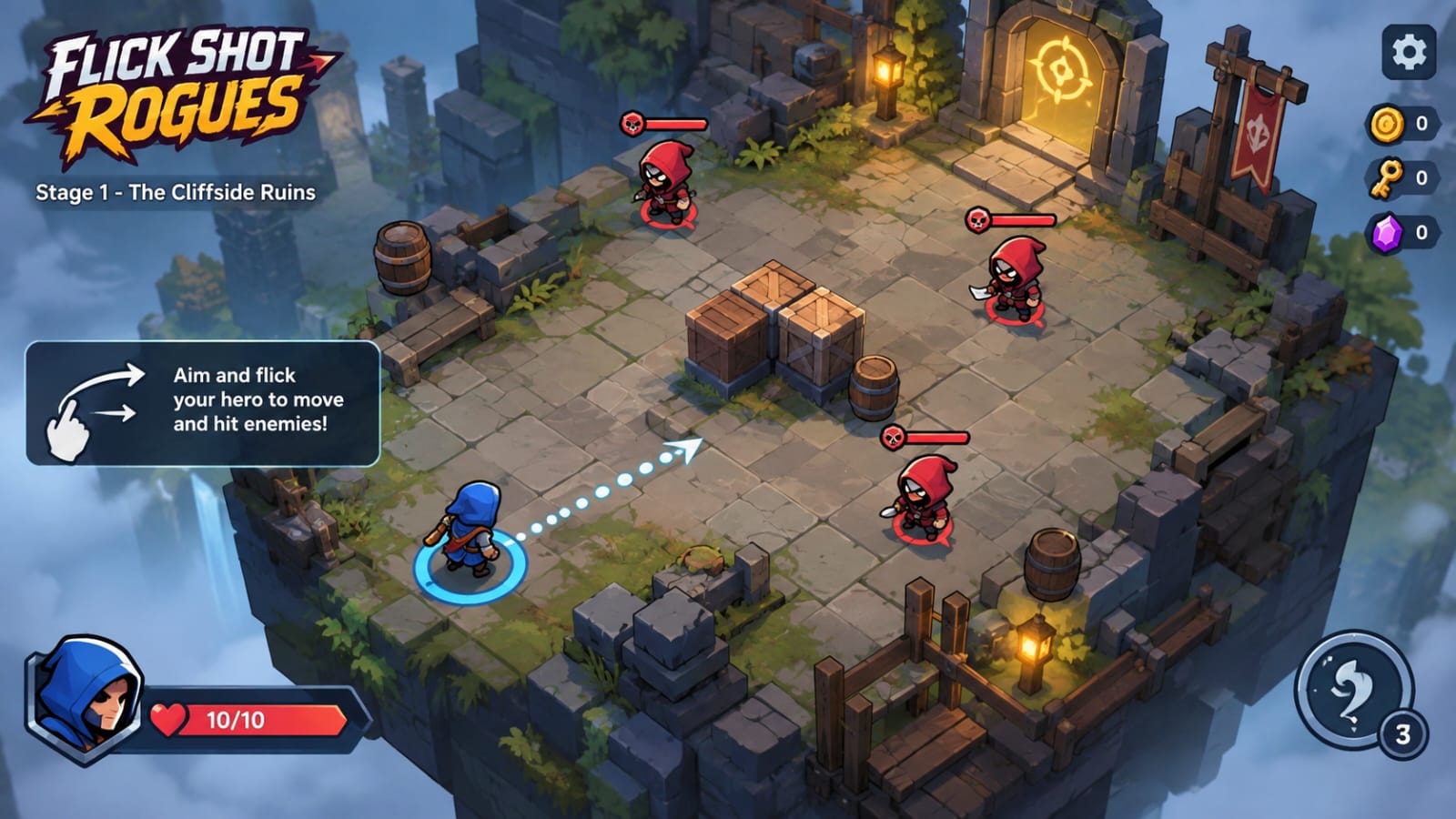
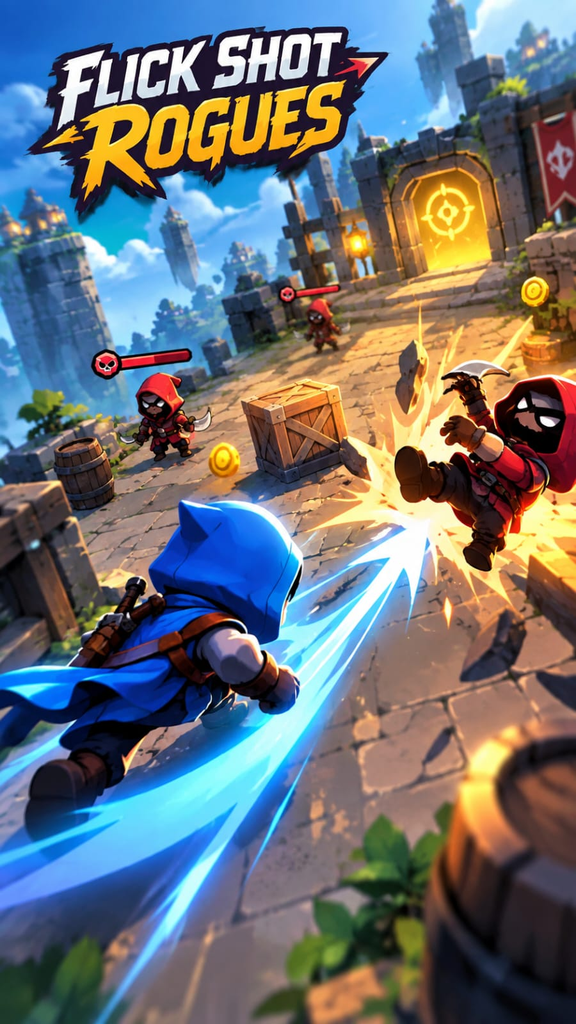
Mobile gaming is getting more interesting with new games that bring different ideas to Android phones. Flick Shot Rogues is one such game. It mixes simple flick controls with strategy, turn-based combat, and roguelike gameplay.
The game is now available on Android and Windows, giving mobile players a new way to enjoy its unique combat system. The Android version became available in September 2026, making it a fresh choice for players who want something different from regular action games.
In this guide, we will look at what Flick Shot Rogues is, how the gameplay works, its main features, benefits, installation process, and important things to know before playing.
What Is Flick Shot Rogues?
Flick Shot Rogues is a strategy game developed by Noodlecake. It combines physical flicking controls with turn-based roguelike gameplay.
Instead of controlling a character with normal movement buttons, you aim and flick your hero toward enemies. The goal is to make smart shots, hit targets, create combos, and survive different battles.
Each run can feel different because enemies and rewards can change. This means you cannot always use exactly the same strategy. You need to look at the situation and decide where to move and which attack to use.
The game also includes characters, items, skills, talents, and curses that can change the way you play.
Key Features of Flick Shot Rogues
Simple Flick-Based Controls
The main idea is easy to understand. You aim your character and flick it across the battlefield.
A good shot can hit enemies or create useful combos. However, careless movement can also put your character in a difficult position.
Turn-Based Strategy
Flick Shot Rogues does not depend only on fast reactions. You also need to think about your next move.
You can take time to study the battlefield and choose a useful attack. This makes the game different from many fast action games.
Different Characters
The game allows players to unlock and use different characters. Each character can provide a different way to handle combat.
Choosing the right character for a situation can make a big difference during a run.
Items, Skills, and Talents
Players can collect different items and upgrades during their journey. These can improve attacks or change how certain abilities work.
This upgrade system gives players more options as they continue playing.
Changing Runs
One interesting part of Flick Shot Rogues is that each new journey can change the enemies and rewards.
Because of this system, every run may require a slightly different plan.
No Regular Ads
According to the official Google Play listing, players can try the beginning of the game for free. A one-time in-app purchase unlocks the full game, and the listing states that there are no ads.
How Flick Shot Rogues Gameplay Works
The basic gameplay is built around aiming and flicking your character.
First, you look at the battlefield and decide where you want your character to go. Then you aim and make a flick. Your character moves across the area and can interact with enemies during the move.
The challenge comes from making useful shots instead of simply attacking without a plan.
You may need to think about enemy positions, possible collisions, and the best direction for your next move. Some situations can reward careful positioning and well-planned combos.
After battles, you can collect upgrades and other rewards. These choices can affect your next fights.
The roguelike system also means that losing a run does not simply end the whole experience. You can start another journey and face a different combination of situations.
Why Flick Shot Rogues Is Different?
Many Android games use familiar controls such as virtual joysticks, buttons, or automatic attacks. Flick Shot Rogues takes another approach.
Its main control system is based on physical movement and aiming. The idea can feel closer to flicking an object on a table while still keeping the strategy of a turn-based game.
This combination gives the game its own style.
It can also be interesting for players who enjoy games where planning is more important than simply pressing buttons quickly.
Main Benefits
There are several reasons why players may want to try Flick Shot Rogues.
Easy-to-understand flick controls
Strategy-based combat
Different characters and abilities
Items and upgrades to collect
Changing enemies and rewards between runs
Roguelike replay value
Available on Android and Windows
Free beginning to try before unlocking the full game
No regular ads according to the Google Play listing
The game can be especially interesting for players who want something different from standard mobile action games.
If you enjoy fast-paced Android games with survival and combat elements, you can also check out our guide to Prime Rush, an extraction-style battle royale game for Android.
How to Download Flick Shot Rogues on Android?
The safest way to install Flick Shot Rogues is through the official Google Play Store.
Steps to Install
Open Google Play Store on your Android phone.
Search for Flick Shot Rogues.
Check that the developer is Noodlecake.
Open the official game page.
Tap the Install button.
Wait for the installation to finish.
Open the game and start the free beginning.
If you enjoy it, you can decide whether to unlock the full game through the available in-app purchase.
The official listing currently showsFlick Shot Rogues as available for Android and Windows.
Pros and Cons
Pros
Unique flick-based gameplay
Simple controls
Strategy-focused battles
Different characters and upgrades
Changing runs
No regular ads according to Google Play
Available on Android
Cons
The full game requires a purchase after the free beginning
The gameplay can be challenging for new players
Players who prefer very fast action may need time to adjust to the turn-based style
Mobile controls may take some practice to master
Safety and Important Things to Know
Always download Flick Shot Rogues from a trusted source such as Google Play.
Avoid random APK websites that offer modified or unlocked versions. These files may contain unwanted software or may not provide the real game.
The official Google Play page also provides data safety information. It states that the developer reports no data shared with third parties, while some data types may be collected. The listing also says that data is encrypted in transit.
Before making any purchase, check the price shown on your own Google Play account because prices and offers can vary by region and may change over time.
Frequently Asked Questions
Is Flick Shot Rogues available on Android?
Yes. Flick Shot Rogues is officially available on Android as well as Windows.
Is Flick Shot Rogues free?
You can play the beginning for free. The official Google Play listing says a one-time in-app purchase unlocks the full game.
Does Flick Shot Rogues have ads?
The official Google Play listing says the full game has no ads.
What type of game is Flick Shot Rogues?
It is a strategy game that combines flick-based physics gameplay with turn-based roguelike elements.
Can I play Flick Shot Rogues offline?
The official Google Play listing does not clearly promise full offline support, so players should not assume that every feature will work without an internet connection.
Is Flick Shot Rogues suitable for beginners?
The basic controls are simple, but learning how to make effective shots and choose useful upgrades may take some practice.
Final Thoughts
Flick Shot Rogues brings a different idea to Android gaming by combining flick controls, strategy, and roguelike gameplay. Instead of relying only on fast button presses, the game asks players to aim carefully, choose useful moves, and build a better run through upgrades.
The free beginning also gives Android players a chance to try the gameplay before deciding whether to unlock the full version.
If you enjoy strategy games and want something different from the usual mobile formula, Flick Shot Rogues is a game worth checking out in 2026.
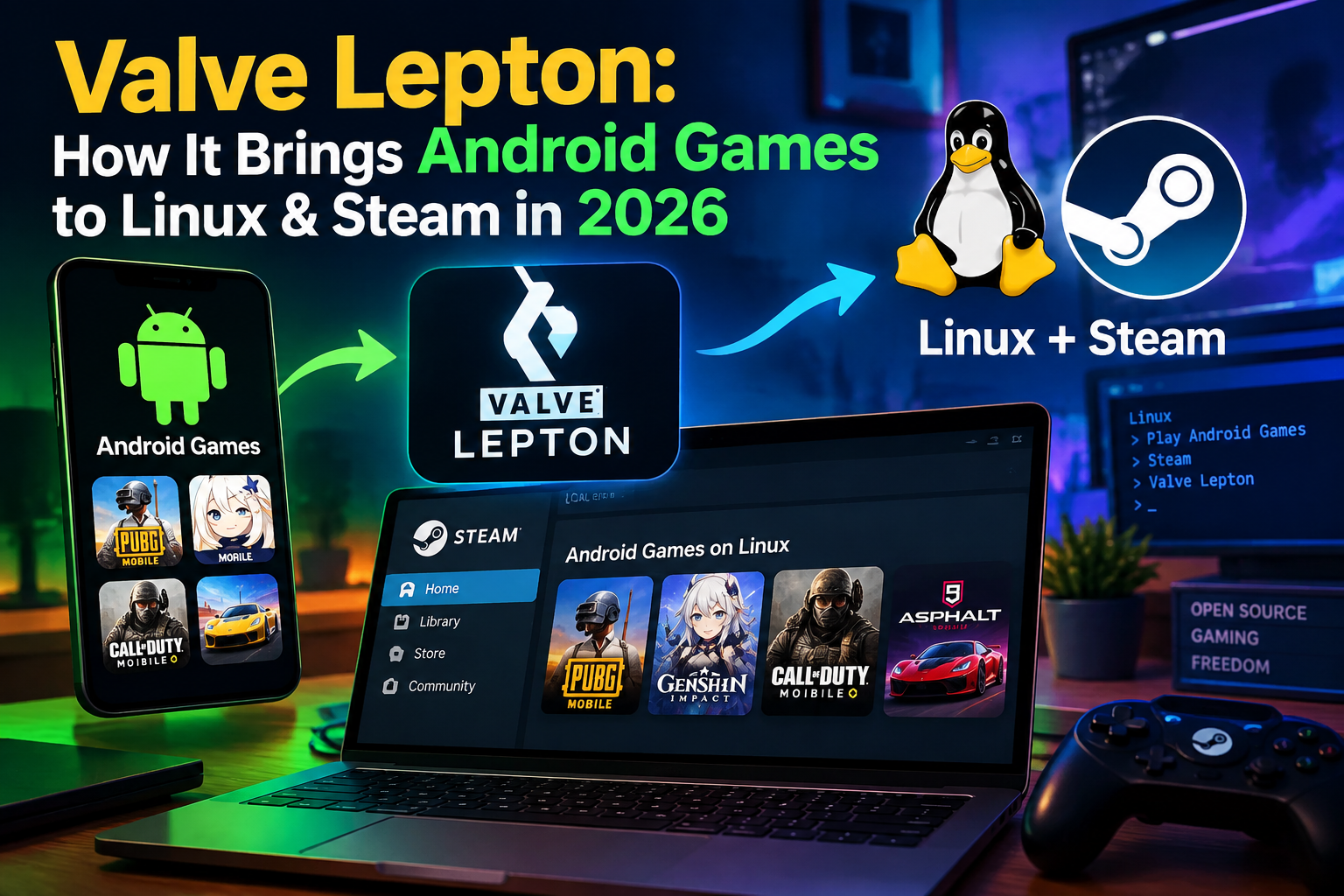
Android gaming is no longer limited to smartphones and tablets. The gaming industry is increasingly connecting mobile games with PC, Linux, handheld, and VR platforms. One of the latest developments in this area is Valve Lepton, an open-source compatibility layer designed to help Android games run on Linux through the Steam ecosystem.
Valve recently made the Lepton source code available publicly, giving developers a closer look at the technology behind Android game support on its Steam Frame platform. The project is particularly focused on helping developers bring Android-based VR games to Steam Frame without having to completely rebuild them for another operating system.
But what exactly is Valve Lepton, how does it work, and what does it mean for Android gaming?
Let’s take a closer look.
What Is Valve Lepton?
Valve Lepton is a compatibility layer created by Valve that allows Android games to run on Linux. Instead of requiring developers to create a completely separate Linux version of an Android game, Lepton provides an Android environment inside a Linux-based system.
Valve’s official Steamworks documentation describes Lepton as a compatibility layer that allows Android games to run on Linux. It uses a container-based approach to keep overhead low.
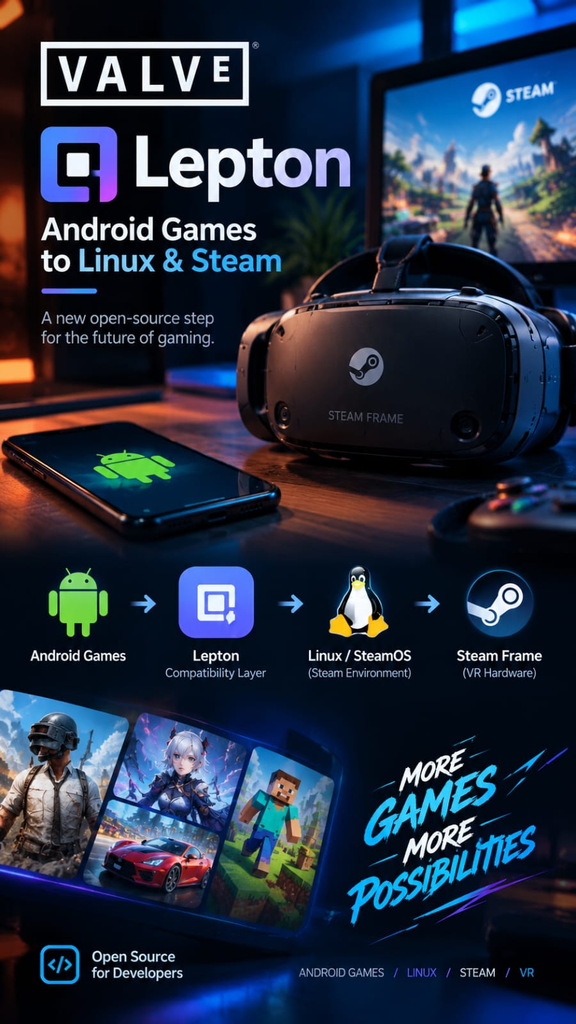
The technology is primarily connected with Steam Frame, Valve’s standalone VR gaming hardware. Steam Frame uses SteamOS, which is based on Linux, while many mobile VR games are built for Android.
Lepton helps connect these two environments.
In simple words:
Android game → Lepton → Linux/SteamOS → Steam Frame
This gives developers another way to bring existing Android gaming experiences to Valve’s platform.
Why Did Valve Create Lepton?
The main reason is compatibility.
Many VR games are developed for Android-based standalone headsets. Developers already have optimized Android versions of their games, but creating and maintaining another version specifically for a Linux-based gaming device can require additional development and testing.
Valve’s Steamworks documentation explains that developers with mobile-optimized Android ARM64 versions can use that version on Steam Frame. Steam Frame itself runs SteamOS on an Arm64 Snapdragon platform.
Lepton therefore gives developers a way to reuse their Android game technology instead of starting from zero.
This could be especially useful for VR developers who already have Android builds designed for standalone VR hardware.
How Does Valve Lepton Work?
Lepton uses a container-based Android environment.
Rather than turning Linux into a general Android phone, Lepton provides the parts of Android needed to launch and run games. Valve has deliberately kept the environment focused on gaming rather than general Android application support.
This approach can reduce unnecessary overhead.
Lepton can also interact with parts of the host SteamOS system, including graphics-related components and Steam/Steamworks libraries. Valve’s project documentation also mentions support for development and debugging tools used by game developers.
The result is an Android-focused runtime designed around gaming rather than everyday mobile apps.
Valve Lepton Is Now Open Source
One of the biggest reasons Lepton became a current technology story is that Valve has released its source code publicly.
The open-source release allows developers and technically interested users to inspect the project and understand how Valve is approaching Android compatibility on Linux.
The project is available through Valve’s public development repositories.
However, open source does not mean Lepton is automatically a universal Android emulator.
Valve specifically states that Lepton was designed for Android games, particularly VR Android games for Steam Frame. Other uses are possible, but they were not the main focus of its development.
Key Features of Valve Lepton
Android Game Support on Linux
The primary purpose of Lepton is running Android games within a Linux environment.
This is important because SteamOS is Linux-based while many mobile VR games are Android-based.
Container-Based Design
Lepton uses containers to provide an Android environment while minimizing unnecessary overhead.
This approach is different from simply installing Android as another operating system.
Designed for Gaming
Lepton is not designed to provide every Android feature.
Valve has intentionally focused on the functionality required for games. Some Android services that are not necessary for gaming can be disabled, which means certain applications may not work correctly.
Steam Integration
Lepton is designed to work with the Steam client and Steam ecosystem.
This allows Android-based games to become part of the Steam gaming experience on supported hardware.
Developer Tools
Valve’s implementation includes support for development and debugging tools such as GDB, LLDB, RenderDoc and Perfetto, according to the project’s documentation.
These tools can help developers test, troubleshoot and optimize their games.
Graphics Integration
Lepton can connect the Android gaming environment with graphics components from the host system. Valve lists graphics and Vulkan-related integrations as part of its Steam Frame-focused design.
This is particularly important for VR games where stable performance and efficient rendering matter.
What Is Steam Frame?
To understand Lepton, it helps to understand Steam Frame.
Steam Frame is Valve’s standalone VR hardware platform built around SteamOS. Valve’s Steamworks documentation says the device uses a Snapdragon 8 Gen 3 Arm64 processor and provides multiple compatibility technologies for different game platforms and architectures.
Valve uses different technologies for different types of software.
For example:
Proton helps Windows games run on Linux.
Lepton helps Android games run on Linux.
FEX translates x86 software for Arm64 hardware.
This gives Steam Frame several ways to run different types of games.
Is Valve Lepton an Android Emulator?
Not exactly.
It is better described as an Android compatibility layer and container-based runtime designed for gaming.
A traditional Android emulator attempts to reproduce a broader Android device environment. Lepton takes a more focused approach.
If you want to understand Android compatibility and APK installation in more detail, check our guide on how to sideload Android apps safely.
Its purpose is to provide the functionality required to run compatible Android games on Linux, especially on Steam Frame.
This focused design is one reason you should not think of Lepton as an APK emulator that you simply install on an Android phone.
Can You Install Valve Lepton on Your Android Phone?
No—not in the way you would install a normal Android application.
Lepton is designed for the Linux/Steam ecosystem and its primary purpose is supporting Android games on Steam Frame. Valve’s documentation does not present it as a normal Android app or an APK installer.
Those files should not automatically be considered official.
If you are an Android phone user, you do not need Lepton to play your normal Android games.
Does Lepton Mean All Android Games Will Come to Steam?
Not necessarily.
Lepton creates a technical path for Android games to run on supported Linux-based hardware, but developers still need to make sure their individual games work correctly.
Different games can depend on different Android services, graphics features, input systems, online services and other technologies.
Valve itself notes that Lepton is not intended as a general Android environment and that uses outside its original focus may lack polish.
So Lepton should be viewed as a platform technology—not a guarantee that every Android game will suddenly appear on Steam.
Why Lepton Matters for Android Gaming?
The interesting part of Lepton is the direction it creates between mobile gaming and PC-style gaming platforms.
Android already has a massive gaming ecosystem. Developers have spent years optimizing games for mobile processors and standalone VR hardware.
If those existing Android builds can be used on another platform with less additional work, developers may have more flexibility when targeting new devices.
This could also make it easier for Linux-based gaming hardware to support games that were originally created for Android.
However, the long-term impact will depend on developer adoption, game compatibility and how Valve continues developing the Steam Frame ecosystem.
Valve Lepton vs Proton
Lepton and Proton have a similar goal but support different software platforms.
Proton is designed primarily for running Windows games on Linux.
Lepton is designed for running Android games on Linux.
Valve’s Steamworks documentation specifically lists Proton for Windows games and Lepton for Android games on Steam Frame.
The difference can be summarized simply:
Technology| Main Purpose Proton| Windows games on Linux Lepton| Android games on Linux FEX| x86 software on Arm64
Together, these technologies help Valve support different software ecosystems on Linux-based hardware.
Benefits of Valve Lepton
There are several potential benefits for developers and the gaming ecosystem.
Less duplicated development: Developers with an existing Android game may have another route to Steam Frame.
Better Android-to-Linux compatibility: Lepton creates a dedicated environment for compatible Android games.
Developer access: Open-source code gives developers an opportunity to inspect and work with the technology.
VR gaming support: Lepton was specifically designed with Android VR games and Steam Frame in mind.
Steam ecosystem integration: Android-based games can potentially become part of a Steam-focused gaming platform.
Limitations and Things to Know
Lepton is still a specialized technology.
It is not intended to replace Android, and it is not a universal solution for every Android application.
Some Android services are intentionally disabled because they are unnecessary for gaming. That can cause compatibility problems for applications that depend on those services.
Another important point is that developers still need to test their games.
A game being built for Android does not automatically mean it will provide a perfect experience on Linux or Steam Frame.
Compatibility, graphics performance, controls, VR features and other technical requirements can all affect the final result.
Is Valve Lepton Important for Android Users?
For ordinary Android phone users, Lepton does not immediately change how they download or play Android games.
You will still use the Google Play Store or legitimate official sources for your Android games.
Its importance is more related to the future connection between Android gaming, Linux, Steam and standalone VR hardware.
For developers, however, the project is more significant because it provides a new technical route for bringing Android-based games to Valve’s ecosystem.
Safety: Avoid Fake Lepton APK Downloads
Because Lepton is getting attention online, unofficial websites may start using its name to promote downloads.
Do not assume that a file called Lepton APK is an official Valve release.
Before downloading software connected with Valve, check the official Valve documentation or Valve’s official development repositories.
You should also avoid modified APK files, unknown ZIP archives and installers from websites that you do not trust.
For ordinary Android users, there is currently no reason to download a random “Lepton APK” simply because you saw the name trending online.
Frequently Asked Questions
What is Valve Lepton?
Valve Lepton is a compatibility layer designed to allow Android games to run on Linux, with a primary focus on Android VR games for Steam Frame.
Is Valve Lepton an Android emulator?
It is better described as a specialized Android compatibility layer using a container-based environment rather than a general-purpose Android emulator.
Can I install Lepton on Android?
Lepton is not a normal Android application or APK installer. It is designed for the Linux/Steam environment and primarily supports Steam Frame.
Does Lepton support every Android game?
No. Compatibility depends on the individual game and its requirements. Valve’s documentation also makes clear that Lepton is focused on gaming rather than general Android use.
Is Valve Lepton free?
The Lepton source code has been released publicly as open-source software. Its availability as a project should not be confused with downloading a random third-party “Lepton APK.
Why did Valve create Lepton?
Valve created Lepton to help Android-based games, particularly VR games, run on Linux and Steam Frame without requiring developers to create an entirely separate platform implementation.
Conclusion
Valve Lepton is an interesting new development connecting Android gaming with Linux and Steam. Rather than being another Android APK or ordinary emulator, it is a specialized compatibility layer designed primarily to help Android games run on Linux-based Steam Frame hardware.
Valve’s decision to open-source Lepton also gives developers a better look at how Android gaming can be integrated with the Steam ecosystem.
For Android phone users, Lepton does not mean you need to install anything right now. Its bigger significance is what it could mean for developers and the future relationship between Android games, Linux gaming and standalone VR hardware.
As Valve continues developing the Steam Frame ecosystem, Lepton will be an interesting technology to watch. The next stage will depend on how many developers adopt it and how many Android games eventually make their way into the Steam ecosystem.
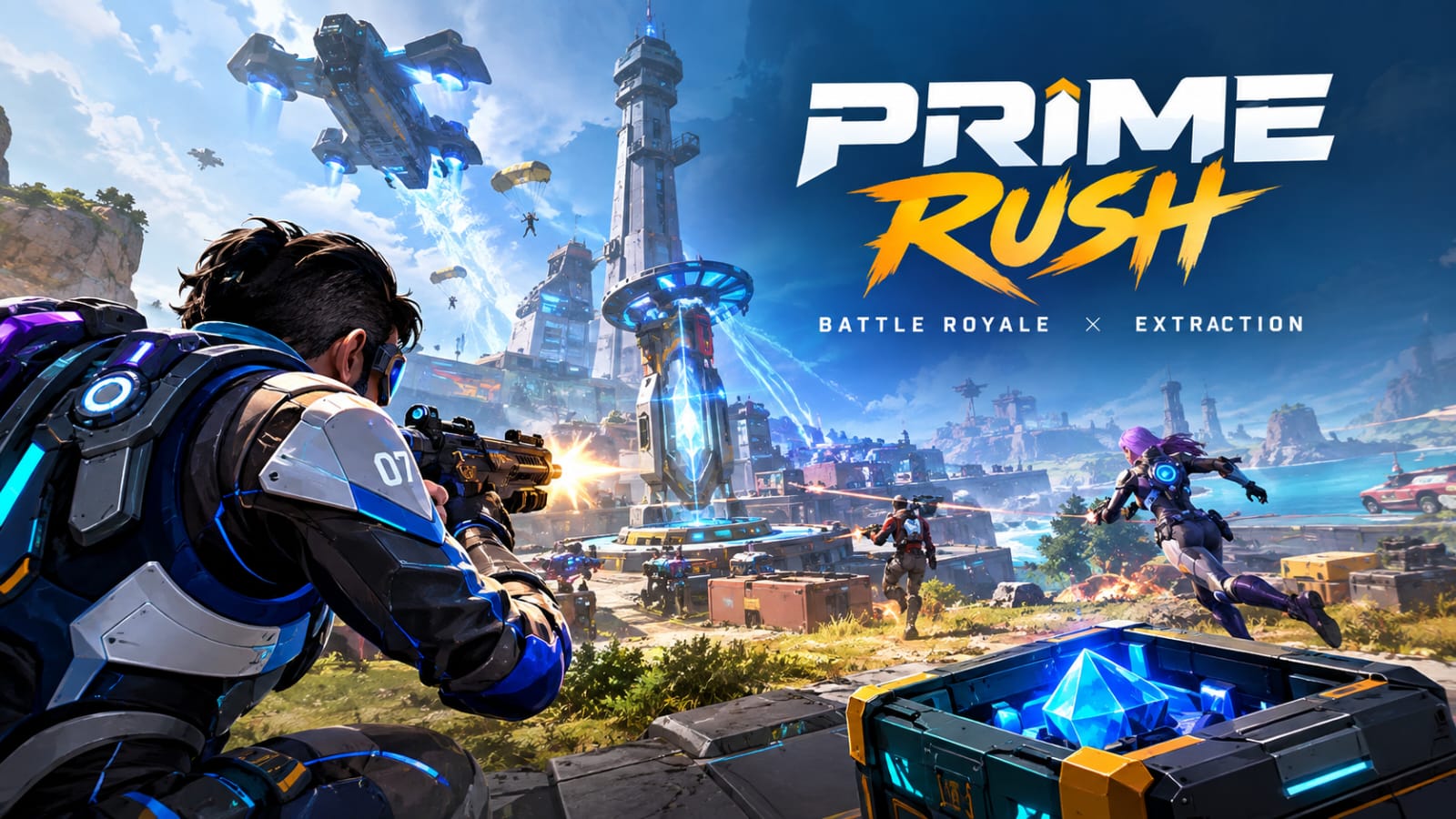
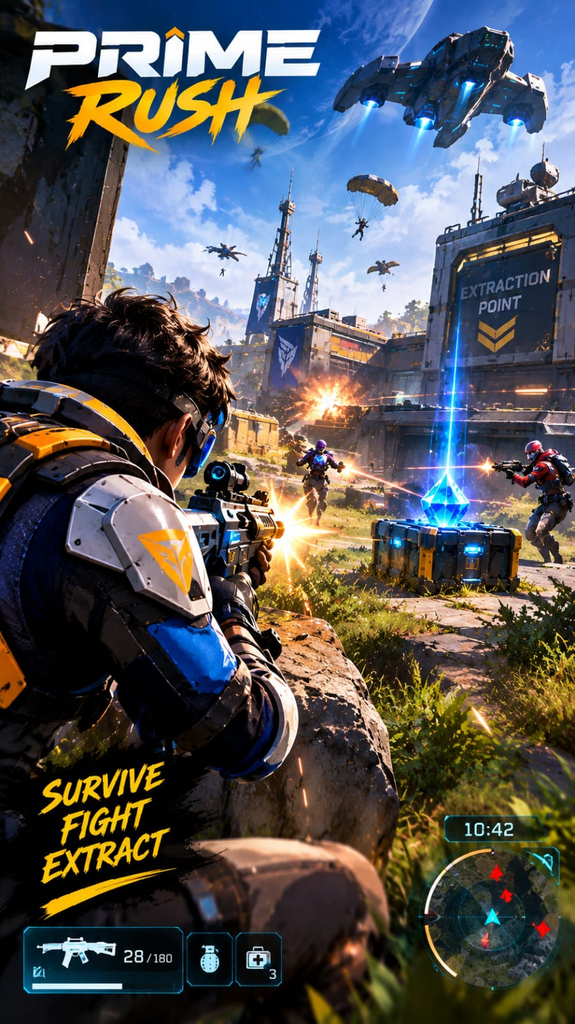
Prime Rush is a fast-paced battle royale extraction game for Android in 2026.
Mobile gaming has become more competitive, especially in the battle royale and shooter genres.
Developed by Super Gaming, Prime Rush is a multiplayer shooter designed specifically for mobile devices. The game features fast matches, tactical abilities, weapon upgrades, squad gameplay, and a unique Cosmium extraction system. The current game also includes the Cosmic Rush Season 4 content with new characters, rewards, abilities, and gameplay features.
If you enjoy competitive Android shooters and want something different from standard battle royale games, Prime Rush is a game worth exploring.
What Is Prime Rush?
Prime Rush is a battle royale extraction game for Android developed by SuperGaming. Instead of using only the traditional last-player-standing system, the game gives players another way to achieve victory.
During a match, players can collect rare Cosmium and attempt to extract it successfully. If the extraction succeeds, players can win without necessarily being the final surviving squad. Alternatively, they can continue fighting and try to become the last players standing.
This dual-win system makes Prime Rush more tactical because players must decide whether to keep fighting or take the opportunity to extract and secure a victory.
The game also includes multiplayer squad gameplay, built-in voice chat, custom controls, different abilities, weapons, and short matches designed for mobile players.
Key Features of Prime Rush
Battle Royale Meets Extraction
The main feature of Prime Rush is its combination of battle royale and extraction gameplay.
Players can enter the battlefield, collect weapons and resources, fight other players, and search for Cosmium. The goal is not always to eliminate everyone. Successfully extracting Cosmium can also provide a path to victory.
This gives every match an additional strategic layer.
Two Ways to Win
Prime Rush provides two main victory paths.
You can try to survive until the end and become the last player or squad standing. Alternatively, you can collect Cosmium and successfully extract it.
This means players can choose a more aggressive fighting strategy or focus on positioning, looting, and extraction.
Fast 10–15 Minute Matches
Long gaming sessions are not always convenient on a smartphone. Prime Rush addresses this with matches that generally last around 10–15 minutes.
This makes the game suitable for players who want a quick multiplayer match during a short break while still getting a full battle royale-style experience.
Tactical Abilities
Prime Rush includes special abilities that can change the way players approach fights.
Some of the abilities listed on Google Play include
Dead Eye – provides a powerful weapon and rewards accurate headshots.
Shield Dome – creates a protective shield that can help defend a squad.
Super Speed – temporarily increases movement speed.
Hunter Instinct – helps reveal enemies and improves enemy spotting.
Field Medic – deploys a healing drone to support teammates.
Learning when to use these abilities can be important during close fights.
Gameplay and Battle Royale Extraction
The basic gameplay begins with players entering the battlefield and preparing for combat. Players can search for weapons, collect useful resources, move through different areas, and engage opposing players.
Prime Rush combines FPS and TPS-style shooting with tactical movement and squad coordination. Players can customize their controls and work together with teammates using built-in voice chat.
The extraction system is one of the biggest differences from a conventional battle royale game. Instead of always waiting for the final circle, players can look for opportunities to collect and extract Cosmium.
However, extraction also requires careful decision-making. Moving toward an extraction opportunity can expose a squad to opponents, so players need to consider their equipment, position, health, and surrounding enemies before making a move.
Cosmic Rush Season 4
The current version of Prime Rush features Cosmic Rush Season 4, which adds a collection of space-themed content and gameplay changes.
The Cosmic Rush Battle Pass includes rewards such as the Star Sentinel and Nebula characters, the Star Blade melee weapon, the Cosmic Drift vehicle skin, and additional weapon cosmetics.
The current season also introduces ability progression, allowing players to upgrade their abilities, along with the Self Revive consumable and a new 1v1 mode.
There is also a Retroboy Gacha feature for players who want to unlock the Retroboy avatar and its variants.
Bigger Battlefield and Multiplayer Action
Prime Rush has expanded its battlefield with updated combat zones and refreshed locations. The current Google Play listing highlights areas such as Torre de TV, Condomínio, and Beira-Mar on the larger Lighthouse map.
The larger battlefield gives squads more routes to explore and different positions to use during combat.
For players who prefer shorter battles, the game also offers Mini TDM on Favela, a 4v4 mode focused on quick firefights.
This variety means players do not have to spend every session playing the main extraction mode.
Weapons, Loot, and Customization
Looting is another important part of Prime Rush gameplay.
Players can discover weapons, upgrade guns, collect crates, and unlock different cosmetic rewards. Weapon skins and other customization options allow players to personalize their in-game experience.
The game also features in-game calling cards, which can appear before matches and after eliminations.
For squad players, customization is not the only important element. Choosing suitable abilities and coordinating with teammates can also affect how a match develops.
Squad Play and Voice Chat
Prime Rush supports multiplayer squad gameplay, making communication an important part of the experience.
Players can team up with friends and coordinate during battles using the game’s built-in voice chat. A coordinated squad can communicate enemy positions, plan movement, protect teammates, and decide when to attempt extraction.
The game currently features characters such as Star Sentinel, Nebula, and Haley, each providing a different style for squad gameplay.
Android Requirements
Prime Rush is designed for Android smartphones and requires a compatible device capable of handling its multiplayer graphics and gameplay.
Earlier published system information from the game’s launch indicated support for Android 7 and above with 4GB RAM, although device compatibility and performance can change as the game receives updates.
Actual performance can vary depending on your phone’s processor, RAM, GPU, storage, Android version, graphics settings, internet connection, and background applications.
Before installing the game, make sure your phone has enough free storage and a stable internet connection.
How to Download and Install Prime Rush
The safest way to install Prime Rush on Android is through its official Google Play listing.
Steps:
Open the Google Play Store on your Android phone.
Search for Prime Rush.
Check that the developer is SuperGaming SG.
Open the official listing.
Tap Install.
Wait for the game and additional resources to download.
Open Prime Rush after installation.
Complete the required in-game setup and updates.
The verified Google Play listing currently shows 5M+ downloads and was updated on September 7, 2026.
For safety, avoid downloading modified APK files from unknown websites when the official Google Play version is available.
Pros & Cons
Pros
Battle royale combined with extraction gameplay
Two different ways to win
Short 10–15 minute matches
Multiplayer squad gameplay
Built-in voice chat
Tactical character abilities
1v1 mode
Mini TDM mode
Seasonal content and rewards
Weapon and character customization
Cons
Requires an internet connection for multiplayer gameplay
Performance can vary between Android devices.
Contains in-app purchases
Shooter gameplay includes violence and blood.
Some features may change with future updates.
Safety & Important Things to Know
Prime Rush is officially distributed through Google Play, so downloading the game from the official listing is preferable to using an unknown APK source.
The Google Play listing marks the game as Teen and indicates that it contains violence and blood. It also includes in-app purchases.
Players should review the game’s Google Play Data Safety section before installation because data collection and sharing practices can vary by region and age.
It is also a good idea to keep your Android device updated and download game updates from trusted sources.
If you experience performance problems, try lowering graphics settings, closing unnecessary background applications, and making sure your device has sufficient free storage.
FAQs
Is Prime Rush available for Android?
Yes. Prime Rush is available through Google Play for compatible Android devices. The official listing identifies SuperGaming SG as the developer.
Is Prime Rush a battle royale game?
Yes, but it adds an extraction mechanic. Players can either survive until the end or successfully extract Cosmium for another path to victory.
How long is a Prime Rush match?
The official Google Play description says matches generally last around 10–15 minutes.
Does Prime Rush have multiplayer?
Yes. Prime Rush supports multiplayer squad gameplay and built-in voice chat.
Does Prime Rush have a 1v1 mode?
Yes. The current version includes a 1v1 mode as part of its newer gameplay features.
What is Cosmium in Prime Rush?
Cosmium is a rare resource that players can collect and extract. Successfully extracting it can provide a victory without requiring the player to simply survive until the end.
Is Prime Rush free to download?
The Google Play listing provides an install option and lists in-app purchases. Availability and purchase options can vary by region.
Conclusion
Prime Rush brings a different approach to mobile battle royale gaming by combining traditional survival combat with extraction mechanics. Instead of relying on only one victory condition, players can fight until the end or attempt to extract Cosmium.
Its short matches, tactical abilities, multiplayer squads, Mini TDM, 1v1 mode, seasonal content, and current Cosmic Rush Season 4 give players several ways to experience the game.
For Android players interested in competitive multiplayer shooters, Prime Rush offers a combination of fast combat and tactical decision-making. The safest way to get the game is through its official Google Play listing, where users can also check the latest version, compatibility information, ratings, reviews, and data-safety details.
If you’re looking for a fun adventure game with a unique Disney world, check out our complete guide to Disney Epic Mickey: Rebrushed, including its gameplay, features, and Android download information.
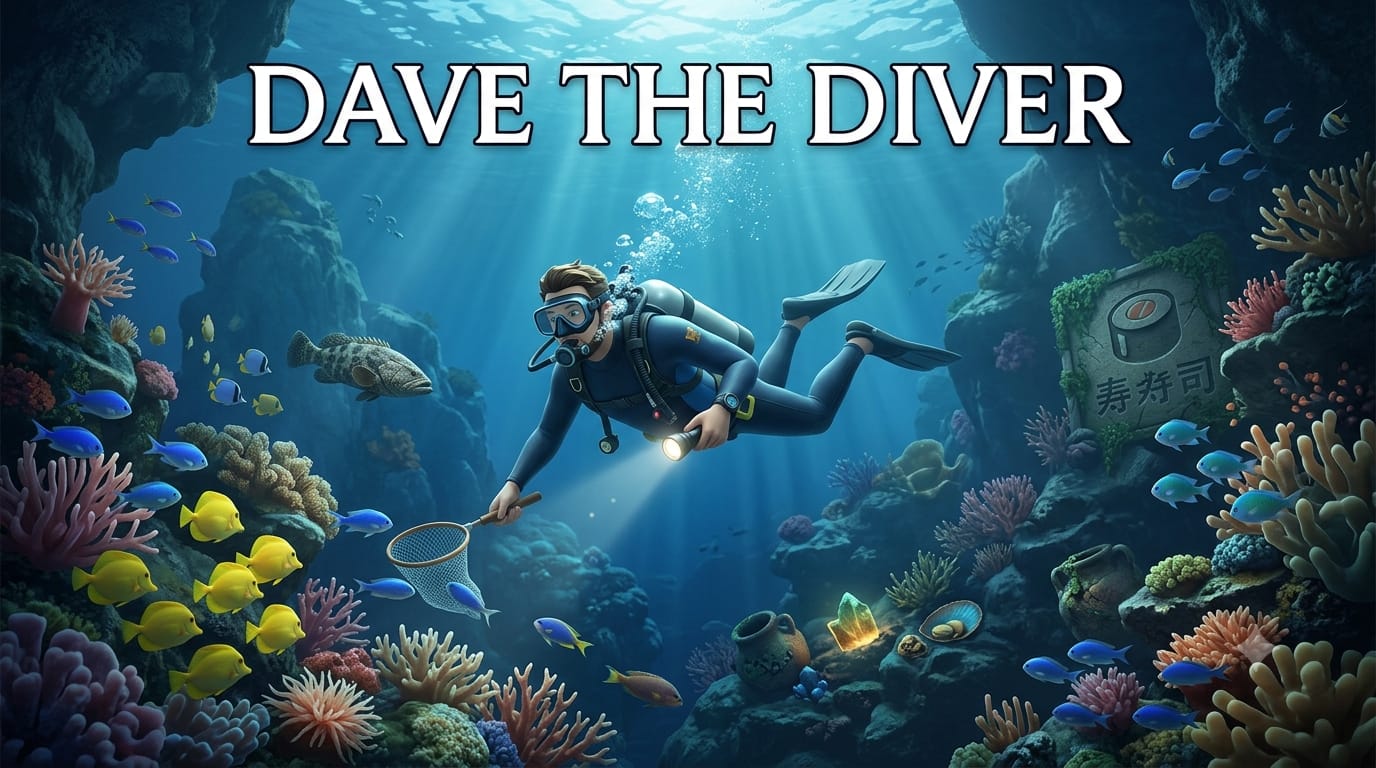
DAVE THE DIVER brings deep-sea adventure and sushi management to Android.
If you enjoy adventure games that offer something different from typical Android titles, DAVE THE DIVER Android is a game worth checking out. The popular adventure, RPG, fishing, and management game has officially launched worldwide on Android and iOS on September 17, 2026. The mobile version is developed by MINTROCKET and published under Nexon.
DAVE THE DIVER combines deep-sea exploration with sushi restaurant management. During the day, you explore the mysterious Blue Hole, catch fish, collect resources, and discover different underwater creatures. At night, you use what you collected to help run a sushi restaurant.
The Android version is a full port of the original PC game and has been optimized for mobile devices with touchscreen-focused controls and convenience features. The launch also brings popular additional content such as DREDGE and In the Jungle to mobile.
In this guide, we will look at the game’s gameplay, key features, mobile improvements, pros and cons, pricing model, and how to safely install DAVE THE DIVER on Android.
What Is DAVE THE DIVER?
DAVE THE DIVER is a hybrid adventure game that combines exploration, RPG elements, fishing, combat, resource gathering, and restaurant management.
The basic gameplay loop is divided between day and night. During the day, Dave explores the Blue Hole and searches for fish, resources, and other underwater discoveries. At night, he helps operate a sushi restaurant using the ingredients collected during diving.
This unusual combination is one of the game’s main ideas. Instead of focusing only on combat or exploration, the game gives players two connected activities that affect each other.
The mobile version is designed as a full port of the original PC game rather than a completely separate mobile-only title. The current Google Play listing describes it as a full port and allows players to download it for free and play the opening portion before unlocking the complete game.
Key Features of DAVE THE DIVER Android
Deep-Sea Exploration
The Blue Hole is the main underwater area where much of the game’s daytime action takes place.
Players can dive underwater, search for fish and resources, discover different areas, and continue exploring as they progress through the game.
The underwater environment is not simply a background. It is an important part of the gameplay because the resources and fish collected during dives are connected to the restaurant side of the game.
Fishing and Underwater Combat
Fishing is an important part of DAVE THE DIVER. Players can use different tools and weapons to catch underwater creatures.
The mobile version retains the game’s original combat and gathering gameplay while adapting controls for touchscreen devices.
According to the official game description, the Blue Hole contains more than 200 species of marine creatures, giving players plenty of underwater discoveries to encounter.
Sushi Restaurant Management
When the diving part of the day ends, the gameplay changes completely.
At night, players help run the sushi restaurant. The fish and resources collected during diving can become part of the restaurant’s activities.
You need to manage the restaurant and serve customers while making use of the resources collected earlier.
This creates a simple gameplay cycle: dive during the day, collect useful resources, and manage the restaurant at night.
Mobile Touch Controls
The Android version has been optimized specifically for mobile devices.
MINTROCKET has added touchscreen-focused controls and other convenience features so that the original experience can work more naturally on smartphones. The mobile version also includes control customization, allowing players to adjust the position, size, and transparency of buttons.
Some restaurant and cooking interactions can also make use of mobile device features such as tilt controls
DREDGE Content
The mobile launch includes the popular DREDGE crossover content.
The official game news describes the DREDGE content as a free content pack that adds aberration fish and characters to the Blue Hole.
This gives mobile players additional content to explore alongside the main game.
In the Jungle Content
The In the Jungle content pack is also available around the mobile launch.
This content adds a new freshwater environment, Bancho Grill, Utara Village, and additional story content. The official game news says the content pack provides more than 10 hours of new story content.
It is important to note that this is additional paid content rather than part of the standard free opening portion.
DAVE THE DIVER Android Gameplay
The gameplay of DAVE THE DIVER is built around its day-and-night structure.
During the day, you take Dave underwater. You can explore the Blue Hole, catch fish, collect resources, fight underwater creatures, and search for new discoveries.
Your dive is affected by resources such as oxygen. Managing your dive carefully is important because continuing too far without enough oxygen can create problems and affect what you can bring back.
At night, the game moves to the sushi restaurant. Instead of diving, you focus on serving customers and managing the restaurant.
The two parts of the game work together. The things you discover during your dives can help support your restaurant activities.
This makes the gameplay more varied than a traditional fishing or restaurant-management game.
Mobile Improvements and Convenience Features
The Android version does more than simply place the original game on a smaller screen.
MINTROCKET has worked on mobile-specific optimization and controls. Players can customize button positions, sizes, and transparency, while separate layouts can be saved for different gameplay situations.
Mobile-specific features also include convenience improvements such as fast travel in certain parts of the game.
The goal is to make the experience more comfortable on a touchscreen while keeping the main gameplay structure of the original game.
DAVE THE DIVER Android Pros and Cons
Pros
Full port of the original PC game
Combines adventure, RPG, fishing, combat, and management
Daytime diving and nighttime restaurant gameplay
More than 200 species of marine creatures
Mobile-optimized touchscreen controls
Customizable control buttons
DREDGE content available on mobile
In the Jungle content available as additional content
Free opening portion before unlocking the full game
Cons
The complete game requires an additional purchase after the opening portion
In the Jungle is additional paid content
The game combines several gameplay systems, which may not appeal to players looking for a simple action game
The mobile version requires significant storage compared with many lightweight Android games
These points are based on the current official store information and developer-published details rather than assumptions about the game.
Is DAVE THE DIVER Free on Android?
DAVE THE DIVER can be downloaded for free from Google Play, but the free version provides the opening portion of the game.
The current Google Play listing explains that players can download the game for free, play the opening portion, and then unlock the full game through an additional purchase.
Therefore, it should not be described as a completely free full game.
Regional pricing can vary, so Android users should check the current Google Play listing in their region before purchasing.
Is DAVE THE DIVER Offline?
The official Google Play listing describes the game and its gameplay but does not provide a simple current statement that guarantees every function works completely offline.
For this reason, it is better not to advertise DAVE THE DIVER as a fully offline Android game unless the current Google Play information for your region specifically confirms it.
Players should also remember that downloading the game, completing purchases, and receiving updates can require an internet connection.
How to Download and Install DAVE THE DIVER on Android
The safest way to install DAVE THE DIVER is through its official Google Play listing.
Open the Google Play Store on your Android phone.
Search for DAVE THE DIVER.
Check that the developer is MINTROCKET.
Open the official listing.
Review the current price and available purchase options for your region.
Tap Install.
Wait for the game to finish downloading.
Open DAVE THE DIVER and start the opening portion.
If you want the complete game, follow the official in-game purchase option to unlock it.
You can use the official Google Play listing here:
Avoid downloading modified APK files from unknown websites. Using the official store helps ensure that you are installing the legitimate version from the listed developer.
If you enjoy discovering more offline Android games, you can also check our guide to Best Offline Android Games.
Safety and Important Things to Know
Before installing the game, make sure your Android phone has enough free storage for the download and installation.
Because DAVE THE DIVER is a relatively large and feature-rich game, players should also expect a more demanding experience than with simple casual Android games.
Always check the current Google Play requirements and available storage before installation.
If you decide to purchase the full game or additional content, review the purchase information shown by Google Play before confirming the transaction.
It is also better to keep the game updated through Google Play so you receive official bug fixes, improvements, and content updates.
Is DAVE THE DIVER Worth Trying on Android?
DAVE THE DIVER offers a different type of Android gaming experience by combining deep-sea exploration with sushi restaurant management.
Players who enjoy exploration can spend time in the Blue Hole, while players who like management gameplay can focus on the restaurant side. The combination gives the game a broader gameplay style than a standard fishing or action title.
The mobile version also adds touchscreen optimization and control customization, making it specifically adapted for smartphones rather than being presented as a simple unchanged port.
The free opening portion also gives Android users a way to experience the beginning before deciding whether they want to unlock the complete game.
FAQs
When did DAVE THE DIVER launch on Android?
DAVE THE DIVER launched globally on Android and iOS on September 17, 2026.
Is DAVE THE DIVER free to download?
Yes. The current Google Play listing allows users to download the game for free and play the opening portion. The complete game requires an additional purchase.
Who developed DAVE THE DIVER?
The game was developed by MINTROCKET, a studio under Nexon.
What is the main gameplay of DAVE THE DIVER?
The game combines deep-sea exploration, fishing, combat, resource gathering, and sushi restaurant management.
Does the Android version have mobile controls?
Yes. The mobile version has touchscreen-optimized controls, customizable buttons, and other mobile-specific convenience features.
Does DAVE THE DIVER Android include DREDGE content?
Yes. The DREDGE content is available with the mobile release.
Is In the Jungle included?
The In the Jungle content is available for mobile as additional paid content.
Where can I download DAVE THE DIVER for Android?
You can download the legitimate Android version through the official Google Play listing from MINTROCKET.
Conclusion
DAVE THE DIVER has finally arrived on Android as a full mobile port of the popular adventure game. Its combination of underwater exploration, fishing, combat, resource gathering, and sushi restaurant management gives it a distinctive gameplay style.
The Android release also includes mobile-focused controls and convenience features, while DREDGE and other additional content expand the experience. The game can be downloaded for free to try its opening portion, with the complete experience unlocked through an additional purchase.
If you are looking for an Android game that combines adventure and management instead of offering only traditional action gameplay, DAVE THE DIVER provides a unique option to explore on mobile.
Transformers: Eternal War brings tactical RPG gameplay and iconic Transformers characters to Android.
Transformers Eternal War Android is one of the latest mobile strategy RPG experiences for Transformers fans in 2026. The game brings tactical battles, collectible Transformers characters, different classes, character traits, and an original story to Android devices.
Transformers: Eternal War officially launched on mobile on September 15, 2026, and its Android version is available through Google Play. The game is presented as a strategic role-playing game with tactical squad combat, 3D characters, different classes, unique traits, and a progression system built around collecting and upgrading Transformers.
In this guide, we will look at its gameplay, key features, characters, pros and cons, Android availability, download method, and beginner tips.
What Is Transformers: Eternal War?
Transformers: Eternal War is a mobile strategy RPG based on the famous Transformers universe. Instead of focusing only on traditional real-time robot fighting, the game puts more emphasis on squad building, tactical decisions, character collection, and progression.
The story introduces a new threat called the Chaos Legion. According to the game’s official description, Autobots and Decepticons must put their old conflict aside and work together against this mysterious force.
The game’s story is also an original Transformers adventure written by Simon Furman, a writer known for his work with the Transformers franchise.
The game is available on Android, and Google Play currently lists it as a role-playing game with in-app purchases.
Transformers: Eternal War Gameplay
The main gameplay revolves around creating a strong team of Transformers and using their different abilities and characteristics strategically.
Rather than controlling one robot throughout every fight, you build a squad and decide which characters should work together. Different Transformers belong to different classes and have different traits, so choosing the right combination can make a difference during battles.
The official Google Play description highlights tactical deployment, character strengths, class differences, traits, synergies, and counters as important parts of the gameplay.
This makes the game more suitable for players who enjoy strategy RPGs and character-collection games rather than a traditional action fighting game.
Key Features of Transformers: Eternal War
Iconic Transformers Characters
One of the biggest attractions is the Transformers roster. Players can collect familiar robots from the franchise and use them as part of their team.
The official listing says that many recognizable Transformers can be recruited as allies. This gives fans an opportunity to build a team around characters they already know while progressing through the game’s new story.
Five Different Classes
Transformers: Eternal War includes five character classes:
Vanguard
Assault
Firepower
Recon
Support
Each class has a different role, which makes team composition an important part of the game.
A balanced squad can be more useful than simply selecting characters based on popularity. Understanding the role of each Transformer can help new players create a team that works well together.
Five Character Traits
The game also gives characters individual traits.
The five listed traits are:
Fearless
Dynamic
Resourceful
Resolute
Inspiring
These traits are connected to ability bonuses and the game’s synergy and counter systems. This adds another layer of strategy when building a squad.
Tactical Squad Building
Squad building is one of the central parts of Transformers: Eternal War.
Instead of simply collecting as many characters as possible, players need to consider how different Transformers complement one another. Classes, traits, abilities, and synergies can all influence how a team performs.
This system gives the game a strategic element and encourages players to experiment with different combinations.
3D Characters and Battle Visuals
The Google Play listing highlights 3D character models and battle sequences as part of the game’s presentation.
For Transformers fans, seeing familiar robots represented in a modern mobile RPG format is one of the game’s main visual attractions.
Original Story
Transformers: Eternal War does not simply reuse an old Transformers storyline.
The game introduces the Chaos Legion as a new threat and creates a situation where Autobots and Decepticons need to cooperate against a common enemy. The official description also credits Simon Furman with the game’s original story.
Build and Develop the Ark
The game also includes progression outside battles.
Players can expand and manage facilities around the Ark to support their growing team. According to the game’s official description, these facilities can continue producing resources and supporting progression even while players are away from the battlefield.
This gives the game an additional management element beyond combat.
Transformers: Eternal War Characters
The game includes a growing collection of Transformers that can be recruited and developed.
Instead of treating every character as exactly the same, the game separates them through classes, traits, abilities, and other characteristics.
For beginners, it is useful to focus on building a balanced team rather than immediately trying to collect every available character. A squad containing different roles can give you more flexibility as you progress.
As the game receives future updates, the available roster and character balance may also change, so players should check the latest in-game information before investing heavily in a particular team.
Pros and Cons of Transformers: Eternal War
Pros
Based on the popular Transformers universe
Available officially on Android
Original story with a new enemy
Five character classes
Five character traits
Tactical squad-building system
Collectable Transformers characters
3D character models and battle sequences
Ark and resource-management features
Cons
It is primarily a strategy RPG rather than a traditional action fighting game
The class and trait systems may take some time for new players to understand
Google Play lists in-app purchases
Gameplay and performance can vary depending on the Android device
Players looking for constant manual action may prefer a more direct combat-focused game
Is Transformers: Eternal War Free to Play?
Yes. The game is available as a free download on mobile stores, but Google Play lists in-app purchases.
This means you can start playing without buying the game upfront, while optional purchases may be available inside the game.
If you prefer completely free gaming, it is a good idea to check the purchase information before spending money and keep Google Play purchase controls enabled on your account.
Transformers: Eternal War Download for Android
Ready to try Transformers: Eternal War on your Android phone? Download the game from the official Google Play Store listing to get the legitimate version and receive official updates.
For safety, avoid downloading the game from unknown APK or modified-app websites. The official Google Play Store is the recommended source for the Android version.
You can find the latest Android version of Transformers: Eternal War on Google Play and check its current availability, updates, and installation information before downloading.
Transformers: Eternal War Android Requirements
The Google Play listing confirms Android availability, but the exact minimum Android version and complete hardware requirements can vary by store region and game version.
For this reason, it is better not to publish a made-up RAM, processor, or storage requirement.
Before installing the game, make sure your phone has:
Enough free storage
A supported Android version
A stable internet connection for downloading and updating the game
Sufficient battery during the initial installation and setup
If Google Play shows a compatibility warning on your particular phone, follow that information rather than relying on a generic requirement from an unofficial website.
Tips for New Transformers: Eternal War Players
Build a Balanced Squad
Do not select every character based only on appearance or popularity. Look at their class and role first.
Learn the Five Classes
Understanding Vanguard, Assault, Firepower, Recon, and Support will help you make better squad decisions.
Pay Attention to Traits
Traits such as Fearless, Dynamic, Resourceful, Resolute, and Inspiring are part of the game’s strategy system. Learning how they interact with your characters can help you build stronger combinations.
Upgrade Your Team Carefully
Resources should be used thoughtfully, especially when you are still learning which characters fit your preferred playstyle.
Develop Your Ark
The Ark is not simply a background feature. Its facilities can contribute to resource generation and progression, so remember to manage your base as you advance.
If you enjoy action-focused Android games, you can also check out our guide to SUBR: Survival Unknown Battle Royal, an offline battle royale experience for Android.
Is Transformers: Eternal War Worth Trying on Android?
Transformers: Eternal War offers a different approach to mobile Transformers gaming by combining the franchise’s recognizable characters with strategy RPG mechanics.
Its strongest focus is on team building, character collection, tactical choices, classes, traits, and progression rather than traditional manual action combat.
If you already enjoy strategy RPGs and Transformers, the combination gives you plenty of reasons to try the game. Players who prefer fast, fully manual action battles should understand the game’s strategy-focused design before installing it.
Final Thoughts
Transformers: Eternal War is a fresh Android strategy RPG that brings the Transformers universe into a character-collection and tactical squad format.
The game features an original Chaos Legion storyline, recognizable Transformers characters, five classes, five traits, squad synergies, 3D visuals, and Ark-based progression. It is also officially available on Android through Google Play.
For Android gamers searching for a new Transformers experience in 2026, the official Google Play version is the best place to start.
Frequently Asked Questions
Is Transformers: Eternal War available on Android?
Yes. Google Play lists Transformers: Eternal War as available on Android.
When did Transformers: Eternal War launch?
The game launched globally on mobile on September 15, 2026, according to launch reporting.
Is Transformers: Eternal War free to download?
Yes. The game is available as a free download, while Google Play lists in-app purchases.
Where can I download Transformers: Eternal War?
Android users can download it from the official Google Play listing.
What type of game is Transformers: Eternal War?
It is a strategy RPG featuring tactical squad building, character collection, classes, traits, and progression.
How many classes are available?
The official Google Play listing currently identifies five classes: Vanguard, Assault, Firepower, Recon, and Support.
Does the game have in-app purchases?
Yes. Google Play currently lists in-app purchases for Transformers: Eternal War.
If you are looking for a simple Android game that can keep your brain busy without complicated controls, Arrows – Puzzle Escape is worth checking out. Unlike action games that depend on fast reflexes, this puzzle game focuses on planning, logic, and finding the correct order of moves.
The basic idea is easy to understand: you need to clear arrows from a board without causing them to collide. However, as the levels become more challenging, you need to think carefully before making every move.
Arrows – Puzzle Escape has also gained significant attention among mobile gamers. Its Google Play listing currently shows 100M+ downloads and more than 2 million reviews, while the game was updated in September 2026.
If you enjoy relaxing puzzle games that can be played for a few minutes or longer sessions, Arrows – Puzzle Escape can be an interesting game to try on Android.
What Is Arrows – Puzzle Escape?
Arrows – Puzzle Escape is a minimalist logic and puzzle game developed by Lessmore GmbH. The game gives you a board filled with arrows pointing in different directions.
Your goal is to remove the arrows from the board in the correct order. An arrow can only move successfully when its path is clear. If another arrow blocks the way, you need to find another move first.
The game is designed around logic rather than speed. The Google Play listing describes it as a single-player puzzle game with thousands of handcrafted levels, increasing difficulty, a clean design, and a hint system. It is also listed as playable offline.
This makes it suitable for players who want a brain-training style game that does not require complicated controls or a powerful gaming phone.
Key Features
Simple One-Touch Controls
The controls are one of the easiest parts of Arrows – Puzzle Escape. You mainly need to select an arrow and work out whether it can leave the board.
There are no complicated button combinations or advanced controls to learn, making the game easy for new players.
Thousands of Puzzle Levels
The game offers a large collection of puzzles with increasing complexity. Early levels help you understand the basic mechanics, while later puzzles require more planning and patience.
Minimalist Design
Arrows – Puzzle Escape uses a clean visual style that keeps the focus on the puzzle itself. The simple presentation can make the game comfortable for short sessions.
Hint System
Getting stuck is normal in a puzzle game. Arrows includes a hint system that can help you when you cannot find the next useful move.
Relaxing Gameplay
The game does not focus on fast action. Instead, you can take your time to study the board and decide what to do next.
Offline Gameplay
Google Play lists Arrows – Puzzle Escape as an offline game, which means it can be useful when you do not have a reliable internet connection.
Gameplay / How It Works
The gameplay of Arrows – Puzzle Escape is based on understanding the direction and position of every arrow.
When you start a level, you see several arrows arranged on a board. Each arrow points toward a particular direction. Your task is to remove them one by one without creating a collision.
The easiest strategy is to first look for arrows whose paths are completely clear. Removing those arrows can open space for other arrows.
As the puzzles become more difficult, you may need to think several moves ahead. Removing the wrong arrow at the wrong time can make the remaining board harder to solve.
The game therefore rewards patience and observation instead of simply tapping quickly.
A useful approach is:
Look at the entire board before making a move.
Find arrows with a completely clear path.
Remove the easiest available arrows first.
Check how every move changes the remaining board.
Use a hint when you are genuinely stuck.
Continue until the entire board is cleared.
Because there are no complicated controls, the main challenge comes from solving the puzzle itself.
Main Benefits
One of the biggest benefits of Arrows – Puzzle Escape is its simple gameplay. You can understand the basic idea quickly, but the increasingly difficult levels provide a reason to keep playing.
The game can also be useful for people who enjoy logic-based challenges. Instead of relying only on reaction speed, you need to observe the board, plan your moves, and avoid unnecessary mistakes.
Another benefit is flexibility. You can play for only a few minutes when you have free time, or continue with more puzzles when you want a longer session.
The offline support is another useful feature for Android users who sometimes play without mobile data or Wi-Fi.
The minimalist design is also appealing because the game does not overwhelm the player with complicated menus or controls.
How to Download/Install
The safest way to install Arrows – Puzzle Escape on Android is through the official Google Play Store listing.
Because the game is officially available on Google Play, there is normally no reason to download an unknown APK from an unofficial website.
How to install it:
Open the Google Play Store on your Android phone.
Search for Arrows – Puzzle Escape.
Check that the developer is Lessmore GmbH.
Open the official game listing.
Tap Install.
Wait for the installation to finish.
Open the game and start solving puzzles.
The official Google Play listing currently identifies the game as Arrows – Puzzle Escape by Lessmore GmbH and shows it as containing ads and optional in-app purchases.
Pros & Cons
Pros
Simple and easy-to-learn controls
Thousands of puzzle levels
Increasing difficulty
Clean and minimalist design
Hint system for difficult puzzles
Relaxing gameplay
Offline support
Suitable for short gaming sessions
Good choice for players who enjoy logic games
Available officially through Google Play
Cons
Ads can interrupt gameplay
Some later puzzles can become quite challenging
Players who prefer action games may find the gameplay too slow
Optional in-app purchases are available
Solving similar puzzle mechanics repeatedly may not appeal to every player
The presence of ads and optional in-app purchases is confirmed on the current Google Play listing.
Safety & Important Things to Know
The safest option is to install Arrows – Puzzle Escape directly from Google Play rather than downloading a modified or unknown APK from a third-party website.
Before installing any Android game, check the developer name and app listing carefully. For this game, the official listing identifies Lessmore GmbH as the developer.
You should also remember that the game contains ads and optional in-app purchases. If you are giving the phone to a child, it is a good idea to review Google Play purchase settings so accidental purchases do not happen.
Google Play also provides a Data Safety section for the app. The current listing says the developer may collect device or other IDs and may share some device-related data with third parties; the listing also says data is encrypted in transit.
For the safest experience, keep the game updated through Google Play and avoid unofficial modified versions claiming to provide unlimited features or removed ads.
FAQs
Is Arrows – Puzzle Escape free on Android?
Yes. Arrows – Puzzle Escape is available to install from Google Play. The listing shows ads and optional in-app purchases.
Can I play Arrows – Puzzle Escape offline?
Yes. Google Play currently lists the game as an offline puzzle game.
Is Arrows – Puzzle Escape difficult?
The basic gameplay is easy to understand, but the puzzles become more challenging as you progress. Later levels require more careful planning.
Does Arrows – Puzzle Escape have hints?
Yes. The game includes a hint system that can help when you are stuck.
Is Arrows – Puzzle Escape available on Google Play?
Yes. It has an official Google Play listing from Lessmore GmbH.
Does Arrows – Puzzle Escape contain ads?
Yes. The current Google Play listing indicates that the game contains ads and offers optional in-app purchases.
Is Arrows – Puzzle Escape good for casual gaming?
Yes. Its simple controls, puzzle-based gameplay, and offline support make it suitable for short casual gaming sessions.
Conclusion
Arrows – Puzzle Escape is a simple but increasingly challenging Android puzzle game built around logic, planning, and spatial thinking. Its controls are easy to learn, while the increasing difficulty gives players a reason to continue solving new levels.
With thousands of puzzles, a hint system, minimalist visuals, and offline support, the game can be a good choice for Android users who prefer relaxing brain games instead of fast-paced action.
If you want to try it, the best option is to install Arrows – Puzzle Escape from its official Google Play listing rather than using an unknown APK source.
For players who enjoy solving puzzles and testing their thinking skills, Arrows – Puzzle Escape is definitely a game worth trying in 2026.
If you enjoy offline titles like Arrows – Puzzle Escape, you can also check out our guide to the Best Offline Android Games for more games that you can play without a constant internet connection.
If you are searching for a famous, exciting, and unique mobile game in 2026, Pokémon GO is still one of the strongest choices for Android users. Unlike traditional games that keep everything inside a virtual world, Pokémon GO combines gaming with real-world exploration, allowing players to discover and catch Pokémon while moving around their surroundings.
This Pokémon GO review 2026 explains everything Android players should know, including gameplay, features, Pokémon collection, Raid Battles, PvP, augmented reality, Android requirements, advantages, disadvantages, and the official download method.
The game has remained popular because it regularly introduces new Pokémon, events, challenges, and activities. Its huge global community also makes it easier for players to find other Trainers and enjoy multiplayer features.
If you love Pokémon, adventure, collecting, or multiplayer games, Pokémon GO can offer a very different experience from ordinary Android games.
What Is Pokémon GO?
Pokémon GO is a location-based augmented-reality game developed for mobile devices. It allows players to explore the real world while searching for Pokémon and other in-game activities.
The basic idea is simple. You create a Trainer, explore the map around you, find Pokémon, and try to catch them. As you continue playing, you can build your collection, evolve Pokémon, improve their abilities, participate in battles, and complete different challenges.
The official Google Play listing shows that Pokémon GO has more than 500 million downloads on Android, demonstrating just how large its audience has become.
One of the biggest attractions is that the game encourages players to move around instead of simply sitting in one place.
Pokémon GO Review 2026: Why Is It Still Popular?
One of the main reasons Pokémon GO remains popular in 2026 is its constantly changing content.
The developers regularly introduce events, special Pokémon, raids, Community Days, seasonal activities, and other limited-time experiences. This gives players a reason to return even after playing the game for a long time.
Recent mobile gaming data has also shown strong commercial performance for Pokémon GO. In the first week of September 2026, the game reportedly reached the top of worldwide mobile-game revenue charts, showing that it continues to attract significant player attention.
The combination of the famous Pokémon franchise, real-world exploration, multiplayer gameplay, and regular updates makes the game particularly attractive to both longtime fans and new players.
Pokémon GO Gameplay
The gameplay is built around exploration, collection, progression, and battles.
After starting the game, you see a map based on your real-world location. Pokémon can appear around you as you move through different areas.
When you find one, you can tap it and attempt to catch it using a Poké Ball.
Catching Pokémon is only the beginning. You can later organize your collection, evolve Pokémon, power them up, and use them for different types of battles.
The game also includes various items and rewards that can help you progress.
This gameplay system makes Pokémon GO feel different from normal Android games because your physical movement can become part of the gaming experience.
Catch and Collect Pokémon
The Pokémon collection system is one of the strongest parts of the game.
Players can discover different Pokémon in different situations and gradually expand their collection. For many fans, completing the Pokédex becomes a long-term objective.
You can also decide which Pokémon are worth keeping, evolving, powering up, or using in battles.
The collection system provides a strong sense of progression. Even when you are not participating in a major battle, finding a new Pokémon can still make a gaming session feel rewarding.
For Pokémon fans, this is one of the biggest reasons to try the game.
Explore the Real World
A major feature covered in this Pokémon GO review 2026 is real-world exploration.
Pokémon GO uses location technology to connect the game with your surroundings. As you travel or walk, different gameplay opportunities can appear on the map.
This means your local area becomes part of the adventure.
You may discover Pokémon, interact with locations, collect useful items, or find opportunities to participate in battles and raids.
This feature can make ordinary walks more interesting, but players should always remain aware of traffic, pedestrians, and their surroundings. Never use the game in a way that puts you or someone else in danger.
PokéStops and Gyms
PokéStops and Gyms are important locations within Pokémon GO.
PokéStops can provide useful items and give players another reason to explore their surroundings.
Gyms add a competitive element to the game. Players can interact with Gyms and participate in battles using their Pokémon.
These locations help make the map more interactive and give players objectives beyond simply catching Pokémon.
Pokémon GO Raid Battles
Raid Battles are another major reason why Pokémon GO remains attractive.
In Raid Battles, Trainers can work together to challenge powerful Pokémon. This introduces an important multiplayer element.
Instead of playing completely alone, you can cooperate with other players to defeat stronger opponents.
For players who enjoy teamwork, Raid Battles can be one of the most exciting parts of the game.
They also provide another reason to stay active because raid availability can change depending on current events and activities.
Pokémon GO PvP Battles
Pokémon GO also offers competitive Trainer battles.
PvP gives players an opportunity to test their Pokémon against other Trainers. Building an effective team becomes important because different Pokémon can perform differently depending on the battle situation.
This makes the game more strategic than simply catching Pokémon.
Players who enjoy competitive gaming can spend considerable time improving their teams and learning which Pokémon work best for different situations.
Pokémon GO AR Experience
The augmented-reality feature is one of the most recognizable elements of the game.
Instead of seeing Pokémon only inside a traditional game environment, AR can make them appear as though they are located within your real surroundings through your phone.
This idea helped Pokémon GO become famous when it originally launched, and AR remains an important part of its identity.
The experience can be particularly enjoyable when you discover a Pokémon in an interesting location and use your phone to view it through the real-world environment.
However, AR is not required for every part of the game, so players can still enjoy Pokémon GO without constantly using the camera feature.
Pokémon GO Events and Updates
Regular events are another major strength.
The game frequently features special activities that can introduce new opportunities for catching Pokémon, earning rewards, or participating in limited-time challenges.
Community Days and seasonal events can also encourage players to return to the game.
This constantly changing content helps prevent the experience from becoming completely repetitive.
For someone starting Pokémon GO in 2026, current events can provide additional reasons to begin playing because there is usually something new happening.
Pokémon GO Android Requirements
Before installing Pokémon GO, Android users should make sure their device is compatible.
The official Google Play listing indicates that the game requires an Android device with at least 2GB of RAM, while compatibility can vary depending on the specific device and Android version.
Because Pokémon GO uses GPS, mobile data or Wi-Fi, graphics, and other smartphone features, performance can differ between devices.
A newer Android phone with reliable GPS, sufficient storage, and a stable internet connection will generally provide a smoother experience.
Players should also remember that location-based gaming can consume battery, especially during longer sessions.
Is Pokémon GO Free to Play?
Yes. Pokémon GO is free to download and play on compatible Android devices.
However, the game includes optional in-app purchases.
You do not need to purchase the game before starting. You can download it, create an account, and begin exploring.
Some players may choose to spend money on optional items or other available purchases, while others prefer to play without spending money.
If you want a free-to-start Android game with a huge community and long-term progression, Pokémon GO is worth considering.
Pokémon GO Pros and Cons
Pros
Extremely famous worldwide
More than 500 million Android downloads
Huge Pokémon collection
Real-world exploration
Augmented-reality gameplay
Multiplayer features
Raid Battles
PvP battles
Regular events and updates
Free to download and play
Strong global community
Cons
Requires location services
Many features require an internet connection
Can consume significant battery during long sessions
Performance depends on your device
Optional in-app purchases are available
Requires attention when playing outdoors
Pokémon GO Review 2026: Is It Worth Playing?
After looking at its gameplay and features, Pokémon GO review 2026 results are still very positive for players who enjoy exploration and collecting.
The game has several qualities that help it remain interesting. Its famous Pokémon characters attract fans, while its location-based system makes the gameplay different from ordinary mobile games.
The multiplayer features are another advantage. Players can participate in raids and battles instead of being limited to a completely solo experience.
However, Pokémon GO is not perfect for everyone.
If you want an offline Android game that you can play anywhere without GPS or internet access, this may not be the right choice.
But if you enjoy walking, collecting Pokémon, discovering new locations, participating in events, and playing with other Trainers, Pokémon GO remains an excellent option in 2026.
How to Download Pokémon GO on Android?
For safety, Android users should download Pokémon GO from the official Google Play Store instead of using an unknown APK website.
Pokémon GO remains one of the most recognizable and successful mobile games in the world.
Its combination of Pokémon collecting, real-world exploration, augmented reality, Raid Battles, PvP, Gyms, and regular events gives players many different ways to enjoy the game.
The biggest strength is its unique concept. Instead of keeping the entire adventure inside a virtual world, Pokémon GO encourages you to explore the real world while playing.
For Android users who want a famous, attractive, multiplayer adventure game, Pokémon GO is still a strong choice in 2026.
If you are a Pokémon fan or simply want to try a different type of Android game, this is definitely a title worth checking out.
Frequently Asked Questions
Is Pokémon GO still popular in 2026?
Yes. Pokémon GO continues to have a huge worldwide player base and remains one of the most recognizable mobile games.
Is Pokémon GO free on Android?
Yes. Pokémon GO is free to download and play, although optional in-app purchases are available.
Can I play Pokémon GO without walking?
Some parts of the game can be accessed without extensive walking, but exploration and movement are important parts of the overall Pokémon GO experience.
Does Pokémon GO require GPS?
Yes. Location services are an important part of Pokémon GO because the game uses your real-world location for many gameplay features.
Can I play Pokémon GO with friends?
Yes. Pokémon GO includes multiplayer activities such as Raid Battles and Trainer battles, allowing players to play together and compete.
Is Pokémon GO safe to download?
The safest option is to download Pokémon GO from the official Google Play Store or another official source rather than an unknown third-party APK website.
Is Pokémon GO worth playing in 2026?
Yes, especially if you enjoy Pokémon, exploration, collecting, AR gaming, and multiplayer experiences. Its regular events and large community also give players plenty of reasons to keep playing.