Download Android Apps & Games

Latest Android apps ,games,tools and updates-all in one place.

Latest Posts

Browse Categories

  • September Android Feature Drop: 5 New Features You Should Try

    September Android Feature Drop: 5 New Features You Should Try

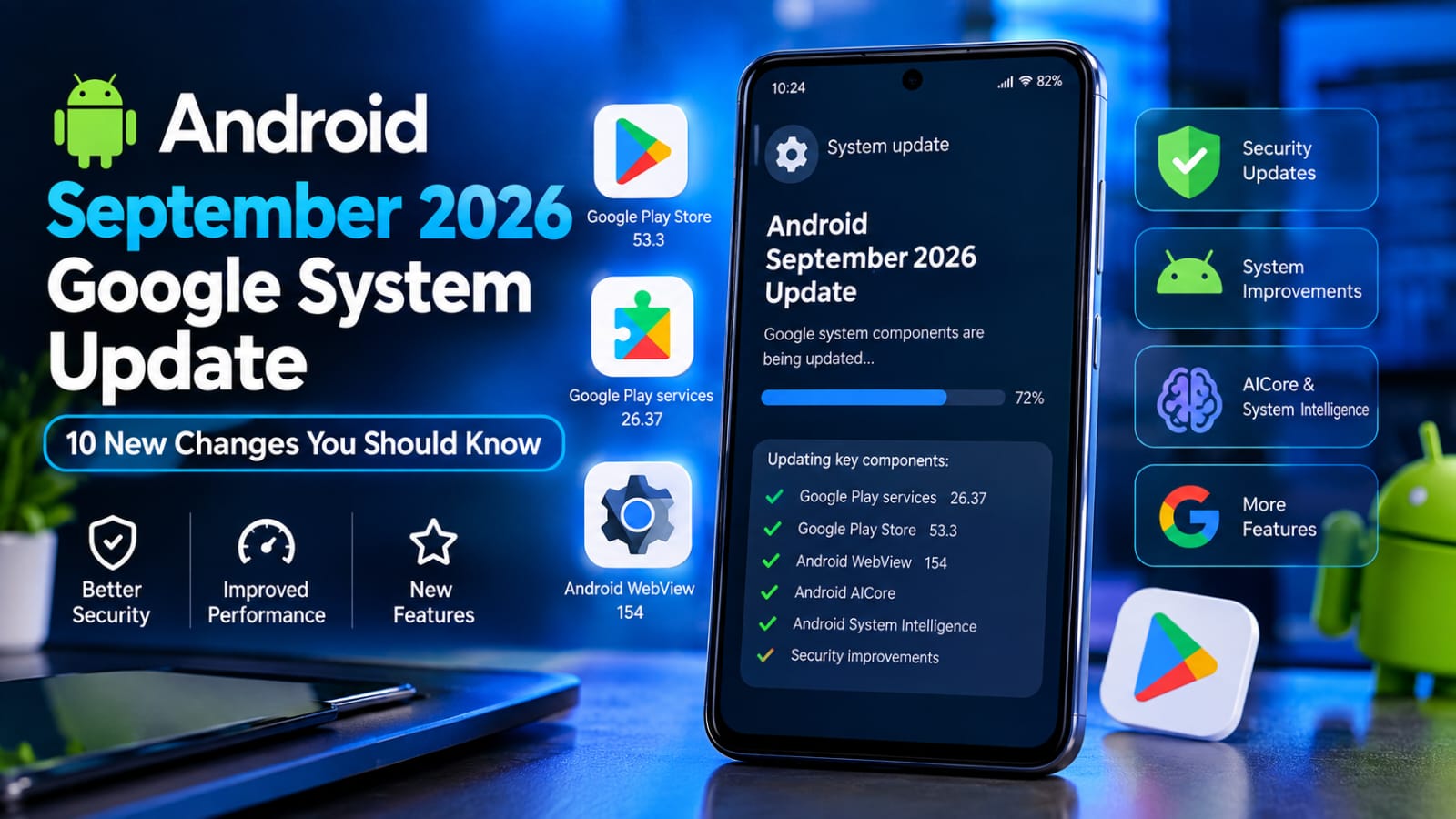
    The September Android Feature Drop is bringing several new features to Android phones in 2026. Google has introduced new Gemini features, Motion Assist, Guided Vision, Google Messages improvements, and more.

    The latest update focuses on making Android phones more useful, accessible, and personalized for everyday users.

    Here are the five biggest changes you should know about.

    What’s New in the September Android Feature Drop?

    The September Android Feature Drop brings several useful improvements to supported Android devices.

    For the latest information about Android updates and new features, you can check Google’s official Android website.

    Gemini Can Remember Where You Put Your Things

    One of the most useful new features connects Gemini with Find Hub.

    You can ask Gemini to remember where you placed an important item, such as your passport, spare key, or another item that does not have a tracking tag.

    For example, you can tell Gemini that you placed your passport in a bedroom drawer. You can also add a photo to make the information easier to remember.

    Later, you can ask Gemini where you put the item or check the remembered items section in Find Hub.

    Google says this feature is designed for Android 16 and newer devices in supported countries where Gemini and Find Hub are available.

    Motion Assist Can Help During Car Rides

    Do you sometimes feel uncomfortable when using your phone while travelling in a car?

    Google’s new Motion Assist feature is designed to help reduce motion sickness.

    It adds moving bubbles to the phone’s screen that respond to the movement of the vehicle. The visual effect is intended to reduce the difference between what your eyes see and what your body feels during movement.

    You can also add Motion Assist to Quick Settings and configure it to activate automatically.

    According to Google, Motion Assist is available on phones using Android 17.

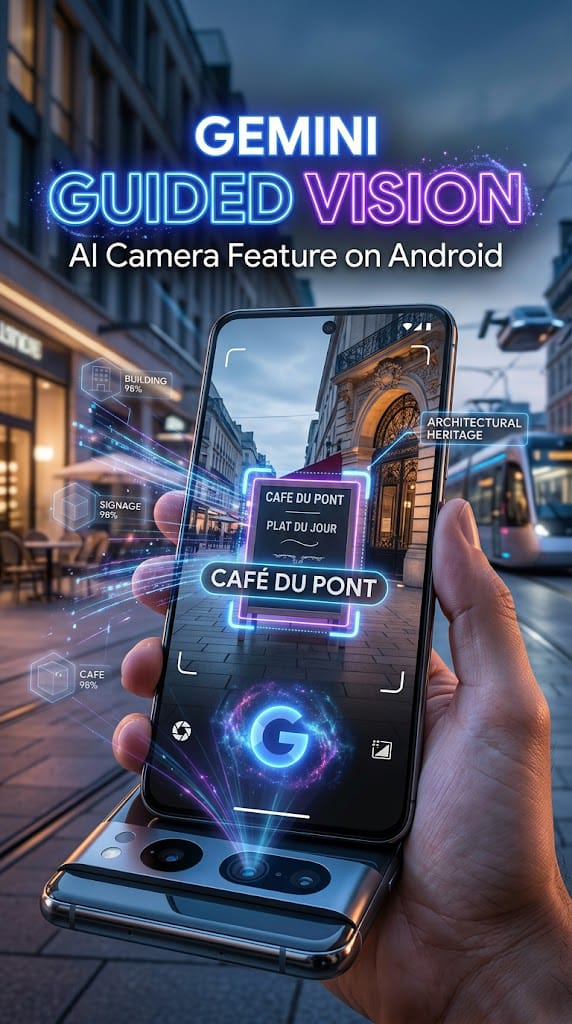
    Guided Vision Brings Gemini Live Camera Assistance

    Google is also expanding Gemini’s accessibility capabilities with Guided Vision.

    The feature allows you to share your camera with Gemini Live and receive spoken descriptions of what the camera sees.

    For example, it can help with reading small text on a food package, understanding a menu, or identifying household objects.

    If the camera is not positioned correctly, voice feedback can also help you reframe the camera or move it toward an object.

    Google says Guided Vision is coming to phones running Android 9 and newer in countries where Gemini is available.

    Important Safety Note

    Guided Vision can make mistakes. Google specifically says it should not be used as a navigation system, obstacle detector, or replacement for safe-travel guidance.

    Google Messages Gets Google Keep Integration

    Google is making group planning easier by bringing Google Keep into Google Messages.

    You can create and edit shared notes directly from a conversation.

    For example, if you are planning a trip with friends, you could create a shared list for places to visit. For a family shopping trip, you could create a grocery list and allow everyone to add items.

    To access the feature, Google says users can tap the + button in Google Messages and bring Google Keep into the conversation.

    The rollout starts with Google Messages and may take some time to reach every supported device.

    You Can Customize Google Messages Chats

    The September Android Drop also adds more personalization to Google Messages.

    Users can customize individual conversations with different backgrounds and themes. You can select a wallpaper or even use your own photo.

    The message bubble colors can also change to match the selected theme.

    This means you can give different conversations their own appearance instead of keeping every chat looking the same.

    Google says Chat themes are available to use in Google Messages.

    How to Get the September Android Update

    If your phone supports the new features, you should keep both your Android system and Google apps updated.

    To check for a system update:

    1. Open Settings.
    2. Go to System or Software Update.
    3. Tap System Update.
    4. Check for available updates.
    5. Install the update if one is available.

    The exact menu can be different depending on your phone manufacturer.

    You should also update Google apps through the official Google Play Store when updates are available.

    Will Every Android Phone Get These Features?

    No.

    Android features can depend on your phone model, Android version, country, Google account, and supported Google services.
    If you’re concerned about installing apps outside Google Play, learn more about Android Developer Verification in 2026 and how it affects APK users.

    For example, Google’s official information says the Gemini item-memory feature works on supported Android 16+ devices, while Motion Assist is designed for Android 17 devices. Guided Vision has a broader Android 9+ requirement where Gemini is available.

    Therefore, don’t worry if you don’t immediately see every feature on your phone.

    Why This Android Update Is Important

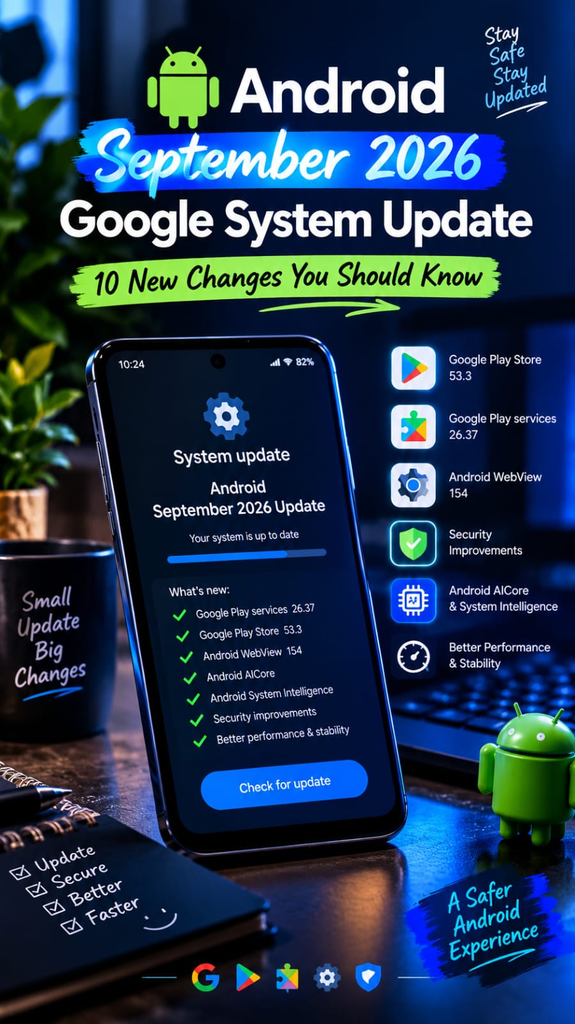
    September Android Update 2026 featuring Gemini, Motion Assist and Google Messages

    The September Android Update 2026 is interesting because Google is focusing on practical features rather than simply changing the phone’s appearance.

    Gemini can help users remember important items, Motion Assist targets an everyday problem during travel, Guided Vision adds camera-based voice assistance, and Google Messages is becoming more useful for group planning and personalization.

    These changes also show how Google’s AI technology is becoming more deeply integrated into Android.

    Final Thoughts

    The September Android Update 2026 brings several useful features to supported devices.

    The five features worth checking out are Gemini’s remembered items, Motion Assist, Guided Vision, Google Keep integration in Messages, and customizable Chat themes.

    However, availability varies by device and region, so make sure your phone and Google apps are updated before looking for the new features.

    For the safest experience, download Android updates and apps through official sources rather than unknown APK websites.

    Frequently Asked Questions

    What is the September Android Update 2026?

    It is Google’s latest Android feature drop, announced in September 2026, with new features for organization, accessibility, messaging, and personalization.

    What is Gemini’s new remembered items feature?

    It allows supported users to ask Gemini to remember where they placed items such as keys or a passport and retrieve that information later through Gemini or Find Hub.

    What is Motion Assist?

    Motion Assist is an Android feature designed to help reduce motion sickness when using a phone during a moving car ride.

    What is Guided Vision on Android?

    Guided Vision uses Gemini Live and your phone’s camera to provide spoken descriptions and assistance based on what the camera sees.

    Does every Android phone support the September update?

    No. Feature availability depends on factors including the Android version, phone model, country, and supported Google services.

    How can I update my Android phone?

    Open Settings, find System Update or Software Update, and check whether an update is available. You can also update supported Google apps through Google Play.

    Is the September Android Update free?

    Android system updates and Google app updates are generally provided without a separate purchase, although availability depends on your device and manufacturer.

  • Google’s New Android Developer Verification in 2026: Safer APK Sideloading Guide

    Google’s New Android Developer Verification in 2026: Safer APK Sideloading Guide

    Android is introducing a new developer verification system designed to make app installations safer while keeping Android an open platform. The change is especially important for people who install APK files outside Google Play.

    The new system connects Android apps with verified developer identities and is designed to make it harder for malicious developers to distribute harmful or impersonated apps. However, Android will still support sideloading, including an advanced option for users who want to install apps from unverified developers.

    In this guide, we explain Android developer verification 2026, what it means for APK users, when the changes begin, and whether you will still be able to sideload apps.

    What Is Android Developer Verification?

    Android developer verification is a new security system that connects apps with the developers who created and distributed them.

    Developers can register their identity and associate their applications with their package names and signing keys. This gives Android another way to identify who is behind an application and helps reduce the distribution of malicious or impersonated apps.

    The system is not designed to completely close Android or remove APK installation.

    Google says Android will remain an open ecosystem where developers can distribute applications through different channels, including app stores and direct website downloads.

    When Does Android Developer Verification Start?

    The first major enforcement date is September 30, 2026.

    At this stage, the new protections begin for users in:

    • Brazil
    • Indonesia
    • Singapore
    • Thailand

    The initial enforcement applies to participating app stores and certified Android devices running Android 7 or later. Google plans to expand the protections globally in 2027.

    This means the September 2026 change does not immediately apply to every Android user worldwide.

    Which App Stores Are Included?

    During the initial rollout, Android lists these participating app stores:

    • Google Play
    • HONOR App Market
    • OPPO App Market
    • Galaxy Store
    • Palm Store
    • V-Appstore
    • GetApps

    The initial regional rollout is intended to introduce the verification system before broader global expansion.

    Will APK Sideloading Still Work?

    Yes.

    Android is not removing sideloading completely.

    Google’s official documentation says apps can still be sideloaded. Users who want to install apps from unverified developers will have an advanced flow that adds extra safeguards.

    This is important because many Android users install APK files for legitimate reasons, such as testing applications, using software distributed directly by a developer, or accessing apps that are not available through their normal app store.

    What Is the Advanced Flow?

    The advanced flow is designed for users who intentionally want to install applications from unverified developers.

    Instead of simply removing the ability to install an unverified application, Android adds additional steps so users have time to understand the risks.

    Google says the advanced flow includes a one-time setup for power users. A 24-hour waiting period can also be used as a protection against social-engineering and coercion scams.

    The goal is to keep user choice while making it harder for scammers to pressure people into quickly changing security settings.

    What Does This Mean for APK Users?

    For normal Android users, the change should mostly encourage safer app installation.

    If you download an APK from a verified developer, the installation experience can remain straightforward.

    If an APK comes from an unverified developer, Android may require additional steps before you can install it.

    This does not mean that every unverified APK is malicious. It means Android does not have the same verified developer information for that application.

    You should still check the APK’s source before installing it.

    Should You Stop Installing APK Files?

    Not necessarily.

    Sideloading has legitimate uses, but users should understand the risks.

    Before installing an APK, check:

    • Who created the application
    • Where the APK came from
    • Whether the developer has an official website
    • Whether the application is available through Google Play
    • Whether the APK has been modified
    • What permissions the application requests
    • Whether your Android device is updated

    If you cannot establish where an APK came from, it is safer not to install it.

    Google Play Is Still the Easier Option

    For most users, Google Play remains the simplest way to install Android applications.

    Google Play provides an established distribution and update system, while sideloading puts more responsibility on the user.

    That does not make every APK unsafe. It simply means you need to perform more checks yourself when installing software outside the normal store process.

    How Android Developer Verification Could Improve APK Safety?

    One of the main goals of developer verification is to make it harder for bad actors to repeatedly distribute harmful applications.

    By connecting applications with developer identities, Android can add another layer of accountability to the application ecosystem.

    This can be particularly useful against:

    • Fake applications
    • Developer impersonation
    • Malware distribution
    • Scam applications
    • Repeated distribution of harmful software

    However, developer verification should not replace basic security habits.

    Users should still be careful about permissions, APK sources and suspicious applications.

    What Happens to Unverified Developers?

    Developers who distribute apps outside Google Play have different verification and distribution options.

    Google provides the Android Developer Console for developers who distribute applications outside Google Play. Developers can use it to manage their developer identity and register their application package names.

    There are also different distribution paths depending on whether a developer is distributing widely, using limited distribution, or distributing unregistered applications.

    Users can still encounter applications from unverified developers, but the installation experience may include additional safeguards.

    What About Apps Distributed Directly From a Website?

    Android will continue to support direct distribution.

    Developers can distribute applications through their own websites and other channels. The new system does not mean Android apps must only come from Google Play.

    However, users should be especially careful when downloading an APK directly from a website.

    Make sure the website belongs to the actual developer or publisher before downloading anything.

    What Should You Do Before Installing an APK in 2026?

    A few simple checks can make APK installation safer.

    Check the Developer

    Find the official developer or publisher.

    Do not trust an APK simply because its filename looks correct.

    Check the Source

    Prefer the developer’s official website or a trusted application store.

    Avoid random websites offering modified, cracked or “premium unlocked” applications.

    Check the App Name and Package

    Make sure the application name, developer and package information match the legitimate application.

    Review Permissions

    Be careful when an application requests permissions that do not make sense for its purpose.

    Keep Android Updated

    Install available Android security updates before experimenting with unknown applications.

    Pay Attention to Warnings

    If Android displays a security warning, stop and investigate the application instead of immediately choosing to continue.

    Android Developer Verification vs Sideloading

    Feature| Developer Verification| Traditional Sideloading
    Developer identity| Can be verified| May be unknown
    APK installation| Still supported| Supported
    User choice| Maintained| Maintained
    Security safeguards| Additional protections| More responsibility for the user
    Unverified apps| Advanced flow may apply| Depends on Android version and device
    Global rollout| Planned for 2027| Continues to exist

    Is Android Becoming a Closed System?

    No.

    Google’s official documentation specifically says Android remains an open ecosystem. Developers can continue distributing applications through different channels, including alternative app stores and direct downloads.

    The main change is that Android is adding another layer of verification and protection around application installation.

    Power users can still choose to install applications from unverified developers through the advanced flow.

    Frequently Asked Questions

    Will I still be able to sideload APKs in 2026?

    Yes. Android is keeping sideloading available. The experience can change depending on the developer’s verification status, region and distribution method.

    Does developer verification mean every APK is safe?

    No. Verification adds another security layer, but users should still check the source, permissions and behavior of an application.

    When does Android developer verification start?

    The first enforcement phase begins September 30, 2026, in Brazil, Indonesia, Singapore and Thailand for participating app stores on certified Android devices.

    Will the changes affect the whole world in September 2026?

    No. The initial September 2026 enforcement is limited to selected countries and participating stores. Google plans a broader global rollout in 2027.

    Can I still install apps from an unverified developer?

    Yes. Android provides an advanced flow for power users who intentionally want to install apps from unverified developers.

    Is Google Play still the safest choice for most users?

    Google Play is generally the simplest and most established option for everyday Android users. However, users should still pay attention to app security regardless of the installation source.

    Final Thoughts

    Android developer verification is an important change for APK users in 2026.

    It does not completely remove sideloading or turn Android into a closed platform. Instead, Google is adding another layer of protection that connects applications with developers and introduces additional safeguards for apps from unverified developers.

    The first enforcement phase begins on September 30, 2026, in Brazil, Indonesia, Singapore and Thailand, with broader expansion planned for 2027.

    For everyday users, the best approach is still simple: download apps from trustworthy sources, check the developer, review permissions, keep Android updated and never ignore security warnings.

    If you regularly install APK files, understanding Android developer verification 2026 will help you know what to expect as these protections expand.

    Official Resources

    developer verification, check Google’s official Android Developer Verification documentation.

  • How to Sideload Android Apps Safely in 2026: A Practical APK Guide

    How to Sideload Android Apps Safely in 2026: A Practical APK Guide

    Installing an Android app from outside Google Play is known as sideloading. It can be useful when an app is unavailable in your region, when you need an official beta release, or when an older version is no longer listed in the Play Store.

    However, installing an APK from an unknown source can also create security and privacy risks. A modified or repackaged APK may contain unwanted code, excessive permissions, or other security threats.

    The good news is that you can reduce these risks by following a few simple checks before and after installing an APK.

    In this guide, you will learn how to sideload Android apps safely, how to check an APK before installation, what permissions to watch for, and what to do after installing an app.

    How to Sideload Android Apps Safely ?

    Sideloading means installing an Android application without getting it directly through Google Play.

    An Android application may be distributed as an APK file, although newer Android app distribution can also involve other package formats and delivery methods.

    Google Play remains the simplest option for most users because it provides an established distribution and update system. Google also advises users to pay attention to whether an app comes from a trusted developer.

    Sideloading can still have legitimate uses, such as:

    • Installing an app that is not currently available in your region
    • Testing an official beta release
    • Installing an older legitimate version when appropriate
    • Installing an app distributed directly by its developer
    • Testing an application outside Google Play

    The important point is to know where the file came from and whether it can be trusted.

    Is Sideloading Safe?

    Learning how to sideload Android apps safely starts with downloading APK files only from trustworthy sources.

    Sideloading itself is not automatically dangerous. The main risk comes from installing software from an untrusted source.

    A legitimate APK from a trustworthy developer is very different from a random APK that has been modified and uploaded by an unknown person.

    Potential risks include:

    • Malware
    • Spyware
    • Excessive permissions
    • Data theft
    • Fake or repackaged applications
    • Unwanted advertising
    • Account or credential theft
    • Compatibility problems
    • Security vulnerabilities in outdated applications

    That is why you should never treat an APK simply as a harmless file.
    The first step in learning how to sideload Android apps safely is choosing a trustworthy APK source.

    Start With the Official Source

    The safest approach is to find the application’s official developer or publisher first.

    If the developer provides an APK through its official website, that is generally preferable to downloading the same file from an unknown website.

    Before downloading, check:

    • The developer’s name
    • The official website
    • The application’s package name
    • The version number
    • The release information
    • Whether the APK is actually provided by the developer

    Be particularly careful with websites offering “premium unlocked,” “free paid apps,” “mod APK,” or “hacked APK” files.

    These files may have been changed from the original application.

    Check Whether the App Is Available on Google Play

    Before sideloading an APK, search for the app on Google Play.

    If it is available there, using the Play Store is usually the simpler option.

    Google notes that an app may be unavailable because the developer removed it, Google removed it for policy reasons, or the app is incompatible with your device.

    If you cannot find an app on Google Play, don’t immediately assume that a third-party APK is safe.

    First, look for information from the official developer.

    Verify the APK Before Installing It

    One of the most important checks is verifying that the APK has not been tampered with.

    Android applications use digital signatures. Android requires APKs to be digitally signed before they can be installed or updated.

    For advanced users, Google’s Android SDK includes a tool called apksigner. It can verify whether an APK’s signature can be successfully verified.

    For example, advanced users can use:

    “apksigner verify app-name.apk”

    You do not need to use command-line tools if you are a beginner. The important idea is to verify the APK against information supplied by a trustworthy developer whenever that information is available.
    For more information about downloading apps safely, check the official Android Help guide.

    What About SHA-256?

    Some developers publish a SHA-256 checksum for their downloadable files.

    A checksum can help you confirm that the file you downloaded matches the file provided by the developer.

    If the developer publishes a SHA-256 hash, compare it with the downloaded file.

    Do not rely on an unfamiliar website’s claim that an APK is “100% original” when there is no trustworthy way to verify that claim.

    Scan the APK for Malware

    Another useful precaution is scanning an APK before installing it.

    VirusTotal supports scanning Android APK files and uses multiple security engines and other analysis tools to inspect submitted files.

    However, a scan should be treated as one security check, not a guarantee that an APK is completely safe.

    If a scan produces several serious detections, stop and investigate the file instead of installing it.

    Also remember that uploading a file to a public scanning service can have privacy implications because submitted files and analysis information may be stored and shared according to the service’s policies.

    For sensitive or private files, understand the scanning service’s privacy options before uploading anything.

    Check the App’s Permissions

    Permissions can provide useful clues about what an application wants to access.

    Before installing or using a sideloaded app, review the permissions it requests.

    Pay particular attention when an app requests access to:

    • SMS
    • Contacts
    • Phone calls
    • Microphone
    • Camera
    • Location
    • Files and media
    • Accessibility features

    A permission is not automatically malicious. Some legitimate applications genuinely need sensitive permissions to perform their main functions.

    The important question is:

    Does the requested permission make sense for what the app is supposed to do?

    For example, a simple calculator requesting access to SMS messages should make you stop and investigate further.

    Use a Secondary Device for Unknown Apps

    If you need to test an APK and you do not fully trust it, using a secondary Android device can reduce the potential impact on your primary phone.

    This is particularly useful for:

    • Testing applications
    • Development work
    • Beta software
    • Unknown applications that you need to examine

    Do not sign into important accounts on a test device unless you trust the software running on it.

    Keep Your Android Device Updated

    Your phone’s operating system and security updates are an important part of overall security.

    Before experimenting with APKs, make sure your device is reasonably up to date.

    Updates can include security fixes, compatibility improvements and other changes that help protect the device.

    You should also keep important apps updated through trusted sources whenever possible.

    Allow APK Installation Carefully

    Android uses security controls around applications installed from outside the normal Play Store process.

    The exact settings can vary depending on the Android version and phone manufacturer.

    On many Android devices, you may need to allow the particular application you are using to install APK files from an external source.

    The safest approach is to allow this capability only when necessary and review the setting afterward.

    Android’s security model is also evolving. Google has introduced developer-verification protections for apps from unverified developers, with additional rollout requirements beginning in some regions in September 2026.

    Because Android interfaces differ between manufacturers, do not assume that every phone will show exactly the same settings.

    Never Ignore Android’s Security Warnings

    If Android displays a warning before installing an application, don’t automatically tap “Install anyway.”

    Instead, stop and ask:

    • Where did this APK come from?
    • Do I trust the developer?
    • Was the file downloaded from an official source?
    • Does the package name look correct?
    • Has the file been scanned?
    • Does the app really need to be installed outside Google Play?

    If you cannot answer these questions confidently, it is better not to install the APK.

    Watch the App After Installation

    Your security checks should not stop after installation.

    Pay attention to unusual behavior such as:

    • Unexpected pop-ups
    • Excessive battery usage
    • Unusual mobile-data consumption
    • Apps opening without your action
    • Unknown notifications
    • Unexpected permission requests
    • Slow performance
    • Strange account activity

    If an application behaves suspiciously, uninstall it and review the permissions and accounts that may have been exposed.

    If you entered an important password into a suspicious application, consider changing that password from a trusted device.

    Common APK Sideloading Mistakes

    Many problems happen because users rush through the installation process.

    Here are some common mistakes to avoid.

    Downloading From Random Websites

    A search result does not automatically mean the website is trustworthy.

    Always investigate the source before downloading an APK.

    Installing Modded or Cracked Apps

    Modified APKs can be especially risky because you cannot easily know what was changed.

    Avoid cracked applications, unauthorized premium unlocks, cheats and other suspicious packages.

    Ignoring Permissions

    An application asking for unnecessary access should be investigated before installation.

    Assuming a Virus Scan Means 100% Safety

    Security scanners are useful, but no single scan should be treated as an absolute guarantee.

    Keeping an Old APK Forever

    Older versions may miss important security fixes. If you install an older version for a legitimate reason, check whether a trusted newer version is available later.

    A Simple Safe APK Checklist

    Before installing an APK, ask yourself these questions:

    Is the source trustworthy?

    Check the official developer or publisher first.

    Is the app available through Google Play?

    If yes, consider using Google Play instead.

    Can I verify the APK?

    Check the developer’s signature or published SHA-256 information when available.

    Did I scan the file?

    Use a reputable security scanner as an additional check.

    Do the permissions make sense?

    Reject suspicious permission requests.

    Is my Android device updated?

    Install available security updates before experimenting with unknown software.

    Do I really need this APK?

    If you cannot establish a good reason and trustworthy source, don’t install it.

    Sideloading vs Google Play

    Feature| Google Play| Sideloading
    Easy installation| Yes| Usually requires extra steps
    Official distribution| Usually| Depends on source
    Automatic updates| Generally supported| Depends on installation source
    Security checks| Built into Google’s ecosystem| More responsibility for the user
    Regional availability| Can vary| May provide another legitimate distribution route
    Risk from unknown files| Lower when using trusted apps| Higher if the source is unknown

    For most users, Google Play is the easier choice. Sideloading makes more sense when there is a legitimate reason to install software outside the Play Store.

    Is It Legal to Sideload an APK?

    Sideloading itself is not a simple “legal or illegal” question that applies identically to every APK.

    The important issue is what application you are downloading and where it came from.

    Installing an APK distributed legitimately by its developer is different from downloading a pirated paid application.

    Avoid using APKs to bypass payment, licensing restrictions or copyright protections.

    When in doubt, use the official distribution channel provided by the developer.

    Frequently Asked Questions

    What does sideloading mean on Android?

    Sideloading means installing an Android application from outside the normal Google Play installation process, commonly using an APK file.

    Is it safe to install APK files?

    An APK is not automatically safe or unsafe. The source, authenticity, permissions and behavior of the application all matter. Downloading from an unknown source increases the risk.

    How can I check an APK before installing it?

    Check the source, developer information, digital signature and, when provided by the developer, the SHA-256 checksum. You can also scan the APK with a reputable security service.

    Is VirusTotal enough to prove an APK is safe?

    No. VirusTotal can provide useful detection results from multiple security engines, but a clean result should not be treated as an absolute guarantee.

    Should I install mod APKs?

    It is safer to avoid unauthorized modified, cracked or hacked APKs. You generally cannot know what changes have been made to the original application.

    Should I use Google Play instead of an APK?

    For most users, yes. Google Play provides a simpler and more established installation and update experience. Sideloading can be useful when there is a legitimate reason to obtain an app elsewhere.

    Can an APK steal personal information?

    A malicious application can potentially abuse permissions or exploit vulnerabilities to access sensitive information. This is why source verification, permissions review and device security are important.

    What should I do if I installed a suspicious APK?

    Disconnect the app from sensitive permissions, uninstall it if appropriate, review your device for unusual activity, and change important passwords from a trusted device if you believe your credentials may have been exposed.

    Final Thoughts

    Sideloading can be useful, but it should never be treated as a shortcut where security checks are unnecessary.

    The safest approach is simple: use a trustworthy source, verify the APK when possible, scan it as an additional precaution, review its permissions, keep Android updated, and avoid suspicious modified or cracked applications.

    If an APK comes from an unknown source and you cannot verify who created it or what has been changed, the safest decision is not to install it.

    For everyday Android users, Google Play remains the easiest option. When you have a legitimate reason to sideload an application, knowing how to sideload Android apps safely can help you avoid unnecessary security risks.

  • Best AI Apps for Android in 2026: Top Free AI Tools You Should Try

    Best AI Apps for Android in 2026: Top Free AI Tools You Should Try

    best AI apps for Android
    Best AI apps for Android users in 2026.

    AI apps have become a useful part of everyday life. The best AI apps for Android can help with writing, studying, research, creating images, or getting quick answers.

    In 2026, apps such as ChatGPT, Microsoft Copilot, Gemini, Claude, and Perplexity offer different features for different needs. Some are better for general questions, while others are more useful for research, writing, creativity, or productivity.

    In this guide, we have listed some of the best AI apps for Android that are worth trying in 2026.

    ChatGPT

    ChatGPT is one of the most popular AI assistant apps available for Android. The official Android app from OpenAI can help users write text, answer questions, learn new topics, generate images, analyze photos, and use voice conversations.

    It can be useful for students, writers, content creators, and everyday users who want an AI assistant on their phone.

    Main Features

    • AI chat and question answering
    • Writing and rewriting help
    • Image generation
    • Photo understanding
    • Voice conversations
    • Study and learning assistance
    • Creative ideas and brainstorming

    The official ChatGPT Android app is available through Google Play.

    Official Download:
    “Download ChatGPT from Google Play

    Microsoft Copilot

    Microsoft Copilot is another useful AI assistant for Android. It can answer questions, help with writing, summarize information, create images from text prompts, and provide voice-based interaction.

    Copilot can be especially useful for people who want an AI assistant for everyday productivity and creative tasks.

    Main Features

    • AI chat
    • AI writing assistance
    • Image generation
    • Voice interaction
    • Summaries and explanations
    • Creative brainstorming
    • Research assistance

    Microsoft lists Copilot as an AI companion designed to help users with productivity, writing, image creation, and everyday questions.

    Official Download:
    “Download Microsoft Copilot from Google Play

    Google Gemini

    Google Gemini is Google’s AI assistant and is a strong option for Android users who already use Google services.

    It can help with questions, writing, learning, planning, brainstorming, and other everyday tasks. Its connection with the Google ecosystem makes it a convenient choice for many Android users.

    Main Features

    • AI conversations
    • Writing assistance
    • Learning support
    • Brainstorming
    • Planning and ideas
    • Google ecosystem integration

    If you already use several Google services, Gemini can be a convenient AI assistant to have on your phone.

    Official Download: Download Gemini from Google Play

    Claude

    Claude is an AI assistant known for writing, analysis, brainstorming, and working with longer pieces of information.

    It can be useful for students, writers, researchers, and professionals who need help understanding or improving text.

    Main Features

    • Writing assistance
    • Text analysis
    • Summarization
    • Brainstorming
    • Research support
    • Question answering

    Claude is a good option when your main goal is working with text and detailed information.

    Official Download:
    Download Claude from Google Play

    Perplexity

    Perplexity takes a slightly different approach from traditional AI chat apps. It focuses heavily on AI-powered search and research.

    The Android app can provide answers and help users explore information while showing sources for its responses.

    Main Features

    • AI-powered search
    • Research assistance
    • Follow-up questions
    • Voice interaction
    • Source-based answers
    • Quick information discovery

    Official Download:
    Download Perplexity from Google Play

    Canva

    Canva is a popular design app that also includes AI-powered creative tools.

    It can be useful if you want to create social media posts, thumbnails, presentations, posters, logos, and other visual content from your Android phone.

    Main Features

    • Graphic design
    • AI-powered creative tools
    • Social media designs
    • Presentations
    • Posters and thumbnails
    • Photo editing

    For content creators and website owners, Canva can be a useful app for creating images and promotional graphics.

    Official Download:
    Download Canva from Google Play

    If you are also interested in mobile gaming, check out our guide to Best Android Game Booster Apps.

    AI Tools for Students

    AI apps can also be useful for students when they are used correctly.

    Students can use AI tools to:

    • Understand difficult topics
    • Create study plans
    • Summarize lessons
    • Practice questions
    • Improve writing
    • Generate ideas
    • Explain concepts in simple language

    However, students should use AI as a learning assistant rather than simply copying answers.

    Which Best AI Apps for Android Should You Choose ?

    There is no single AI app that is perfect for everyone.

    For general AI assistance: ChatGPT is a strong choice.

    For Microsoft users: Copilot is worth trying.

    For Google users: Gemini is a convenient option.

    For writing and analysis: Claude can be useful.

    For research and AI search: Perplexity is a strong option.

    For graphic design: Canva is a useful choice.

    The best app depends on what you want to do.

    Are AI Apps Free?

    Many popular AI apps offer free access, but some features may require a paid subscription or have usage limits.

    Free versions are usually enough for casual users who only need basic AI assistance. People who use AI heavily for work, research, or creative projects may prefer premium plans.

    Before paying for an AI subscription, try the free version first and see whether it meets your needs.

    Are AI Apps Safe to Use?

    AI apps can be useful, but users should still be careful about the information they share.

    Avoid entering sensitive personal information, passwords, banking details, or other private data into an AI app unless you fully understand how that service handles your information.

    You should also download apps from official app stores and verify the developer name before installing them.

    Tips for Choosing the Best AI App

    Before installing an AI app, consider these points:

    Check the Developer

    Make sure the app comes from the official developer.

    Read Recent Reviews

    Recent reviews can help you understand how an app is performing after its latest updates.

    Check Permissions

    Pay attention to the permissions requested by an app.

    Compare Free Features

    Try the free version before purchasing a subscription.

    Choose an App for Your Needs

    You don’t need every AI app. Pick the one that matches your main purpose.
    By comparing features, pricing, permissions, and your personal needs, you can choose the best AI apps for Android for your daily use.

    Final Thoughts

    AI apps are becoming increasingly useful on Android phones in 2026. From answering questions and helping with writing to creating images and researching information, these tools can save time and make everyday tasks easier.

    ChatGPT, Copilot, Gemini, Claude, Perplexity, and Canva each have different strengths. Instead of looking for one app that does everything, choose an AI tool based on what you actually need.

    If you are new to AI apps, start with a free option and explore its features before deciding whether you need a premium plan.

    For more mobile gaming content, check out our Brawl Stars 2026 Guide.

    Frequently Asked Questions

    What is the best AI app for Android in 2026?

    ChatGPT is one of the strongest general-purpose AI apps for Android. However, the best choice depends on your needs.

    Are AI apps free on Android?

    Many AI apps offer free versions. Some advanced features may require a paid subscription.

    Which AI app is best for students?

    ChatGPT, Gemini, Claude, and Perplexity can all be useful for studying, research, explanations, and brainstorming.

    Which AI app is best for research?

    Perplexity is a strong choice for AI-powered research and search because it focuses on providing sourced answers.

    Can AI apps create images?

    Yes. Several AI apps now offer image-generation features, including ChatGPT and Microsoft Copilot.

    Are AI apps safe?

    Official AI apps are generally safer than unknown third-party APKs, but users should still review permissions and avoid sharing sensitive personal information.

    Can I use AI apps without paying?

    Yes. Many popular AI apps provide free access with certain limitations. Premium subscriptions may unlock additional features or higher usage limits.

  • Gangstar Mirage City Online: 7 Ultimate Guide to Epic Gameplay & Features

    Gangstar Mirage City Online: 7 Ultimate Guide to Epic Gameplay & Features

    If you enjoy open-world action games on Android, Gangstar Mirage City Online is a title that may be worth checking out. The game combines an urban environment with action, driving, exploration, missions, and online gameplay elements, giving mobile players a city-based experience that can be enjoyed directly on an Android device.

    Mobile gaming has changed a lot in recent years. Players no longer need a gaming PC or console to enjoy large maps, vehicles, action missions, and detailed environments. Modern Android games are increasingly offering experiences that were once associated mainly with consoles and computers. Gangstar Mirage City Online is part of this growing category of mobile action games.

    In this guide, we will look at the gameplay style, major features, Android requirements, performance tips, and things players should know before installing the game.

    What Is Gangstar Mirage City Online?

    Gangstar Mirage City Online is an Android action game built around a city-based environment. The gameplay focuses on exploring the city, moving between different locations, driving vehicles, completing activities, and taking part in action-oriented challenges.

    The open-world style is one of the most attractive parts of this type of game. Instead of following a single fixed path throughout the entire experience, players can have more freedom to move around and explore their surroundings.

    The online aspect also makes the game interesting for players who prefer interactive mobile gaming experiences. Depending on the current version and available features, online gameplay can provide additional activities and challenges beyond a traditional offline experience.

    Because mobile games receive frequent updates, some features, maps, controls, or requirements may change over time. Players should therefore check the latest official game information before installing or updating it.

    Gangstar Mirage City Online Gameplay

    Gameplay is usually the first thing players want to understand before installing an action game. Gangstar Mirage City Online is designed around an urban environment where exploration and action are important parts of the experience.

    Players can move through the city, travel using vehicles, explore different areas, and take part in missions or challenges. The combination of walking, driving, and action gives the game a more varied style than a simple racing or shooting game.

    Open-World Exploration

    One of the main attractions is the city environment. Players can explore different parts of the map instead of remaining inside a small gameplay area.

    Exploration can also help players become familiar with the locations available in the game. Learning the map can make it easier to move between objectives and understand where different activities are located.

    For players who enjoy discovering new locations rather than completing one level after another, this style can make the overall experience more interesting.

    Driving and Vehicles

    Vehicles are another important part of city-based action games. Moving around a large map on foot can take considerable time, so driving provides a faster way to travel between locations.

    The driving experience can also add variety to the gameplay. Instead of spending the entire game completing missions on foot, players can combine exploration with vehicle-based movement.

    Players who enjoy both action and driving games may therefore find this combination appealing.

    Missions and Activities

    Action games generally become more enjoyable when there is a clear progression system. Missions and activities give players objectives to complete rather than simply exploring without a goal.

    Depending on the game’s current version, players may encounter different objectives and challenges while progressing through the experience.

    Completing activities can also help players understand the controls, learn the city layout, and become more comfortable with the game’s mechanics.

    Main Features of Gangstar Mirage City Online

    City-Based Open-World Experience

    The urban environment is one of the game’s central elements. Players can move through different areas and experience the city from a more open perspective.

    Action-Focused Gameplay

    The game combines exploration with action-oriented gameplay. This can make it suitable for players who prefer more active experiences rather than slow or purely casual games.

    Vehicle-Based Travel

    Driving provides another way to explore the city and move between locations. It also adds variety to the gameplay.

    Online Gameplay Elements

    The online component is an important part of the game’s identity. Players interested in connected mobile gaming may find this feature particularly appealing.

    Because online features can change with updates, it is always best to check the current official game information for the latest details.

    Android Gaming Experience

    The game is designed for mobile users, allowing players to experience an action-oriented city environment directly on an Android phone.

    However, performance can vary significantly between devices. A newer phone with better hardware will generally provide a smoother experience than an older entry-level device.

    Android Requirements

    Before installing any large mobile game, checking your device is a good idea. A game may technically install on a phone but still perform poorly if the device has limited RAM, storage, or graphics performance.

    Important things to consider include:

    • Android version
    • Available storage
    • RAM
    • Processor performance
    • Graphics capability
    • Internet connection
    • Battery condition
    • Device temperature

    The exact requirements can change when developers release new versions. Therefore, players should always check the current official store listing for the latest compatibility information.

    How to Improve Performance on Android

    If the game feels slow or experiences frame drops, there are several basic steps that may help.

    Free Up Storage

    Keep enough free space on your phone. A device that is almost completely full can experience general performance problems.

    Remove unnecessary files, unused applications, and old downloads before installing a large game.

    Close Background Applications

    Before launching the game, close apps that you are not using. This can free up RAM and reduce the workload on the phone.

    Avoid Excessive Heat

    Gaming for long periods can make a smartphone warm. High temperatures can sometimes cause the device to reduce performance to protect its hardware.

    If the phone becomes unusually hot, take a break and allow it to cool down.

    Use a Stable Internet Connection

    If online features require an internet connection, a stable network can provide a better experience.

    Wi-Fi or a reliable mobile data connection can reduce connection-related interruptions.

    Keep the Game Updated

    Updates may include bug fixes, performance improvements, security changes, and new features. Keeping the game updated through its official source can therefore be useful.

    Is Gangstar Mirage City Online Worth Playing?

    Whether the game is worth playing depends largely on what you enjoy.

    If you like open-world environments, city exploration, driving, action missions, and online gameplay, the game may be an interesting choice.

    Players who prefer simple offline games may want something different. Similarly, people using older Android phones should check compatibility and performance before expecting a smooth experience.

    The best way to decide is to try the official version and see whether the gameplay style matches your preferences.

    What Makes Open-World Android Games Popular?

    Open-world games have become increasingly popular because they give players more freedom.

    Traditional mobile games often place players inside a small level with a clearly defined objective. Open-world games can provide a larger environment where players can explore, travel, complete activities, and decide how they want to spend their playing time.

    This freedom can make the experience feel less repetitive.

    Another reason is the improvement in smartphone hardware. Modern Android devices can handle increasingly detailed graphics, larger environments, and more complex gameplay systems.

    As mobile technology continues to improve, developers can create games that offer experiences closer to traditional console-style gaming.

    Tips for New Players

    If you are playing Gangstar Mirage City Online for the first time, do not rush through everything immediately.

    Start by learning the controls and understanding how movement, driving, and other gameplay mechanics work.

    Explore the city gradually. Learning the map can make navigation easier later.

    When missions become available, complete easier activities first. This gives you time to understand the gameplay before attempting more challenging objectives.

    It is also a good idea to keep an eye on your device’s storage and temperature, especially if you regularly play large 3D games.

    If you enjoy action-packed Android games, you can also check out our Free Fire MAX guide for more gameplay tips and features.

    Gangstar Mirage City Online vs Traditional Mobile Games

    One major difference between an open-world action game and a simple mobile game is the amount of freedom available.

    A casual game may allow players to complete short rounds in a few minutes. An open-world game, on the other hand, can encourage longer sessions because there are different areas to explore and activities to complete.

    This makes open-world games attractive to players who want a deeper gaming experience.

    However, the trade-off is that these games can require more storage, processing power, battery usage, and sometimes a stable internet connection.

    Therefore, players should choose games according to both their interests and their device capabilities.

    Is It Safe to Download the Game?

    Players should always be careful when downloading Android applications and games.

    The safest approach is to use the game’s official Google Play listing or another official distribution source. Avoid unknown websites that offer modified, cracked, or suspicious versions of the game.

    Unknown APK files can potentially contain unwanted software, misleading advertisements, or other security risks.

    You should also avoid websites that ask you to disable important Android security protections just to install an application.

    A trustworthy download source is an important part of having a safe mobile gaming experience.

    Does the Game Need Internet?

    The answer can depend on the game’s current version and which features you want to use.

    Online gameplay naturally requires an internet connection, while some other parts of a mobile game may work differently depending on the developer’s implementation.

    If you plan to use online features, make sure you have a stable connection. Always check the current official game listing for the most accurate information about internet requirements.

    Frequently Asked Questions

    What is Gangstar Mirage City Online?

    Gangstar Mirage City Online is an Android action game centered around a city environment, exploration, driving, missions, and online gameplay elements.

    Is Gangstar Mirage City Online available for Android?

    Yes, the game is associated with Android gaming. Players should check the current official store listing for device compatibility and the latest version.

    Is Gangstar Mirage City Online an open-world game?

    The game is designed around a city-based experience with exploration and movement across different areas, giving it an open-world style of gameplay.

    Does Gangstar Mirage City Online require internet?

    Online features require an internet connection. Requirements for other gameplay elements can depend on the current version of the game.

    Can I play it on a low-end Android phone?

    Performance depends on the specific device. Phones with limited RAM, older processors, or weaker graphics hardware may experience lower performance.

    How can I make the game run better?

    Free up storage, close unnecessary background applications, avoid excessive device heat, and keep both the game and Android system updated.

    Should I download a MOD APK?

    It is better to use the official version rather than modified or unofficial APK files. Unknown APKs can create security and privacy risks.

    Is Gangstar Mirage City Online free?

    Availability and pricing can vary depending on the current version and distribution platform. Check the official store listing for the latest information.

    Can I play the game without a powerful phone?

    You can try it if your device meets the current requirements, but graphics quality and performance may vary. A more capable phone generally provides a better experience with demanding 3D games.

    Where should I get the game?

    For safety, use the official Google Play listing or another legitimate source provided by the developer. Avoid suspicious websites offering unknown APK files.

    Looking for more popular mobile games? Explore our SUBR guide to discover another exciting Android gaming experience.

    Final Thoughts

    Gangstar Mirage City Online is an interesting option for Android players who enjoy action, driving, exploration, and city-based gameplay. Its open-world style gives players more freedom than many traditional mobile games, while the online component can add another layer of interaction.

    Before installing the game, check your phone’s compatibility, available storage, Android version, and internet requirements. If your device has enough resources, you can explore the game and decide whether its gameplay matches your preferences.

    Most importantly, download applications from trusted sources and avoid unofficial modified APK files. A good mobile gaming experience should not come at the cost of your device’s security.

    As Android gaming continues to develop, games like Gangstar Mirage City Online show how mobile devices are becoming increasingly capable of delivering larger and more detailed gaming experiences.

  • Best Offline Android Games That Work Without Internet in 2026

    Best Offline Android Games That Work Without Internet in 2026

    Introduction

    Not every Android game needs an internet connection.

    Sometimes you are traveling, your mobile data is finished, or the Wi-Fi simply stops working. In those moments, an offline game can be a great way to spend your free time.

    The good news is that there are still plenty of Android games that can be played without a constant internet connection. Google Play itself features a collection of games designed for offline entertainment.

    In this guide, we have picked some of the best offline Android games you can try in 2026.

    Subway Surfers

    If you want a fast and simple game, Subway Surfers is one of the easiest choices.

    The idea is simple. You run through railway tracks, avoid trains and collect coins while trying to achieve a high score.

    The game has colorful graphics, different characters, hoverboards and regular events. Google Play currently lists Subway Surfers with more than 1 billion downloads and also marks it as playable offline.

    It is a good choice for short gaming sessions because you can start playing within seconds.

    Best for: Running and arcade fans

    Download Subway Surfers on Google Play

    You can also check out our complete guide to Brawl Stars on Android.

    Alto’s Odyssey

    Alto’s Odyssey is a relaxing endless sandboarding game.

    Instead of shooting enemies or fighting other players, you travel through beautiful desert landscapes while performing jumps and tricks.

    Google Play includes Alto’s Odyssey in its own collection of games suitable for playing without Wi-Fi.

    The simple controls make it easy to learn, while the changing scenery keeps the experience interesting.

    Best for: Relaxing gameplay and casual players

    Download Alto’s Odyssey on Google Play

    Crossy Road

    Crossy Road looks simple, but it can become surprisingly challenging.

    Your goal is to help your character cross roads, rivers and other obstacles without getting hit or falling.

    The game offers different worlds, characters and daily challenges. Its Google Play listing also specifically says that players can enjoy the game offline.

    It is also free to play and supports same-device multiplayer.

    Best for: Casual gaming and quick challenges

    Download Crossy Road on Google Play

    Jetpack Joyride

    Jetpack Joyride is another classic choice for Android users who want an offline game.

    You control a character with a jetpack and try to travel as far as possible while avoiding obstacles and collecting useful items.

    Its gameplay is easy to understand, so you do not need a long tutorial before starting.

    It is especially good when you have only a few minutes to play.

    Best for: Arcade lovers

    Download Jetpack Joyride on Google Play

    Smash Hit

    Smash Hit offers something different from traditional running games.

    You move through futuristic environments and break glass objects by throwing metal balls at them.

    The game focuses heavily on timing and accuracy. Recent 2026 offline-game testing lists also include Smash Hit among games that can work without an internet connection.

    Best for: Players who enjoy relaxing but challenging gameplay

    Download Smash Hit on Google Play

    Soul Knight

    If you prefer action, Soul Knight is worth checking out.

    The game mixes shooting, exploration and dungeon-style gameplay. You can explore different areas, fight enemies and collect useful items.

    Google Play currently includes Soul Knight in its offline gaming collection and lists more than 100 million downloads.

    It is a good option for players who want something more active than a simple puzzle game.

    Best for: Action and dungeon fans

    Download Soul Knight on Google Play

    Shadow Fight 2

    Shadow Fight 2 is a fighting game with a different visual style.

    You control a shadow-style fighter and battle different opponents while improving your equipment and abilities.

    The combination of fighting and progression makes it more interesting than a basic one-match fighting game.

    Recent 2026 offline-game guides also list Shadow Fight 2 among Android games that can be played without an internet connection.

    Best for: Fighting-game fans

    Download Shadow Fight 2 on Google Play

    Plants vs. Zombies FREE

    Plants vs. Zombies is a classic strategy game that still has a place on Android.

    The basic idea is funny and easy to understand. You use different plants to stop zombies from reaching your house.

    The Android version includes the original campaign and additional mini-games. A 2026 offline-games test also lists Plants vs. Zombies FREE as an offline option.

    Best for: Strategy and casual players

    Download Plants vs. Zombies FREE on Google Play

    Hill Climb Racing 2

    If you enjoy driving games, Hill Climb Racing 2 is another option to consider.

    The game uses physics-based driving, so controlling your vehicle over hills and rough terrain can be harder than it looks.

    It offers different vehicles and progression, giving players reasons to keep playing.

    The game is also included in recent 2026 lists of offline Android games.

    Best for: Racing and driving fans

    Download Hill Climb Racing 2 on Google Play

    Vampire Survivors

    Vampire Survivors is for players who want something more intense.

    You control a character while waves of enemies surround you. Your goal is to survive, improve your abilities and become stronger as the game continues.

    Google Play currently features Vampire Survivors among its offline game selections.

    The game is especially interesting for people who enjoy action mixed with simple controls.

    Best for: Action and survival fans

    Download Vampire Survivors on Google Play

    Frequently Asked Questions

    What are the best offline Android games in 2026?

    Some good offline Android games include Subway Surfers, Alto’s Odyssey, Crossy Road, Jetpack Joyride, Soul Knight, Shadow Fight 2 and Plants vs. Zombies FREE.

    Which Android games can I play without internet?

    Many games offer offline gameplay, including Subway Surfers, Alto’s Odyssey, Crossy Road and several other single-player games. However, some features may still require an internet connection.

    What is the best offline game for Android?

    There is no single best game for everyone. Subway Surfers is great for fast gameplay, Alto’s Odyssey is good for relaxing sessions, while Soul Knight is better for players who enjoy action.

    Can I play Android games without Wi-Fi?

    Yes. Some Android games can be played without Wi-Fi or mobile data after they have been installed. It is best to test the game offline before traveling.

    Do offline Android games need mobile data?

    Not always. Games that support offline gameplay can usually be played without mobile data, but online features, advertisements, updates and multiplayer modes may need an internet connection.

    What are the best free offline games for Android?

    Subway Surfers, Crossy Road, Plants vs. Zombies FREE and several other free-to-download games offer offline gameplay. Availability of specific features can vary by game.

    Can I play offline games while traveling?

    Yes. Offline games are especially useful during flights, road trips or places where Wi-Fi and mobile data are unavailable.

    Are offline Android games good for low-end phones?

    Some offline games are lightweight and can run well on older Android phones, but requirements are different for every game. Always check the game’s Google Play requirements before installing it.

    Do offline games work after turning off mobile data?

    If a game supports offline gameplay, it should work without mobile data. However, some games may ask for an internet connection when starting or when accessing certain features.

    Where should I download offline Android games?

    The safest option is to download games from the official Google Play Store. Avoid unknown APK websites because files from untrusted sources can create security and privacy risks.

    Final Thoughts

    You do not always need Wi-Fi to enjoy a good game on Android.

    From the endless running of Subway Surfers to the relaxing gameplay of Alto’s Odyssey and the action of Soul Knight, there are many options for players who want entertainment without a constant internet connection.

    The best choice depends on your personal taste. Try a few different genres and keep the one that gives you the most fun.

    For Android users looking for games that work without internet in 2026, these titles are a great place to start.

  • Brawl Stars 2026: Exciting Battles, New Challenges & Everything You Need to Know

    Brawl Stars 2026: Exciting Battles, New Challenges & Everything You Need to Know

    Brawl Stars 2026 is an exciting and fast-paced mobile multiplayer game that continues to attract players who enjoy competitive battles, unique characters, teamwork, and quick matches. Developed by Supercell, Brawl Stars combines action-packed gameplay with different game modes, powerful Brawlers, strategic challenges, and regular content updates. Whether you are a new player or already enjoy multiplayer games, Brawl Stars offers plenty of exciting battles and challenges to explore in 2026.

    Unlike traditional games that require players to spend a long time completing a single match, Brawl Stars is designed around quick multiplayer battles. This makes it easy to start a match when you have only a few minutes available, while its variety of Brawlers and game modes gives experienced players plenty of reasons to keep playing.

    Supercell officially describes Brawl Stars as a game featuring 3v3 and Battle Royale gameplay. The official game page also continues to publish updates and news, showing that the game remains actively supported in 2026.

    Whether you are completely new to the game or returning after a long break, Brawl Stars 2026 offers plenty of action to explore.

    What Is Brawl Stars?

    Brawl Stars is a multiplayer action game where players control unique characters called Brawlers.

    Each Brawler has different abilities, attacks, strengths, and weaknesses. This means that choosing the right character can be an important part of winning a match.

    The game includes team-based modes as well as modes where players compete individually or in smaller groups. Some matches focus on defeating opponents, while others require players to collect objectives, score goals, control areas, or survive until the end.

    This variety keeps the gameplay from becoming repetitive.

    Instead of using the same strategy in every match, players need to adjust their approach depending on the selected Brawler, map, teammates, and game mode.

    Why Brawl Stars Is So Exciting in 2026?

    One of the biggest strengths of Brawl Stars is its fast-paced gameplay.

    Matches can be short, which means players can quickly jump into another battle without making a large time commitment. Supercell has also explained that Brawl Stars is built around quick sessions that players can enjoy during small breaks throughout the day.

    However, short matches do not mean the game lacks depth.

    Players still need to think about positioning, timing, movement, attacks, abilities, and teamwork.

    A few seconds can completely change the outcome of a match.

    A player who attacks at the wrong moment may give the opposing team an advantage, while a well-timed Super ability can turn a difficult battle around.

    Brawlers Make Every Match Different

    Brawlers are at the center of the Brawl Stars experience.

    Different Brawlers have different playstyles, so players can experiment to discover which characters suit them best.

    Some Brawlers are better at close-range combat, while others are designed to attack from a distance. Some can provide support to teammates, while others are particularly useful for controlling areas of the map.

    This variety gives players an opportunity to develop their own playstyle.

    As players become more experienced, they can learn which Brawlers work well on particular maps and which characters are useful in specific game modes.

    Supercell’s support information also explains that players can unlock Brawlers through systems such as the Starr Road, while special Brawler events can provide additional opportunities to obtain new characters.

    Different Game Modes

    Brawl Stars is not limited to one type of battle.

    The game offers a large selection of modes, and the available modes can rotate regularly. Official Supercell support information currently lists modes including Showdown, Gem Grab, Brawl Ball, Knockout, Wipeout, Bounty, Hot Zone, Heist, Basket Brawl, Duels, and more.

    This is one of the biggest reasons players can continue enjoying the game after many matches.

    Showdown

    Showdown is one of the most recognizable survival-style modes.

    Players can compete alone or with others and attempt to become the last Brawler or team standing.

    The mode requires players to think carefully about movement, positioning, enemies, and available resources.

    Players who enjoy battle royale-style gameplay may particularly enjoy Showdown.

    Gem Grab

    Gem Grab is a team-based mode where players compete to collect and hold Gems.

    The objective creates a completely different experience from simply defeating opponents.

    A team may have a strong advantage but still lose if it cannot protect its Gems until the end of the countdown.

    This makes teamwork and positioning extremely important.

    Brawl Ball

    Brawl Ball combines combat with a football-inspired objective.

    Teams attempt to take the ball toward the opponent’s goal and score.

    Players need to balance attacking, defending, and controlling the ball.

    Because everyone is competing in a relatively small area, matches can become extremely fast and unpredictable.

    Knockout

    Knockout focuses on eliminating opponents across rounds.

    Defeated Brawlers remain out until the next round, so players need to be careful.

    Charging into a fight without thinking can leave the team at a disadvantage.

    This mode is particularly interesting for players who enjoy tactical combat.

    Wipeout

    Wipeout is based around defeating opposing Brawlers to earn points.

    The team that reaches the required score first wins.

    Because every elimination matters, players need to combine aggression with good positioning.

    Hot Zone

    Hot Zone focuses on controlling specific areas of the map.

    Instead of simply chasing opponents, teams must fight for important locations and maintain control.

    This creates intense battles because both teams have a reason to move toward the same areas.

    Heist

    Heist gives teams another objective-based challenge.

    Players attempt to damage the enemy team’s Safe while protecting their own.

    A good team needs to know when to attack and when to defend.

    Ranked Gameplay

    For players who want a more competitive experience, Brawl Stars includes Ranked gameplay.

    According to Supercell’s official information, Ranked becomes available at 1,000 Trophies and allows players to compete across random maps while increasing their Rank Score.

    Ranked can be a good option for experienced players who want more than casual matches.

    Instead of simply playing for fun, players can focus on improving their performance and climbing through the competitive system.

    This can make every match feel more important.

    Playing With Friends

    Brawl Stars is also designed around social multiplayer gameplay.

    Players can team up with friends and Club members and compete against other players online.

    Supercell’s support documentation explains that players can create teams, use team codes or links, choose game modes, and invite other players.

    Playing with friends can make the experience even more enjoyable because teammates can communicate and coordinate their strategies.

    A coordinated team can often perform better than a group of players who are not communicating.

    Teamwork Matters

    One of the most important lessons in Brawl Stars is that winning is not always about getting the most eliminations.

    Depending on the game mode, players may need to protect teammates, control important areas, collect objectives, defend a goal, or create opportunities for another player.

    For example, a player may sacrifice an attack opportunity to protect an important area.

    Another player may use an ability to help a teammate escape.

    These small decisions can have a major impact on the final result.

    Brawl Stars Updates in 2026

    Another reason Brawl Stars continues to attract attention is its ongoing updates.

    Supercell’s official Brawl Stars website lists 2026 release notes and news, while February 2026 release notes introduced new content including a new Brawler, Hypercharges, Buffies, new seasonal modes, environments, and other gameplay changes.

    Regular updates are important for multiplayer games because they can introduce fresh content and give players new things to discover.

    Updates can also change the competitive environment.

    A Brawler that was previously very strong may receive adjustments, while another character may become more useful after improvements.

    This means experienced players have to keep learning.

    If you enjoy fast-paced multiplayer games, you can also check out our Fortnite guide for more exciting gameplay.

    New Challenges Keep the Game Interesting

    Brawl Stars does not rely on one permanent gameplay formula.

    Rotating modes and events give players different challenges.

    Official support information shows that certain game mode slots refresh regularly, with different schedules for Trophy, Ranked, Free Play, Map Maker, and special events.

    This rotation system encourages players to check the game regularly.

    A player might have a favorite mode today and discover a completely different mode tomorrow.

    Map Maker

    Another interesting feature is the Map Maker.

    Instead of only playing on maps created by the developers, players can participate in a system involving community-created maps.

    Supercell’s support information states that Map Maker includes player-submitted maps and modes, with selected entries appearing in rotating slots.This adds a creative side to Brawl Stars.

    Players can not only compete but also explore community-created ideas.

    Tips for New Brawl Stars Players

    If you are installing Brawl Stars for the first time, there are several simple things you can do to improve quickly.

    First, do not try to master every Brawler immediately.

    Choose a few characters and learn their attacks, range, movement, and abilities.

    Second, pay attention to the objective.

    If you are playing Gem Grab, for example, eliminating opponents is not the only goal. If you are playing Brawl Ball, scoring and defending are more important than chasing every enemy.

    Third, learn to use cover.

    Moving around in open areas can make you an easy target.

    Finally, pay attention to your teammates.

    A strong team works together rather than having every player fight independently.

    How to Improve Your Gameplay?

    Improvement in Brawl Stars comes with practice.

    Try to understand why you lost a battle instead of immediately starting another match without thinking.

    Ask yourself simple questions:

    Did I move into an unsafe area?

    Did I attack too early?

    Did I leave my teammates alone?

    Did I ignore the main objective?

    Did I use my Super at the right moment?

    Answering these questions can help you gradually improve.

    You should also experiment with different Brawlers.

    Even if one character feels difficult at first, learning different playstyles can make you a more flexible player.

    Brawl Stars for Casual Players

    Not everyone wants to play competitively.

    Brawl Stars can also be enjoyed casually.

    Because matches are relatively short, players can play a few games without committing hours to a single session.

    You can play alone, join friends, try different modes, or simply experiment with Brawlers.

    This makes the game suitable for players who want quick entertainment as well as those who want a deeper competitive experience.

    Brawl Stars for Competitive Players

    Competitive players have much more to explore.

    Ranked matches, different Brawlers, map strategies, team compositions, and advanced movement techniques can create a much deeper experience.

    Players can spend time learning the strengths and weaknesses of individual characters and understanding which Brawlers work best in specific situations.

    The competitive side also encourages players to improve their consistency.

    Winning one match is easy compared with maintaining strong performance over many matches.

    Graphics and Game Design

    Brawl Stars uses a colorful visual style that makes characters and environments easy to recognize.

    The design is different from realistic military shooters.

    Instead, the game uses exaggerated characters, bright environments, unique abilities, and simple visual indicators.

    This helps players quickly understand what is happening during fast battles.

    The user interface is also designed around mobile controls, allowing players to move and attack using touchscreen controls.

    Why Brawl Stars Can Stay Popular?

    A successful multiplayer game needs more than attractive graphics.

    It needs reasons for players to return.

    Brawl Stars has several of those reasons:

    • Different Brawlers
    • Multiple game modes
    • Competitive Ranked gameplay
    • Short matches
    • Team-based battles
    • Regular updates
    • Events and rotating modes
    • Community-created maps
    • Progression and rewards

    Together, these systems create a game that can be enjoyed in different ways.

    A casual player and a competitive player can both find something useful in the same game.

    Is Brawl Stars Worth Playing in 2026?

    For anyone who enjoys fast multiplayer games, Brawl Stars is still a strong option in 2026.

    The game has continued to receive official updates and new content, and its variety of game modes gives players plenty of ways to play.

    It is particularly appealing if you enjoy games where matches are short but decisions matter.

    You can play a few quick matches when you have limited time, or spend longer sessions improving your Brawlers and competitive skills.

    The combination of action, strategy, teamwork, and variety gives Brawl Stars a broad appeal.

    Final Thoughts

    Brawl Stars 2026 continues to offer an exciting multiplayer experience for mobile gamers.

    Its fast battles, unique Brawlers, different game modes, Ranked competition, team features, and regular updates give players many reasons to keep coming back.

    The game is easy enough for new players to understand, but it also has enough depth for experienced players who want to improve their skills.

    Whether you prefer solo survival battles, team-based objectives, competitive Ranked matches, or simply playing with friends, there is something to explore.

    If you are searching for a fast-paced mobile game with short matches and plenty of variety, Brawl Stars is definitely a game worth trying in 2026.

    Frequently Asked Questions About Brawl Stars 2026

    What is Brawl Stars 2026?

    Brawl Stars 2026 is the latest version of Supercell’s fast-paced multiplayer mobile game, featuring different Brawlers, game modes, competitive battles, and regularly updated content.

    Is Brawl Stars free to play?

    Yes. Brawl Stars is free to download and play. The game also offers optional in-game purchases.

    Can I play Brawl Stars with friends?

    Yes. You can team up with friends and play multiplayer matches together.

    How many players can play Brawl Stars?

    The number of players depends on the selected game mode. Brawl Stars includes different multiplayer formats, including 3v3 battles and Battle Royale-style gameplay.

    Is Brawl Stars available on Android?

    Yes. Brawl Stars is available for Android devices through the official Google Play Store.

    Is Brawl Stars available on iPhone?

    Yes. Brawl Stars is also available for iPhone and iPad through Apple’s App Store.

    What are Brawlers in Brawl Stars?

    Brawlers are the playable characters in Brawl Stars. Each Brawler has different abilities, attacks, strengths, and playstyles.

    Does Brawl Stars have Ranked gameplay?

    Yes. Brawl Stars includes Ranked gameplay for players who want a more competitive experience.

    Is Brawl Stars worth playing in 2026?

    Yes. With different game modes, unique Brawlers, multiplayer battles, competitive gameplay, and regular updates, Brawl Stars remains a strong choice for mobile gamers in 2026.

  • Fortnite Mobile Game: Best Features, Gameplay, Tips & Download Guide 2026

    Fortnite Mobile Game: Best Features, Gameplay, Tips & Download Guide 2026

    Fortnite mobile game continues to be one of the most recognizable multiplayer gaming experiences for Android players. What started as a battle royale phenomenon has grown into a much larger gaming experience with Battle Royale, Zero Build, Creative experiences, LEGO Fortnite, Fortnite Festival, Rocket Racing, and other ways to play.

    For players in the United States looking for a popular multiplayer game on Android, Fortnite offers a combination of competitive gameplay, social features, regular updates, creative experiences, and cross-platform progression.

    As of August 2026, Fortnite is officially available on Android through the Epic Games Store and Google Play, giving Android users more than one official way to install the game. Epic also continues to update Fortnite with new seasons, experiences, events, and gameplay features.

    What Is Fortnite Mobile Game?

    Fortnite is a free-to-play multiplayer game developed and published by Epic Games. The mobile version brings the Fortnite experience to compatible Android smartphones and tablets.

    The main attraction for many players is Battle Royale, where players compete against other players and try to be the last player or team standing. However, Fortnite is much more than a traditional battle royale game.

    Players can also explore different experiences, play creative maps, participate in special events, enjoy music-related content through Fortnite Festival, and explore LEGO Fortnite experiences.

    The official Google Play listing describes Fortnite as a place where players can enjoy Battle Royale, Fortnite OG, Fortnite Festival, LEGO Fortnite, and thousands of developer-made multiplayer games.

    Why Is Fortnite Still Popular in 2026?

    One of Fortnite’s biggest strengths is its ability to keep changing.

    Instead of remaining the same game year after year, Fortnite regularly introduces new content, gameplay changes, collaborations, maps, items, quests, and experiences.

    This constant evolution gives players reasons to return.

    The official Fortnite website currently highlights Fortnite Override: Break the Rules. Change the Game., dated August 20, 2026, along with other current Fortnite experiences and updates.

    Another important reason for Fortnite’s popularity is its social side. Players can join friends, communicate during matches, explore creator-made experiences, and play together across supported platforms.

    For many players, Fortnite is therefore not simply a battle royale game. It has become a broad multiplayer entertainment platform.

    Fortnite Battle Royale

    Battle Royale remains one of Fortnite’s most recognizable experiences.

    The basic concept is simple: enter a match, collect equipment, survive against opponents, and try to finish at the top.

    However, Fortnite adds its own mechanics to the formula.

    Players need to think about positioning, movement, equipment, resources, opponents, and the changing playable area. Good decision-making can be just as important as aiming ability.

    For new players, the first few matches can feel challenging. It takes time to learn the map, understand item types, become comfortable with controls, and recognize when to fight or when to move away from danger.

    Fortnite mobile Zero Build

    Not everyone enjoys building during combat, which is why Zero Build is an important Fortnite experience.

    Zero Build removes the traditional building-focused gameplay and places more emphasis on movement, positioning, shooting, cover, and tactical decisions.

    This makes the experience easier to understand for players who are coming from other shooters.

    If you enjoy competitive shooting games but don’t want to spend time learning Fortnite’s building mechanics, Zero Build can be an excellent place to start.

    Epic’s Fortnite store information also confirms that Zero Build shares XP progression and quests with Battle Royale.

    Fortnite mobile Creative and User-Made Experiences

    Another major part of Fortnite is its creative ecosystem.

    Fortnite allows players to explore thousands of experiences created by developers and creators. These can include action games, survival experiences, obstacle courses, racing experiences, social areas, and many other types of gameplay.

    This is one of the reasons Fortnite can feel different every time you open it.

    Instead of playing only one traditional game mode, players can search for different experiences and find something that matches their interests.

    For users who enjoy experimenting with new game ideas, Fortnite’s creative ecosystem can provide a huge amount of variety.

    LEGO Fortnite

    LEGO Fortnite adds a different style of gameplay to the Fortnite universe.

    Instead of focusing entirely on competitive shooting, LEGO Fortnite experiences allow players to explore, build, survive, and interact with a more relaxed game environment.

    This makes Fortnite appealing to a wider audience because players can switch between competitive and casual experiences.

    Epic’s official FAQ includes LEGO Fortnite Odyssey and LEGO Fortnite Brick Life among the experiences available within the Fortnite ecosystem.

    Fortnite Festival

    Fortnite Festival provides another way to enjoy Fortnite.

    It is designed around music and performance rather than traditional Battle Royale combat.

    This variety is one of Fortnite’s biggest advantages. Players who are not interested in playing Battle Royale all the time can move into other experiences without leaving the Fortnite ecosystem.

    The official Fortnite website has also highlighted new Festival content and icons during 2026.

    Fortnite Ballistic

    Fortnite also includes Ballistic, a first-person tactical experience.

    This gives players another option if they prefer a more traditional first-person shooter perspective.

    According to Epic’s official FAQ, Fortnite Ballistic has its own gameplay style and has been described as being in Early Access.

    Fortnite Mobile Game Features

    One of the biggest advantages of the Android version is that players can access the wider Fortnite ecosystem from a mobile device.

    Important features include:

    • Battle Royale gameplay
    • Zero Build
    • Creative experiences
    • LEGO Fortnite
    • Fortnite Festival
    • Fortnite Ballistic
    • Cross-platform progression
    • Multiplayer gameplay
    • Regular content updates
    • Controller support on compatible devices
    • Cloud gaming in supported regions

    Epic states that Fortnite mobile versions support full functionality and cross-platform account progression.

    This means players who already use an Epic Games account can maintain progression across supported platforms.

    Fortnite Android Requirements

    Before installing Fortnite, Android users should make sure their phone meets the required specifications.

    Epic’s current minimum Android requirements include:

    • 64-bit Android device
    • ARM64 processor
    • Android 10 or higher
    • At least 4 GB RAM
    • Compatible GPU such as Adreno 530 or higher, Mali-G71 MP20, or Mali-G72 MP12 or higher

    Epic lists stronger hardware for the recommended experience, including Android 14 or higher and 8 GB or more of RAM.

    Meeting the minimum requirements does not necessarily mean that every device will deliver the same performance. Actual performance can vary depending on the phone’s processor, GPU, thermal performance, available storage, display resolution, and background applications.

    How to Download Fortnite on Android?

    Fortnite can be downloaded through official sources.

    As of 2026, Epic confirms that Fortnite is available on Android through Google Play as well as the Epic Games Store.

    For the safest installation, Android users should avoid random APK websites and unofficial modified versions.

    Option 1: Google Play

    Android users can search for Fortnite on Google Play and install the official application published by Epic Games.

    The official Google Play listing identifies Fortnite as the game from Epic Games and provides the current official app listing.

    Option 2: Epic Games Store

    Users can also install the Epic Games Store for Android and download Fortnite from there.

    Epic says the Epic Games Store Android application is available globally except in locations where restricted by applicable law.

    Official Download

    For readers of this article, use an official source rather than a third-party APK website:

    Official Fortnite Android page:https://www.fortnite.com/mobile/android

    Official Google Play listing:https://play.google.com/store/apps/details?id=com.epicgames.fortnite

    Is Fortnite mobile Free to Play?

    Yes. Fortnite’s main game is free to play.

    Players can download the game and access its core gameplay without purchasing the base game.

    However, Fortnite contains optional in-game purchases. These can include cosmetic items, passes, outfits, and other content.

    The Epic Games Store lists Fortnite as a free game with optional purchases.

    Players should therefore distinguish between downloading Fortnite and purchasing optional content inside the game.

    Fortnite mobile Tips for New Players

    If you are opening Fortnite for the first time, don’t worry about winning immediately.

    Focus on learning the game.

    1. Learn the Controls

    Spend some time becoming comfortable with movement, aiming, jumping, crouching, and interacting with objects.

    Good controls can make a major difference in mobile gameplay.

    1. Start With Easier Experiences

    If traditional Battle Royale feels difficult, try Zero Build or some creator-made experiences.

    This can help you understand Fortnite without putting all your attention on building mechanics.

    1. Don’t Fight Every Player

    A common mistake for beginners is attacking every opponent they see.

    Sometimes moving to a safer position is the better decision.

    1. Pay Attention to Your Surroundings

    Listen for footsteps, gunfire, vehicles, and other sounds.

    Mobile players should also consider using headphones when appropriate because audio can provide useful information.

    1. Keep Moving

    Standing in one location for too long can make you an easy target.

    Learn to move while maintaining awareness of your surroundings.

    1. Practice Before Playing Competitively

    Fortnite has many experiences where players can practice movement, aiming, editing, and other skills.

    Use these opportunities before expecting yourself to perform like an experienced player.

    Fortnite Mobile Performance Tips

    If Fortnite feels slow or unstable, there are several general steps you can try.

    First, close unnecessary applications before launching the game.

    Second, make sure your Android device has sufficient free storage.

    Third, keep your device updated.

    You can also experiment with in-game graphics settings to find a balance between visual quality and performance.

    If your phone becomes very hot during long sessions, taking breaks can help reduce thermal stress and maintain more consistent performance.

    Performance will vary considerably between Android devices, so there is no single graphics setting that is perfect for everyone.

    Fortnite mobile and Cross-Platform Progression

    Fortnite is designed around an Epic Games account.

    This is useful for players who move between different supported devices.

    Epic confirms that Fortnite supports cross-platform account progression, meaning players can maintain progression when using the same account across supported platforms.

    For account security, Epic also recommends enabling two-factor authentication.

    Players should never share their Epic Games password or verification codes with other people.

    Should You Play Fortnite on Mobile?

    If you enjoy multiplayer action games, Fortnite is worth trying.

    It offers much more variety than a traditional battle royale title. You can play competitive matches, try Zero Build, explore creator-made islands, enjoy LEGO Fortnite, experience Fortnite Festival, or test other modes.

    The biggest factor is your Android device.

    Older or lower-powered phones may not provide the same experience as newer devices. Checking the official system requirements before installation is therefore recommended.

    If you enjoy mobile battle royale games, you can also check out our Free Fire MAX guide for another popular multiplayer experience.

    Final Verdict

    Fortnite remains a major name in multiplayer gaming because it continues to evolve rather than relying on a single game mode.

    Its combination of Battle Royale, Zero Build, creative experiences, LEGO Fortnite, Fortnite Festival, Ballistic, and regular updates gives players plenty of ways to spend time in the Fortnite universe.

    For Android users in the United States, the availability of Fortnite through Google Play makes installation more convenient, while the Epic Games Store remains another official option.

    If you have a compatible Android phone and enjoy competitive multiplayer games, Fortnite is one of the games worth checking out in 2026.

    Important: For safety and security, download Fortnite only from official Epic Games or Google Play sources. Avoid modified Fortnite APKs, cracked versions, cheats, hacks, and unofficial download websites.

    Frequently Asked Questions

    Is Fortnite available on Android in 2026?

    Yes. Fortnite is officially available on Android through Google Play and the Epic Games Store.

    Is Fortnite free on Android?

    Yes. Fortnite is free to play, although optional in-game purchases are available.

    Can I download Fortnite mobile game from Google Play?

    Yes. The official Fortnite Google Play listing is available for Android users.

    How much RAM does Fortnite require on Android?

    Epic currently lists 4 GB RAM as the minimum requirement and 8 GB or more as part of its recommended specifications.

    Can I play Fortnite without building?

    Yes. Fortnite Zero Build provides a mode where building is not part of the gameplay.

    Can Fortnite mobile players play with other platforms?

    Fortnite supports cross-platform play and account progression across supported platforms.

  • Free Fire MAX for Android: Fast Battle Royale Game in 2026

    Free Fire MAX for Android: Fast Battle Royale Game in 2026

    If you enjoy fast and competitive mobile games, Free Fire MAX is a battle royale title worth exploring in 2026. Developed by Garena, the game combines survival gameplay, shooting, team battles, character abilities, different game modes, and regular events in one mobile experience.

    Free Fire MAX is designed for players who enjoy quick matches rather than spending a very long time in a single battle. The official Google Play listing describes its classic survival experience as a 10-minute battle royale match where players fight to become the last survivor.

    The game also offers squad-based gameplay, allowing players to team up with friends and communicate during matches. With its enhanced visual presentation and several gameplay options, Free Fire MAX has become a recognizable choice for Android gamers who enjoy competitive action.

    What Is Free Fire MAX?

    Free Fire MAX is a free-to-play battle royale game developed by Garena. It is part of the Free Fire ecosystem and provides a more detailed visual experience while keeping the fast-paced gameplay that players expect from the series.

    The basic goal is simple: enter a match, collect useful equipment, find weapons, survive enemy attacks, and remain alive until the end.

    However, winning is not only about having good aim. Players also need to make smart decisions about where to land, which items to collect, when to move, and when to engage opponents.

    This combination of action and decision-making makes each match different.

    Free Fire MAX Gameplay

    The main Free Fire MAX experience begins when players enter the battlefield and select a suitable location to land.

    After landing, players need to search the surrounding area for weapons and other useful equipment. The early part of a match can be especially important because players who find good equipment quickly may have an advantage in their first encounter.

    As the match continues, the playable area becomes smaller. Players must move toward the safe zone while keeping an eye on opponents.

    A successful player therefore needs more than shooting skills. Map awareness, movement, positioning, timing, and decision-making can all influence the result.

    Sometimes the smartest decision is to avoid a fight instead of attacking immediately.

    Fast Battle Royale Matches

    One of the biggest attractions of Free Fire MAX is its fast match format.

    The official Google Play description promotes a classic battle royale experience built around approximately 10-minute matches. This can make the game convenient for people who want to enjoy a competitive match without spending a large amount of time in one session.

    A short match can still contain several stages.

    Players first search for equipment, then deal with opponents and the shrinking safe area, and finally compete for survival when the battlefield becomes smaller.

    Because matches are relatively quick, players can easily play multiple rounds during one gaming session.

    Free Fire MAX Graphics and Visual Experience

    The MAX version focuses on providing a more detailed visual experience.

    Garena describes Free Fire MAX as a premium battle royale experience with enhanced graphics and effects. Better visual detail can make characters, environments, weapons, and other parts of the game more enjoyable to look at.

    The actual performance can depend on the Android device being used.

    A newer or more capable phone may provide a smoother experience at higher settings, while a less powerful device may benefit from reducing some graphics options.

    Before installing the game, Android users should check the current Google Play listing and make sure their device has enough storage and is compatible with the current version.

    Battle Royale Mode

    The classic battle royale mode is one of the main reasons players try Free Fire MAX.

    Players enter the battlefield, search for equipment, and compete against other players while trying to survive until the end.

    The safe zone is an important part of the match. As the playable area changes, players need to reposition themselves and avoid getting caught in dangerous areas.

    Good positioning can sometimes be more important than taking unnecessary fights.

    For example, reaching a useful position before another squad can provide a better opportunity to defend yourself or attack when the timing is right.

    Squad Gameplay

    Free Fire MAX can also be enjoyed with friends through squad-based gameplay.

    Playing as a team changes the way a match works. Instead of making every decision alone, squad members can communicate, share information, support each other, and plan attacks.

    The official Google Play listing highlights squad gameplay and in-game voice communication.

    Good communication can be especially useful during the later stages of a match. Teammates can report enemy locations, warn others about danger, and decide whether the squad should attack or reposition.

    For players who enjoy multiplayer gaming with friends, squad gameplay adds another layer of fun.

    Clash Squad Mode

    Battle royale is not the only option in Free Fire MAX.

    Clash Squad provides a faster team-based experience. It is built around 4v4 combat, giving players a different style of competition compared with traditional battle royale matches.

    In this mode, players need to think about rounds, weapon choices, team coordination, and direct combat.

    Instead of searching an entire battlefield for a long survival match, players can focus more directly on defeating the opposing team.

    This makes Clash Squad an interesting option for players who prefer quick competitive rounds.

    Characters and Abilities

    Characters are another part of the Free Fire MAX experience.

    Different characters can provide different abilities, which can influence how a player approaches a match.

    For example, one player may prefer abilities that support aggressive gameplay, while another may prefer a more defensive or team-focused approach.

    Learning how abilities work can help players choose a setup that matches their preferred style.

    Garena also continues to update the Free Fire ecosystem with new content and gameplay changes, so players should check official announcements for the latest character and feature information.

    Events and New Content

    Regular events help keep Free Fire MAX active throughout the year.

    Garena publishes announcements, collaborations, seasonal activities, gameplay changes, and other content through its official Free Fire channels.

    For players, this means the game can offer more than the standard battle royale matches.

    Events can introduce new objectives, rewards, themed content, and activities that encourage players to return.

    Because online games can become repetitive when nothing changes, regular updates are important for keeping the experience fresh.

    Why Players Enjoy Free Fire MAX

    There are several reasons why Free Fire MAX can appeal to Android gamers.

    Quick Matches

    The relatively short match format is useful for players who want quick gaming sessions.

    Competitive Action

    Players need to combine aiming, movement, positioning, and decision-making to perform well.

    Team Gameplay

    Squad matches allow friends to communicate and work together.

    Multiple Modes

    Battle royale and Clash Squad provide different gameplay experiences.

    Character Abilities

    Character skills add another strategic element to matches.

    Events

    Regular events and updates can provide additional reasons to return to the game.

    Enhanced Visuals

    The MAX version focuses on a more detailed visual presentation.

    Beginner Tips for Free Fire MAX

    If you are new to Free Fire MAX, learning a few basic habits can make your early matches easier.

    Choose Your Landing Location Carefully

    Avoid landing in extremely crowded areas every time.

    Popular locations may contain useful loot, but they can also attract many players immediately. A quieter location can give beginners more time to collect equipment and prepare.

    Find a Weapon Quickly

    After landing, search for a usable weapon as soon as possible.

    You do not need to collect everything you see. Focus first on finding a weapon and basic equipment that can help you survive the opening minutes.

    Keep an Eye on the Safe Zone

    Do not ignore the shrinking play area.

    Check the map regularly and move toward the safe zone before you are forced to make a rushed rotation.

    Do Not Start Every Fight

    A common beginner mistake is attacking every opponent.

    Sometimes avoiding a fight is the better decision. If your position is poor or your equipment is weak, moving away can give you a better opportunity later.

    Communicate With Teammates

    If you are playing squad matches, communication can make a major difference.

    Tell teammates when you see an enemy, find useful equipment, or need help.

    Learn Your Weapons

    Spend time understanding how different weapons behave.

    Learning weapon range, recoil, reload time, and damage can help you make better choices during battles.

    Practice Before Playing Competitively

    New players should first become comfortable with movement, aiming, controls, and basic survival before worrying too much about their ranking.

    Practice can gradually improve both confidence and decision-making.

    Free Fire MAX on Android

    Free Fire MAX is available for Android through the official Google Play Store.

    Because Android devices have different hardware specifications, performance can vary from one phone to another.

    Before installation, check the current Play Store requirements, available storage, and compatibility information for your device.

    For safety, downloading the game from the official Google Play Store is preferable to using unknown APK websites.

    How to Download Free Fire MAX

    Official Free Fire MAX download:
    https://play.google.com/store/apps/details?id=com.dts.freefiremax

    Always check that the publisher and application information match the official game before installing.

    Avoid unofficial modified versions that claim to provide free diamonds, unlimited resources, cheats, or other advantages. Such files may create security or account risks.

    Is Free Fire MAX Free to Play?

    Free Fire MAX is available as a free-to-play game.

    Players can start playing without purchasing the game itself. However, the game also includes optional purchases and in-game items.

    Players should treat purchases carefully and use only official payment methods provided through the game or platform.

    There is no need to download unofficial versions that promise free premium items.

    Free Fire MAX vs. Standard Free Fire

    Free Fire MAX and the standard Free Fire experience are closely related, but Free Fire MAX is aimed at players who want an enhanced visual experience.

    The MAX version can be a good choice for players whose devices can comfortably handle its graphical presentation.

    However, the best option depends on the player’s phone, available storage, performance preferences, and personal experience.

    If your device performs better with lower graphical settings, you may prefer adjusting the game’s settings to achieve smoother gameplay.

    Free Fire MAX for Players Who Enjoy PUBG Mobile

    Players who already enjoy battle royale games such as PUBG Mobile may find Free Fire MAX interesting because both games involve survival, weapons, map movement, and competitive combat.

    However, the games are not identical.

    Free Fire MAX focuses heavily on shorter matches, character abilities, quick action, and different modes such as Clash Squad.

    If you want to try another mobile battle royale game without simply playing the same experience again, Free Fire MAX can be a good alternative.

    Is Free Fire MAX Worth Playing in 2026?

    For Android gamers who enjoy fast-paced competitive games, Free Fire MAX is still worth considering in 2026.

    Its short matches make it easy to play during a limited amount of free time, while squad gameplay provides an option for players who prefer gaming with friends.

    The combination of battle royale, Clash Squad, character abilities, regular events, and enhanced visuals gives players several ways to enjoy the game.

    Another advantage is the ongoing support from Garena. Regular updates and events can help maintain interest and give returning players new things to explore.

    Of course, whether the game is right for you depends on your personal preferences and Android device.

    Final Verdict

    Free Fire MAX is a fast-paced mobile battle royale game that combines survival gameplay, shooting, teamwork, character abilities, and multiple competitive modes.

    Its relatively short matches make it accessible to players who do not want extremely long gaming sessions. At the same time, the game provides enough strategy for players who want to improve their skills and compete more seriously.

    The enhanced visual experience makes the MAX version particularly appealing to Android users with compatible devices.

    If you enjoy competitive mobile games and want a fast battle royale experience with squad gameplay and additional modes, Free Fire MAX is worth trying.

    For the safest installation, use the official Google Play Store rather than downloading an unofficial or modified APK.

    Overall, Free Fire MAX offers a simple idea that remains engaging: land, prepare, survive, make smart decisions, and try to become the last player or team standing.

  • PUBG MOBILE: Ultimate Update and Exciting Features, Gameplay and Android Guide 2026

    PUBG MOBILE: Ultimate Update and Exciting Features, Gameplay and Android Guide 2026

    PUBG MOBILE continues to be one of the most recognizable battle royale games available on mobile devices. It combines competitive shooting, survival mechanics, teamwork, exploration, and fast decision-making in matches that can be enjoyed on Android and iOS devices.

    For players in the United States, the game remains an attractive option for anyone looking for a competitive multiplayer shooter that can be played almost anywhere. The official PUBG MOBILE website describes the title as a free-to-play battle royale shooter, while its Google Play listing highlights multiple maps, game modes, events, and short battle royale matches.

    This guide explains what PUBG MOBILE offers, how its gameplay works, what players should know about the latest 2026 developments, and how beginners can improve their experience

    What Is PUBG MOBILE?

    PUBG MOBILE is a multiplayer battle royale shooter designed specifically for mobile devices. Players enter a match, search for weapons and supplies, compete against opponents, and try to survive until the end.

    The basic concept is easy to understand, but becoming consistently good at the game requires practice. Players have to think about positioning, movement, weapon selection, map awareness, teamwork, and when to engage or avoid an enemy.

    The official PUBG MOBILE website says the game has been played by more than one billion players worldwide, demonstrating the enormous reach of the franchise.

    Unlike a traditional single-player shooter, every match can develop differently. The location where you land, the equipment you find, the route of the play zone, and the opponents you encounter can all change the outcome.

    If you enjoy battle royale games, check out our SUBR game guide.

    Why Is PUBG MOBILE Still Popular?

    One reason PUBG MOBILE continues to attract players is its combination of accessible controls and competitive gameplay.

    A new player can understand the basic objective within minutes, but mastering the game can take much longer. This creates a progression system based on experience rather than simply completing a campaign.

    The game also gives players several ways to enjoy multiplayer action. Someone who prefers playing alone can choose a solo experience, while players who enjoy communication can team up with friends.

    For many players, squad gameplay is one of the most enjoyable parts because teammates can share information, revive one another, collect supplies, and coordinate attacks.

    PUBG MOBILE Gameplay Explained

    A typical battle royale match begins with players choosing a location to enter the battlefield.

    After landing, the first priority is usually collecting useful equipment. Weapons, ammunition, armor, healing items, and other supplies can determine how well a player performs during the early stages of a match.

    As the match progresses, players need to pay attention to the shrinking play zone. Remaining outside the safe area for too long can put a player at a major disadvantage.

    The battlefield gradually becomes more dangerous as players encounter one another. Some players prefer aggressive fights from the beginning, while others focus on survival and positioning.

    The final stages are usually the most intense because fewer players remain and the available space becomes smaller.

    PUBG MOBILE Maps and Modes

    PUBG MOBILE offers different maps and gameplay experiences rather than forcing everyone into exactly the same type of match.

    The official Google Play listing specifically highlights the game’s variety of maps and modes.

    Different maps can encourage different strategies.

    Large environments can provide more opportunities for long-distance movement and tactical positioning, while smaller areas can create faster encounters.

    Learning the layout of a map is useful because experienced players can make better decisions about rotations, cover, loot locations, and possible enemy positions.

    For beginners, it is usually better to become comfortable with one or two maps before trying to master everything at once.

    Latest PUBG MOBILE Developments in 2026

    PUBG MOBILE continues to receive updates and experimental features throughout 2026.

    The official PUBG MOBILE website announced the Version 4.6 Beta 3 test in August 2026. According to the announcement, the third beta test was scheduled to begin on August 13. One of the highlighted additions is a new portable Inflatable Boat, along with other changes being tested for the upcoming version.

    It is important to understand the difference between a beta feature and a final release. Features shown during testing can still be adjusted, changed, or removed before an official update reaches all players.

    For this reason, players looking for the most accurate information should check PUBG MOBILE’s official announcements rather than relying on random download pages or social media posts.

    PUBG MOBILE Graphics and Controls

    Mobile shooters need controls that work well on a touchscreen, and PUBG MOBILE provides customizable controls so players can adjust their layout according to their preferences.

    Some players prefer a simple two-finger setup, while more experienced players may use additional fingers to control movement, aiming, shooting, and other actions simultaneously.

    There is no single control layout that is perfect for everyone.

    A good approach is to start with a comfortable layout and gradually change it as your skills improve. Moving buttons slightly can make a noticeable difference when trying to react quickly during a close-range fight.

    Graphics settings are also important.

    Players using powerful smartphones may be able to use higher visual settings, while budget or older devices may benefit from lower settings designed to provide a more stable frame rate.

    For competitive gameplay, smooth performance can often be more useful than maximum visual quality.

    How to Improve Your PUBG MOBILE Skills

    Improving at PUBG MOBILE does not require shortcuts or unauthorized modifications. Most improvement comes from practicing the right fundamentals.

    • Practice Your Aim

    Spend time practicing with the weapons you use most often.

    Instead of constantly changing weapons, become familiar with a small selection. Learn how they behave while firing and how much recoil you need to control.

    • Learn From Your Mistakes

    When you lose a fight, think about what happened.

    Were you standing in an exposed area? Did you rush without enough information? Did an opponent have better positioning?

    Reviewing mistakes can help you avoid repeating them.

    • Use Cover

    Cover is one of the most important parts of battle royale gameplay.

    Buildings, rocks, trees, walls, and terrain can protect you from enemy fire. Moving from one safe position to another is usually better than crossing an open area without a plan.

    • Watch the Play Zone

    Do not wait until the last moment to rotate.

    Keeping an eye on the safe zone gives you more time to choose a good route and find a strong position.

    • Communicate With Teammates

    In squad matches, communication can make a major difference.

    Tell teammates when you see an opponent, discover useful supplies, or need assistance. Good communication can turn four individual players into a coordinated team.

    PUBG MOBILE Tips for Beginners

    New players should avoid focusing only on getting eliminations.

    Survival, positioning, and decision-making are equally important.

    A beginner can improve faster by learning how to:

    • Choose a sensible landing location
    • Collect essential supplies quickly
    • Keep enough ammunition for future fights
    • Stay aware of the safe zone
    • Use cover during combat
    • Avoid unnecessary fights
    • Listen for nearby enemy activity
    • Communicate with teammates
    • Practice regularly

    One of the biggest mistakes beginners make is taking every fight they see.

    Sometimes the smartest decision is to reposition instead of shooting immediately.

    PUBG MOBILE Performance Tips for Android

    A smooth game experience can make mobile gaming more enjoyable.

    Before starting a long session, close unnecessary background applications if your device struggles with performance. Keeping enough free storage space can also help with updates and general device maintenance.

    Players should also use a stable internet connection whenever possible. Online shooters depend heavily on network stability, so sudden connection problems can affect gameplay even when the phone itself is performing well.

    If your device becomes hot during long sessions, taking a short break can also help.

    Graphics settings should be adjusted according to the capabilities of your phone rather than copying settings from another player.

    Is PUBG MOBILE Free to Play?

    Yes. PUBG MOBILE is officially presented as a free-to-play mobile battle royale game. Its official website describes it as a free battle royale shooter, while the Google Play listing provides the official Android version.

    The game also contains optional in-game content and events. Players should always use official channels when downloading the game or making purchases.

    Avoid websites promising unauthorized versions, unlimited paid currency, cheats, or modified game files. Besides creating security concerns, unofficial files can put an account or device at risk.

    PUBG MOBILE also maintains a dedicated Security Center where it publishes security-related announcements and information for players.

    Is PUBG MOBILE Safe to Download?

    The safest option is to download PUBG MOBILE through an official app store or the game’s official website.

    Players should be particularly careful with websites that ask them to disable security settings, install several unknown applications, or provide account information before downloading a supposed game file.

    A legitimate game download should not require suspicious third-party software.

    For Android users, checking the publisher and app information before installation is a simple way to reduce the chance of installing an unwanted application.

    PUBG MOBILE for USA Players

    PUBG MOBILE is suitable for USA players who enjoy competitive multiplayer shooters but want a mobile experience.

    The game’s short-match format makes it possible to play a quick match when time is limited, while its larger maps, team modes, and competitive elements provide more depth for players who want longer sessions.

    Players in the United States can also benefit from choosing a reliable internet connection and selecting game settings appropriate for their device.

    Ping and connection stability can be particularly important in competitive matches because even a small delay can affect aiming and movement.

    PUBG MOBILE vs. Traditional Console Shooters

    Mobile battle royale games have a different style of play compared with console or PC shooters.

    The touchscreen interface requires players to develop different habits, especially when controlling movement and aiming simultaneously.

    However, PUBG MOBILE provides many of the features that shooter fans expect: weapons, vehicles, team communication, large environments, competitive matches, and constantly changing situations.

    This makes it a useful option for players who want a shooter that they can access without sitting at a gaming PC or console.

    Frequently Asked Questions

    Is PUBG MOBILE free?

    Yes. PUBG MOBILE is officially available as a free-to-play mobile battle royale game.

    Can I play PUBG MOBILE on Android?

    Yes. PUBG MOBILE has an official Android listing on Google Play.

    What is the latest PUBG MOBILE version being tested in August 2026?

    The official website has announced Version 4.6 Beta 3, with the third beta test scheduled to begin on August 13, 2026.

    Is PUBG MOBILE good for beginners?

    Yes. Beginners can learn the basic controls quickly, although becoming highly competitive requires regular practice and experience.

    Can I play PUBG MOBILE with friends?

    Yes. Team-based gameplay allows players to cooperate with friends and other players.

    Should I download a PUBG MOBILE Mod APK?

    Players should avoid unauthorized modified versions. Official downloads are safer and help protect the game account and device from potentially harmful or unwanted software.

    Final Thoughts

    PUBG MOBILE remains a strong choice for mobile players who enjoy competitive battle royale gameplay. Its combination of weapons, maps, vehicles, team play, customizable controls, and regular content updates gives players plenty of reasons to keep coming back.

    The game’s ongoing development is also important. The official Version 4.6 Beta 3 announcement shows that PUBG MOBILE continues to test new gameplay features, including the portable Inflatable Boat.

    For new players, the best way to improve is not through shortcuts or unauthorized modifications. Learning the maps, practicing aim, using cover, understanding the safe zone, and communicating with teammates will produce much more reliable results over time.

    For USA Android users looking for a competitive mobile shooter, PUBG MOBILE offers a complete battle royale experience with plenty of room to improve and explore.